

Ghost Cheat for DBD (Dead by Daylight)
How to install and launch
Ghost for Dead by Daylight reads the match for survivors and killers alike: the ESP shows each player's health state, the item in their hands, whether the killer is chasing them, a deep wound and the bleed-out timer. Objects come with their state, so generators show repair progress and totems their status, alongside pallets, hatches, exit gates, chests, lockers, windows, hooks, bear traps and breakable walls. For aiming there is an aimbot with FOV, smoothing, hitbox, bone mode, a visibility check and a humanize block with jitter, a deadzone, reaction delay and a speed cap. A radar with zoom and point styles sits next to it, and the menu can hide from OBS and Discord capture. There is no auto skill check, so generator checks are still hit by hand.
- Windows
- 10(all)/11(all)
- Processor
- All
- Graphics card
- Nvidia/AMD
- Launchers
- Steam
- Streamproof
- no
- Spoofer
- No built-in/Choose spoofer
List of Hack Features
Aimbot
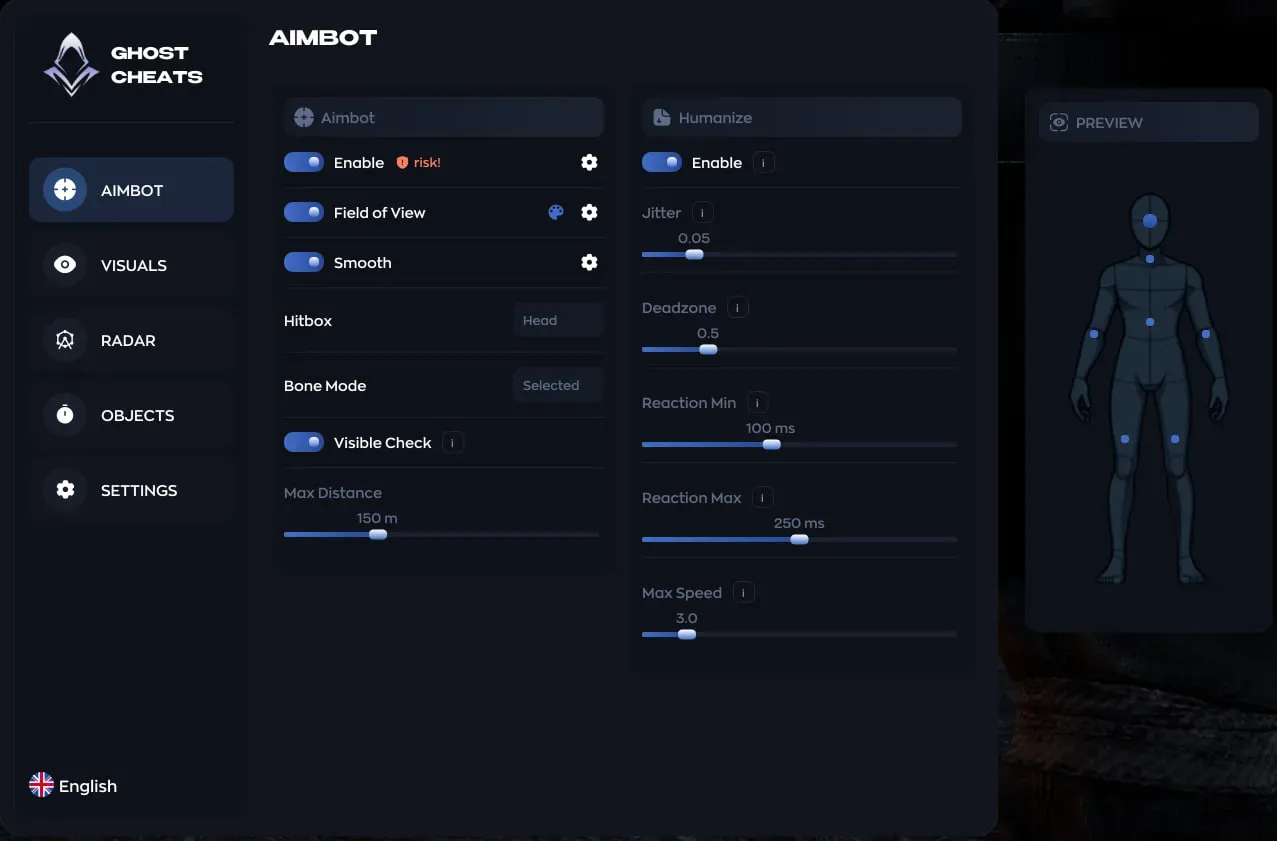
- Enable — turns on the aimbot
- Field of View — the circle within which the aimbot will lock onto a target.
- Smooth — smoothing of aiming movements
- Hitbox — select the body part the aimbot will aim at (head, body, etc.)
- Bone Mode — select the model's bone selection mode (fixed bone or manually selected).
- Visible Check — the aimbot only targets visible targets.
- Max Distance — the maximum distance at which the aimbot will aim.
- Humanize:
- Enable — enables the aimbot's humanization system.
- Jitter — small micro-movements when aiming to avoid looking perfect.
- Deadzone — the zone within which the aimbot does not move the crosshair until the target moves beyond it.
- Reaction Min — the minimum reaction delay before aiming.
- Reaction Max — the maximum reaction delay.
- Max Speed — the maximum aiming speed.
Visuals
- Enable — Enables ESP for players.
- Visible Check — Shows only visible players.
- Box — Draws a box around the player model.
- Name — Shows the player's name.
- Skeleton — Draws the model's skeleton.
- Distance — Shows the distance to the player.
- Snapline — A line from the screen to the player.
- Snapline Target — Where the line points (head, center, feet).
- Snapline Mode — Who should draw the line (all players, only enemies, etc.).
- Offscreen Arrows — Arrows showing players off-screen.
- Health — Displays health.
- Health State — Health status (wounded, unconscious, etc.).
- Hand Item — Item in the player's hands.
- Chase Indicator — Shows whether the killer is pursuing the player.
- Deep Wound — A deep wound indicator.
- Bleedout Timer — A timer for bleeding.
- Player Filter — which players the ESP shows.
Radar
- Enable — enables the mini-radar.
- Draw Outline — draws the radar outline.
- Draw Background — radar background.
- Point Style — point style (circle, square, etc.).
- Size — radar size.
- Max Distance — maximum display distance of objects.
- Point Size — point size.
- Zoom — radar zoom.
Objects
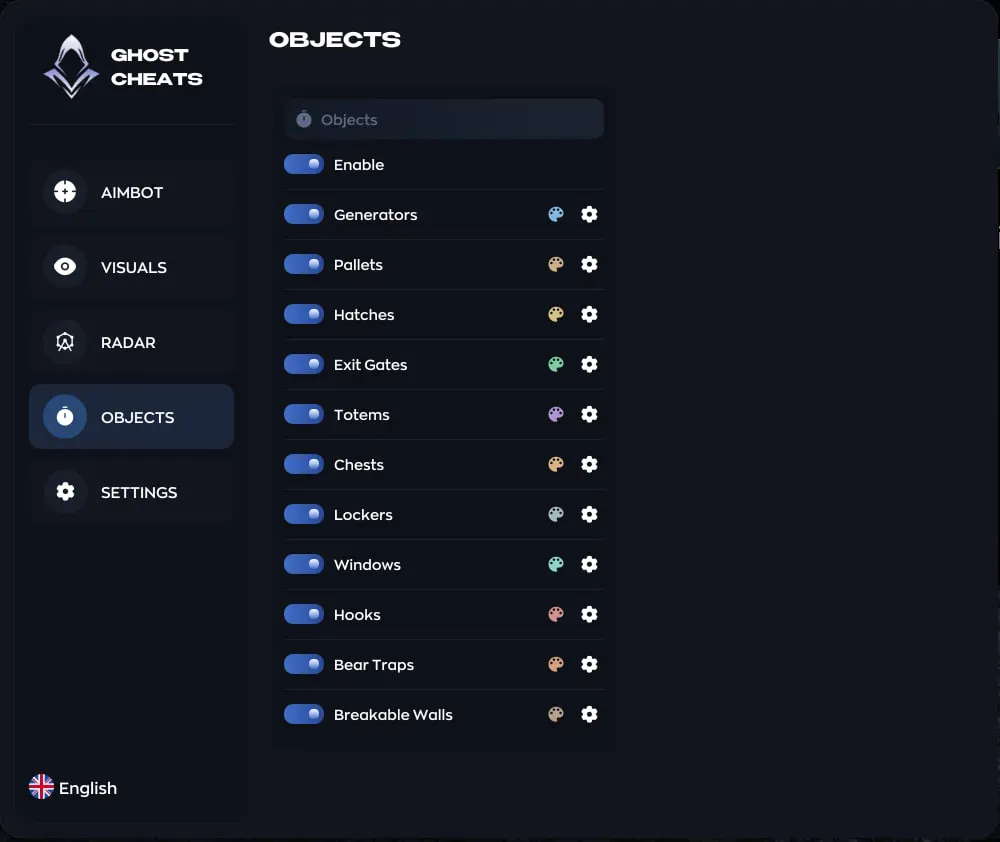
- Enable — Enables the ESP of objects.
- Generators.
- Pallets.
- Hatches.
- Exit Gates.
- Totems.
- Chests.
- Lockers.
- Windows.
- Hooks.
- Bear Traps.
- Breakable Walls.
- Settings for each object:
- Distance — display distance.
- Size — marker size.
- Show Background — marker background.
- Distance — display distance to the object.
- State — display status (generator repair progress, totem status, etc.)
Settings
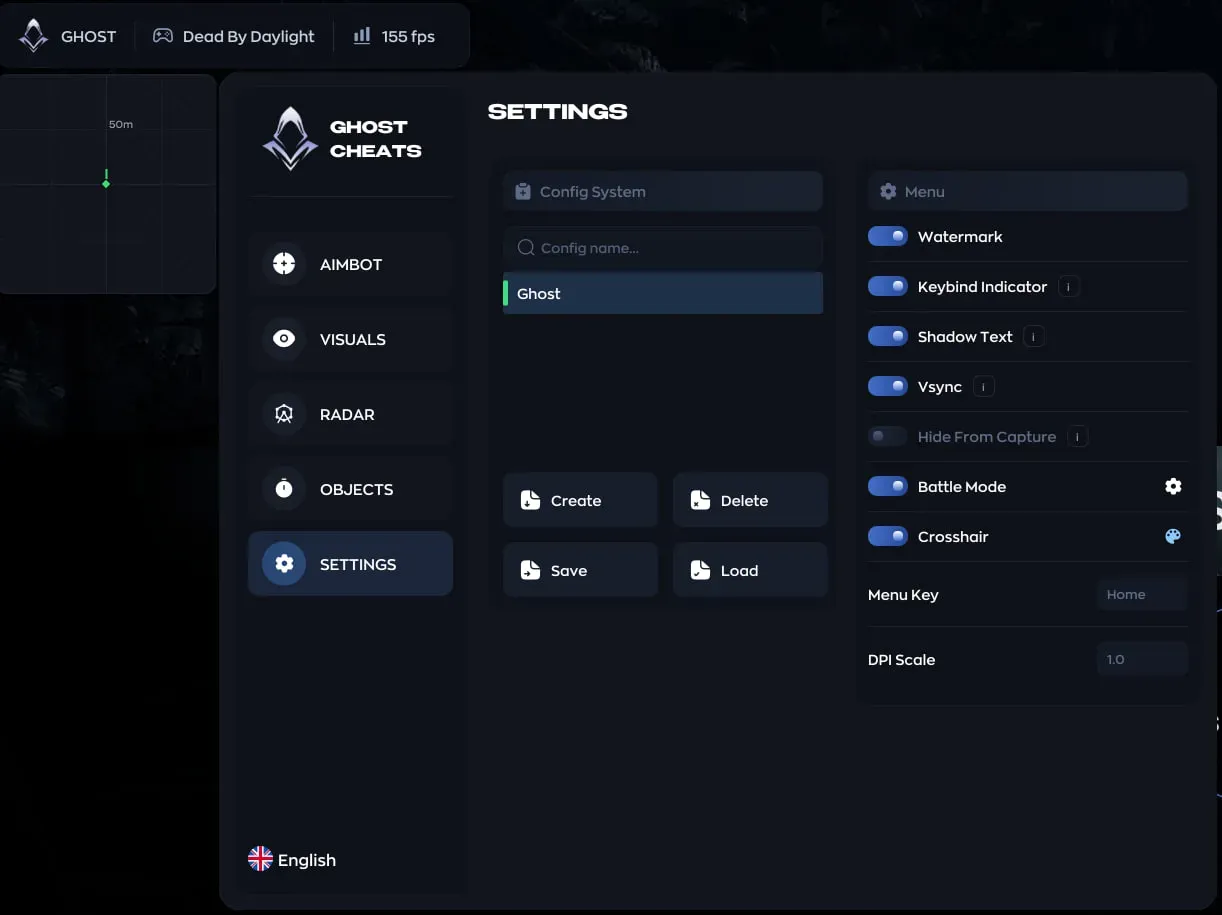
- Create — create a new configuration.
- Delete — delete a configuration.
- Save — save current settings.
- Load — load the selected configuration.
- Watermark — display a watermark.
- Keybind Indicator — shows active keybinds.
- Shadow Text — shadows for interface text.
- Vsync — vertical menu synchronization.
- Hide From Capture — hide the menu from OBS/Discord.
- Battle Mode — simplified interface mode.
- Crosshair — display a crosshair.
- Menu Key — menu opening key.
- DPI Scale — interface scale.
The developer may change the program's functionality at any time, but we always do our best to keep this information up to date

