

Mureh Permanent HWID спуфер

Как установить и запустить
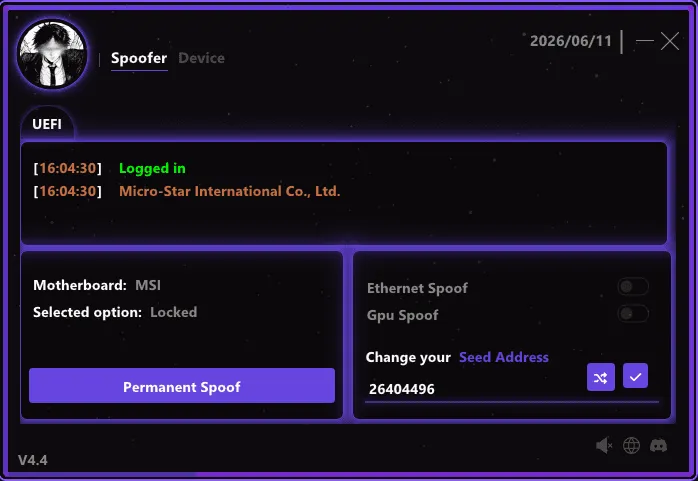
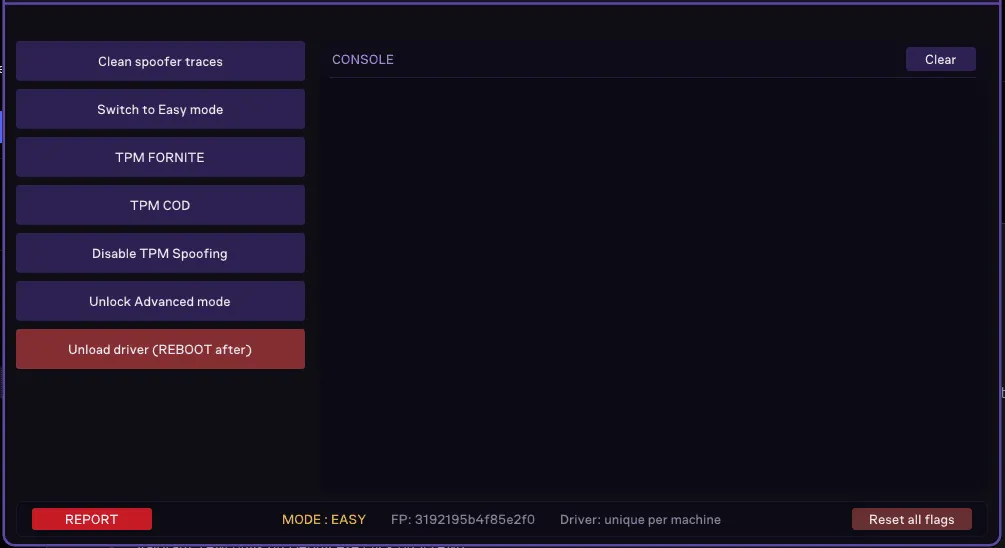
Mureh Permanent меняет идентификаторы железа навсегда, так что новые серийники переживают перезагрузки в играх на Vanguard, EAC, ACE, BattlEye, Ricochet и VAC, от Rust и Таркова до Call of Duty, Battlefield 6 и Fortnite. В меню выбирается режим Easy или Advanced, спуфятся сетевой адаптер и видеокарта и меняется seed-адрес, из которого строятся новые идентификаторы, а отдельная кнопка чистит следы спуфера. В консоли есть ещё спуф TPM для Fortnite и Call of Duty и переключатель, который отключает спуф TPM. Valorant и League of Legends в списке есть, но для них поверх нужен отдельный Mureh TPM.
- Windows
- 10(все)/11(все)
- Процессор
- Все
- Видеокарта
- Все
- Лаунчеры
- Все
- USB-флешка
- Требуется
Понадобится переустановка Windows и обновление BIOS (в инструкции имеются детальные разъяснения). Подходит для любой материнской платы.
Возможности спуфера
Поддерживаемые игры
- Valorant
- League of Legends
- Arena Breakout: Infinite
- Delta Force: Hawk Ops
- ARC Raiders
- Rust
- PUBG: Battlegrounds
- Fortnite
- Apex Legends
- Rainbow Six Siege
- Escape From Tarkov
- Call of Duty
- Battlefield 6
- DayZ
- Dead by Daylight
- FiveM
- Marvel Rivals
- League Of Legends
- Albion Online
- И МНОЖЕСТВО ДРУГИХ ИГР...
Поддерживаемые античиты
- Vanguard
- Easy Anti-Cheat (EAC)
- Anti-Cheat Expert (ACE)
- BattlEye (BE)
- RICOCHET
- Valve Anti-Cheat (VAC)
Меню спуфера
- Постоянный спуф одной кнопкой
- Режимы Easy и Advanced
- Спуф сетевого адаптера и видеокарты
- Смена seed-адреса
- Спуф TPM для Fortnite и Call of Duty
- Отключение спуфа TPM
- Очистка следов спуфера
- Выгрузка драйвера с перезагрузкой
Функционал программы может быть изменён в любой момент на усмотрение разработчика, но мы всегда стараемся поддерживать информацию в актуальном состоянии
Другие спуферы


