

UDP Cheat for Wardogs
How to install and launch
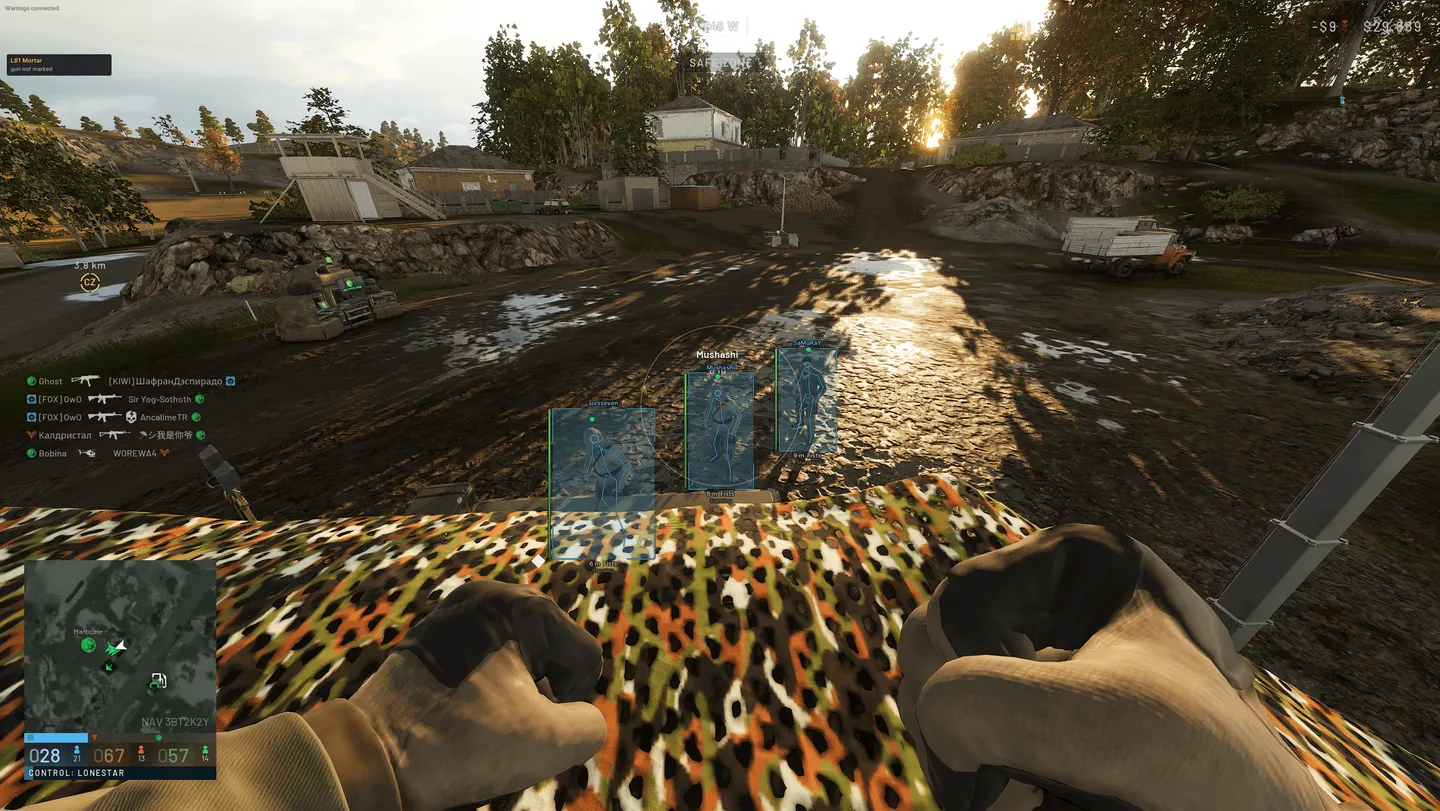
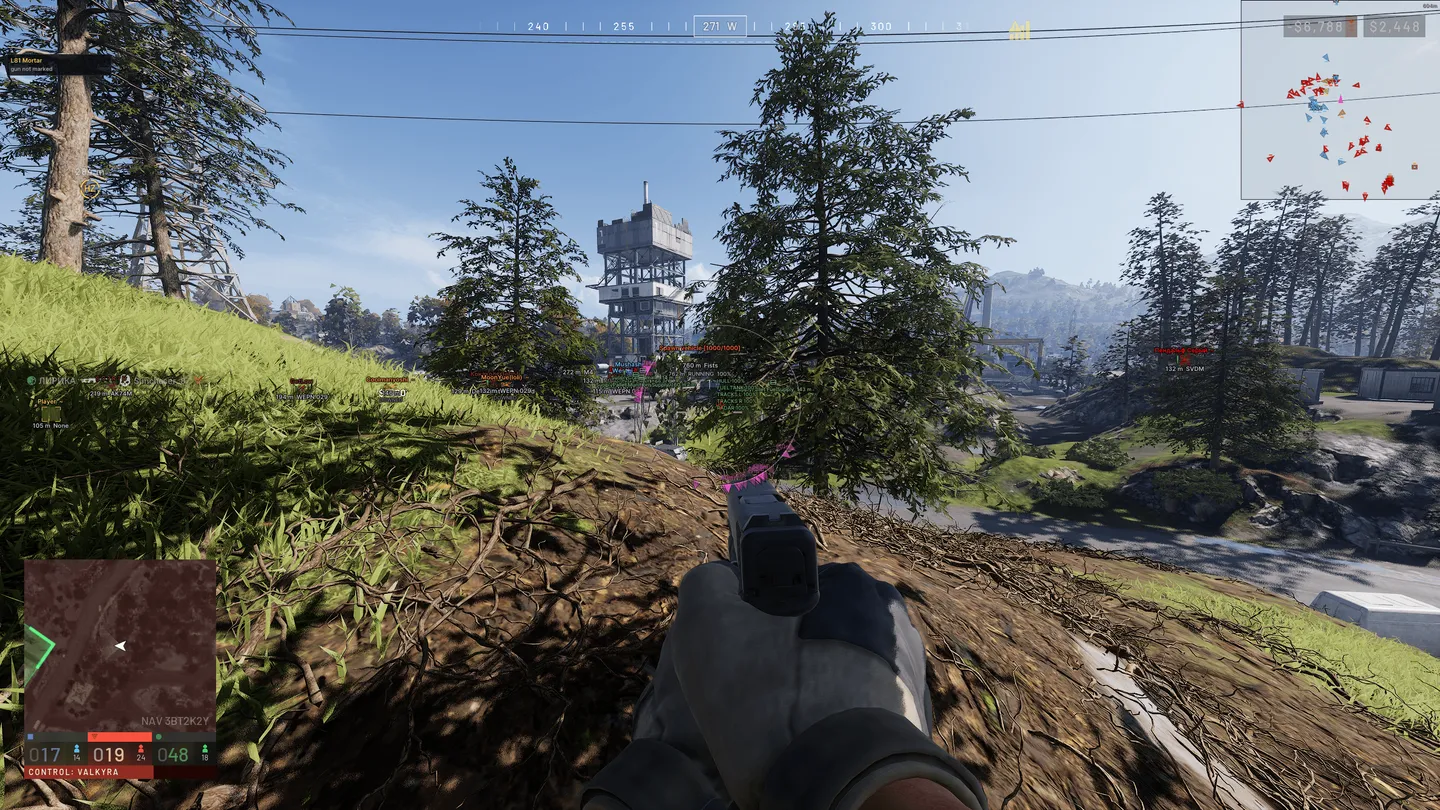
UDP for Wardogs sees much farther than it shoots. Player ESP, off-screen arrows and snaplines reach out to 10,000 metres, and vehicle ESP goes just as far, showing who is riding in each machine, the damage on each of its sections, the engine and the altitude. By contrast, the aimbot is capped at 800 metres. Inside that range it leads a moving target, corrects for bullet drop and can leave teammates and downed players alone. On the Artillery tab everything runs on marks: one key pins where your gun stands, another pins the target under the crosshair. Rarer is Staff Banner, which names any admin or developer who is in the match. Loot, crates, mines and C4 show up only within a kilometre.
- Windows
- 10(all)/11(all)
- Processor
- All
- Graphics card
- Nvidia/AMD
- Launchers
- Steam
- Spoofer
- No built-in/Choose spoofer
List of Hack Features
Aimbot
- Aim On/Off + Aim Key - Main switch and the key that holds the assist.
- Bone (Head / Neck / Chest / Pelvis / Nearest) - One of four fixed bones or the nearest one.
- FOV (10–600 px) - Radius of the zone where a target gets picked up.
- Smooth (1–30) - How gradually the crosshair travels to the target.
- Max Distance (10–800 m) - Range beyond which the aimbot stays off.
- Prediction / Target Lead - Lead on a moving target.
- Bullet Drop Compensation - Correction for bullet drop over distance.
- Skip Teammates - Leaves your own team alone.
- Skip Downed - Ignores downed players.
- Only Visible - Works only on targets in line of sight.
- Draw FOV Circle (+ Colour) - The capture zone drawn on screen in a colour of your choice.
- Target Line (+ Colour) - A line to the current target.
Player ESP
- Box (Corners / Full / Off) - Corner box, full box or none.
- Box Fill + Fill Alpha - Filled box with adjustable opacity.
- Name - Nickname.
- Health Bar + Health Number - Health as a bar and as a number.
- Bar Side (Left / Right / Top / Bottom) - Which side of the box the bar sits on.
- Smooth Bar - Smooth animation of the bar.
- Thinner with Range - The bar gets thinner on distant players.
- Distance - Range to the player.
- Weapon - The weapon in hand.
- Stance - The player's current stance.
- Kills / Deaths - The player's kills and deaths.
- Skeleton + Head Circle - Skeleton with a circle around the head.
- Skeleton Range (10–1000 m) - The skeleton is drawn only up to this range.
- Max Distance (10–10000 m) - Range beyond which the ESP stops drawing.
- Hide Teammates - Leaves your own team off the ESP.
- Show Downed (+ Colour) + DOWNED Label - Downed players in a colour of their own, tagged DOWNED.
- Show Dead (+ Colour) - Dead players in a colour of their own.
- Colours - Enemy, friendly and unknown team, plus skeleton, snapline and indicator colours.
- Visible Check - Separate colours for players in sight and behind cover, set for each relation.
- Off-Screen Arrows (+ Colour) - Arrows to players outside the screen.
- Indicator Range (5–10000 m) - How far the arrows reach.
- Fade with Distance - Arrows fade the farther the player is.
- Ring on Aim FOV - Arrows placed around the aimbot FOV circle.
- Snaplines (+ Colour) - Lines from the screen to players.
- Snapline Range (5–10000 m) - How far the lines reach.
Vehicle ESP
- Distance - Range to the vehicle.
- Observed Riders - Who is riding in the vehicle.
- Box - Box around the vehicle.
- Damage Sections - Damage broken down by section of the vehicle.
- Engine / Altitude - Engine and altitude readouts.
- Max Distance (50–10000 m) - Range beyond which vehicles stop drawing.
- Colours - Enemy, friendly and unknown team.
World
- Dropped Loot (+ Colour) + Loot Names - Items on the ground, with their names.
- Loot Range (5–1000 m) - How far loot is shown.
- Mines / C4 (+ Colour) - Mines and C4 charges in a colour of their own.
- Danger Range (5–1000 m) - How far explosives are shown.
- Crates (+ Colour) - Crates in a colour of their own.
- Crate Range (5–1000 m) - How far crates are shown.
Radar
- Heading Up - The radar turns with your view.
- Names - Nicknames on the radar.
- Vehicles - Vehicles on the radar.
- Range Rings - Distance rings.
- Size (120–500 px) - Size of the radar.
- Range (25–2000 m) - Range the radar covers.
- Background (0–100 %) - Background opacity.
- Draggable - The radar can be dragged anywhere on screen.
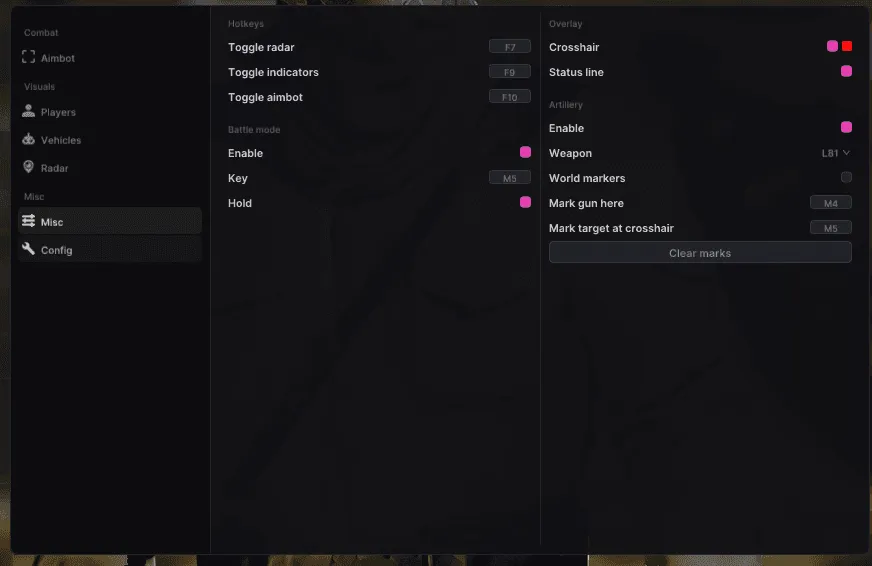
Artillery
- Weapon (Two Guns) - A choice of two guns.
- Mark Gun Here (Key) - A key that marks where your gun stands.
- Mark Target at Crosshair (Key) - A key that marks the target under the crosshair.
- Clear Marks - Removes the marks.
- World Markers - Marks shown in the game world.
Battle mode
- Battle Mode + Key (Hold / Toggle) - Its own key, held or toggled.
Overlay
- Crosshair (+ Colour) - A crosshair of its own on screen.
- Crosshair Shape (Cross / Circle / Dot) + Crosshair Size (1–40 px) - Shape and size of that crosshair.
- Hide Crosshair While Aiming - The crosshair disappears while you aim.
- Status Line - A status line on screen.
- Staff Banner - Names any admin or developer who is in the match.
Hotkeys
- Toggle Radar - Radar on and off with one key.
- Toggle Indicators - The indicators on and off with one key.
- Toggle Aimbot - The aimbot on and off with one key.
Settings
- Menu Scale (75–200 %) - Size of the menu.
- Language (English / Russian) - Menu language.
- Accent Colour - Accent colour of the menu.
- Safe Mode
- Save / Reload Config - Saves the config and loads it back.
- Status Readout
The developer may change the program's functionality at any time, but we always do our best to keep this information up to date


