

Ghost ESP Cheat for Wardogs
How to install and launch
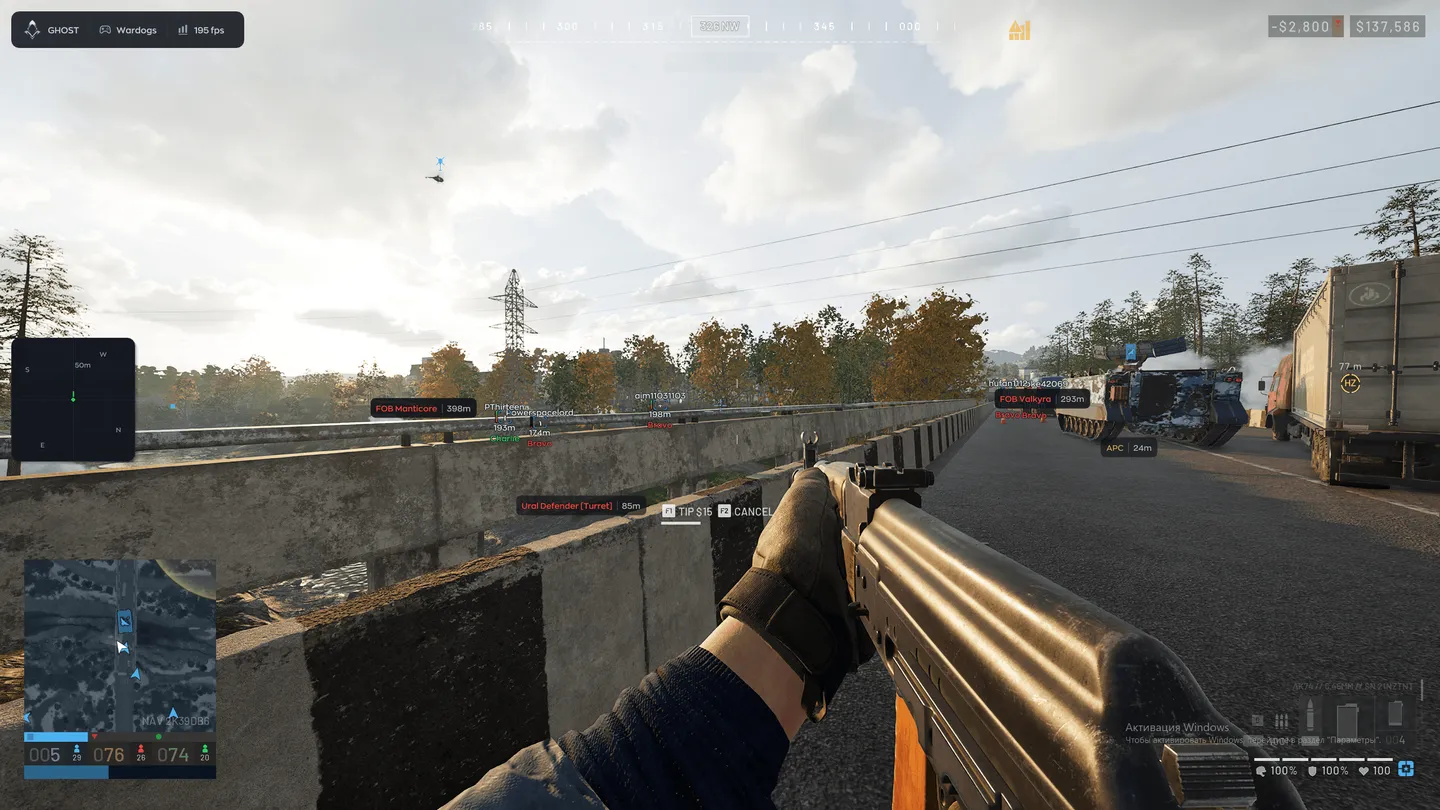
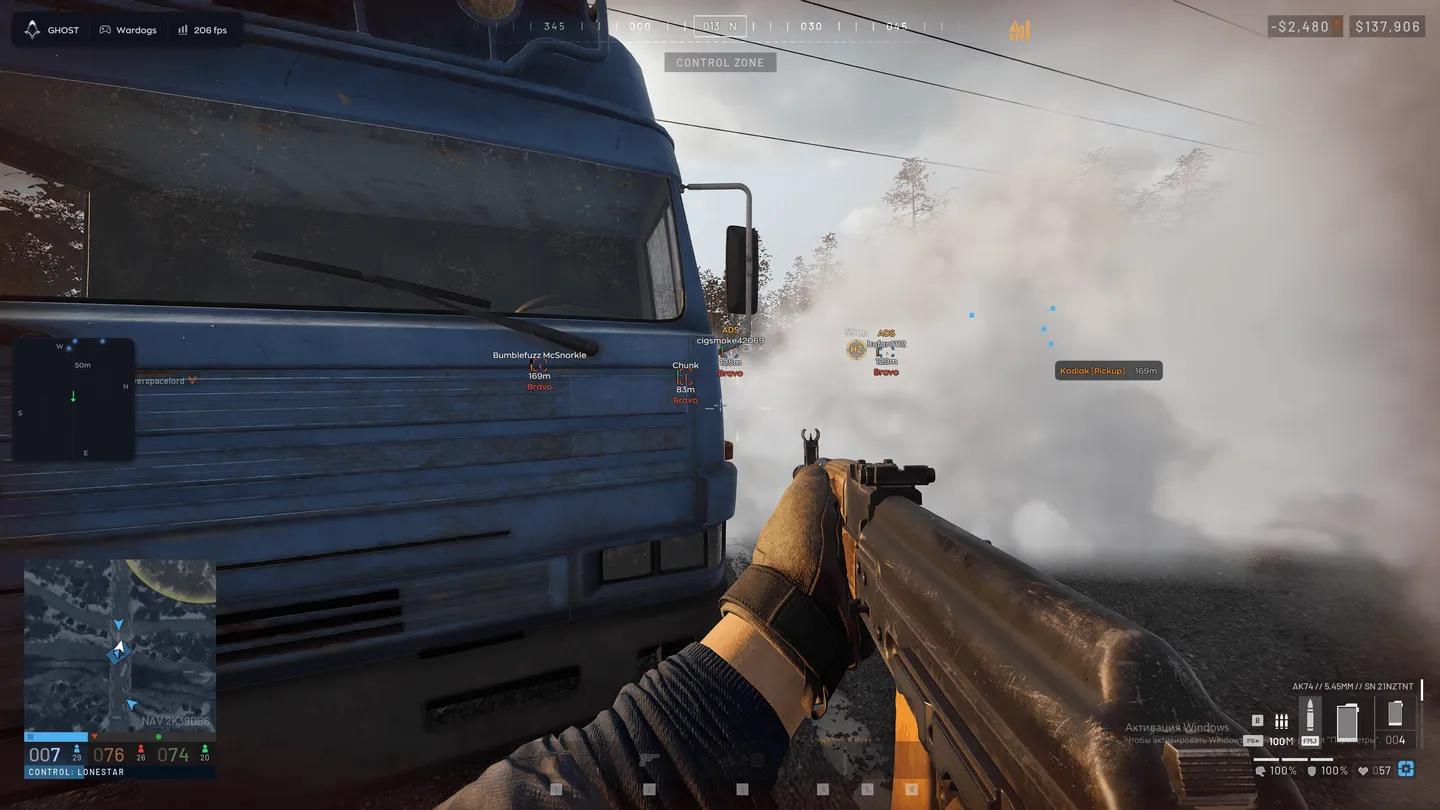
Ghost ESP for Wardogs is a wallhack and radar with no aimbot: you see the whole fight and still do all the shooting yourself. Every player carries a nickname, distance, weapon, health and faction tag, and an ADS mark gives away anyone already looking down their sights. Knocked-down enemies read DOWNED. Past the infantry, the objects layer is built for a war with machines in it: vehicles from ATVs and pickups up to attack helicopters and tanks, then artillery, APCs, turrets, forward bases, supply points, buildables and loot sorted by type. Allied vehicles can be hidden. Next to the radar sits a separate compass bar, and the AI chat in the menu tunes the visuals from a plain request. Recoil and spread stay as they are, because nothing in this build touches your aim.
- Windows
- 10(all)/11(all)
- Processor
- All
- Graphics card
- Nvidia/AMD
- Launchers
- Steam
- Streamproof
- yes
- Spoofer
- No built-in/Choose spoofer
List of Hack Features
Player ESP
- Enable — turns the player ESP on
- Visible Check — one color for enemies in sight, another for those behind cover
- Box — regular, corners only or filled
- Skeleton — the bones of the player model
- Name — the nickname above the player
- Distance — how many meters away the player is
- Weapon — what the enemy is holding
- Faction — the tag under the player, such as Alpha, Bravo or Charlie
- Snapline — a line drawn to the player
- Snapline Target — the body point the line ends at, the head for example
- Offscreen Arrows — point toward enemies outside the frame
- Health — the health bar
- State — marks a knocked-down enemy as DOWNED
- ADS — flags a player who is aiming down sights
- Skip Downed — skips knocked-down players
Radar and compass
- Enable — turns the radar on
- Draw Outline — the radar border
- Draw Background — the radar backdrop
- Point Style — circle, square or triangle dots
- Size — how big the radar is on screen
- Max Distance — how far the radar reaches
- Point Size — the size of the dots
- Zoom — the radar scale
- Compass Bar — a compass strip with its own switch
Objects: loot, vehicles, FOBs
- Loot — dropped items with their name and distance
- Loot filters — Weapons, Ammo (rounds and magazines), Meds, Armor, Attachments, Other
- Corpse — bodies of killed players
- Vehicle — vehicles on the map with their name and distance
- Hide Ally — leaves your own side's vehicles off the screen
- Vehicle types — ATV, SUV, Pickup, Truck, Helicopter, Attack Heli, Tank
- Artillery, APC and Turret — each on its own switch
- FOB — forward operating bases with their name and distance
- Supply — supply points
- Buildable — structures that players put up
Settings and AI chat
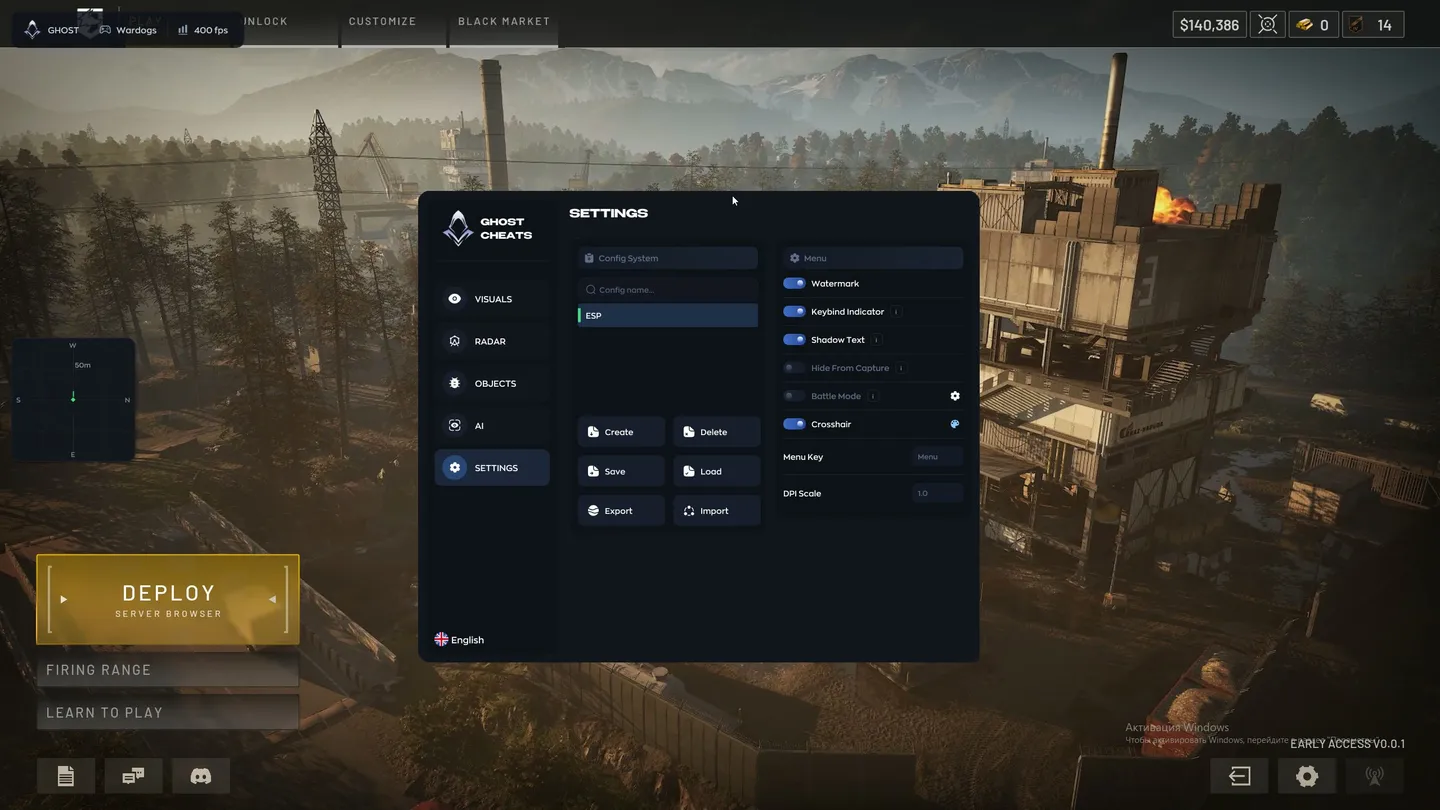
- Config System — create, delete, save and load configs
- Export and Import — move configs out of the cheat and back in
- Watermark — the on-screen watermark
- Keybind Indicator — the binds currently active, shown on screen
- Shadow Text — a shadow under the interface text
- Hide From Capture — hides the overlay from OBS and Discord
- Battle Mode — a stripped-down layout for a fight
- Crosshair — a custom crosshair with a color picker
- Menu Key — the key that opens the menu
- DPI Scale — the interface scale
- Vsync — vertical sync
- AI Assistant — a chat on the AI tab that picks and adjusts the settings on request
The developer may change the program's functionality at any time, but we always do our best to keep this information up to date


