

Phoenix Cheat for Deadlock
1 / 6
How to install and launch
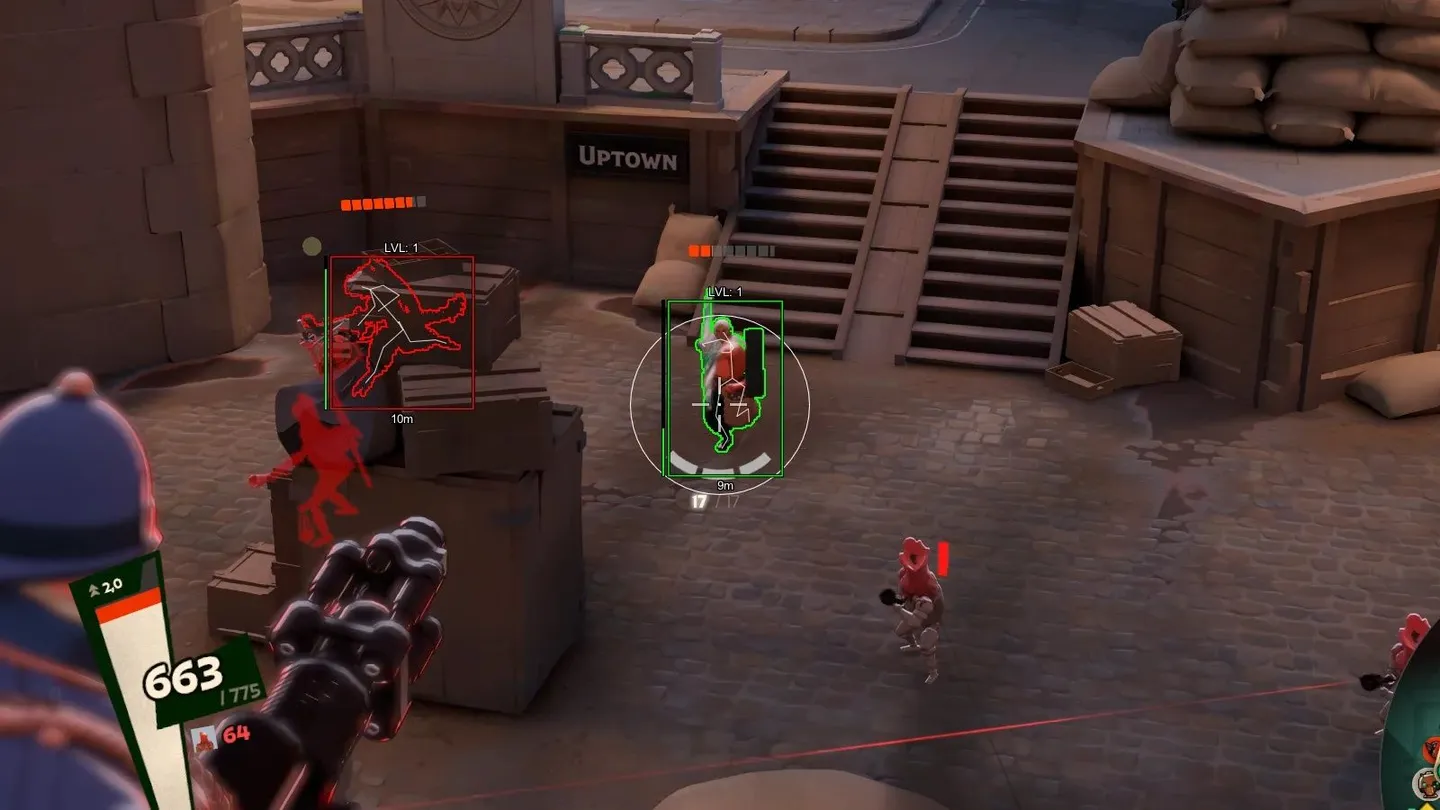
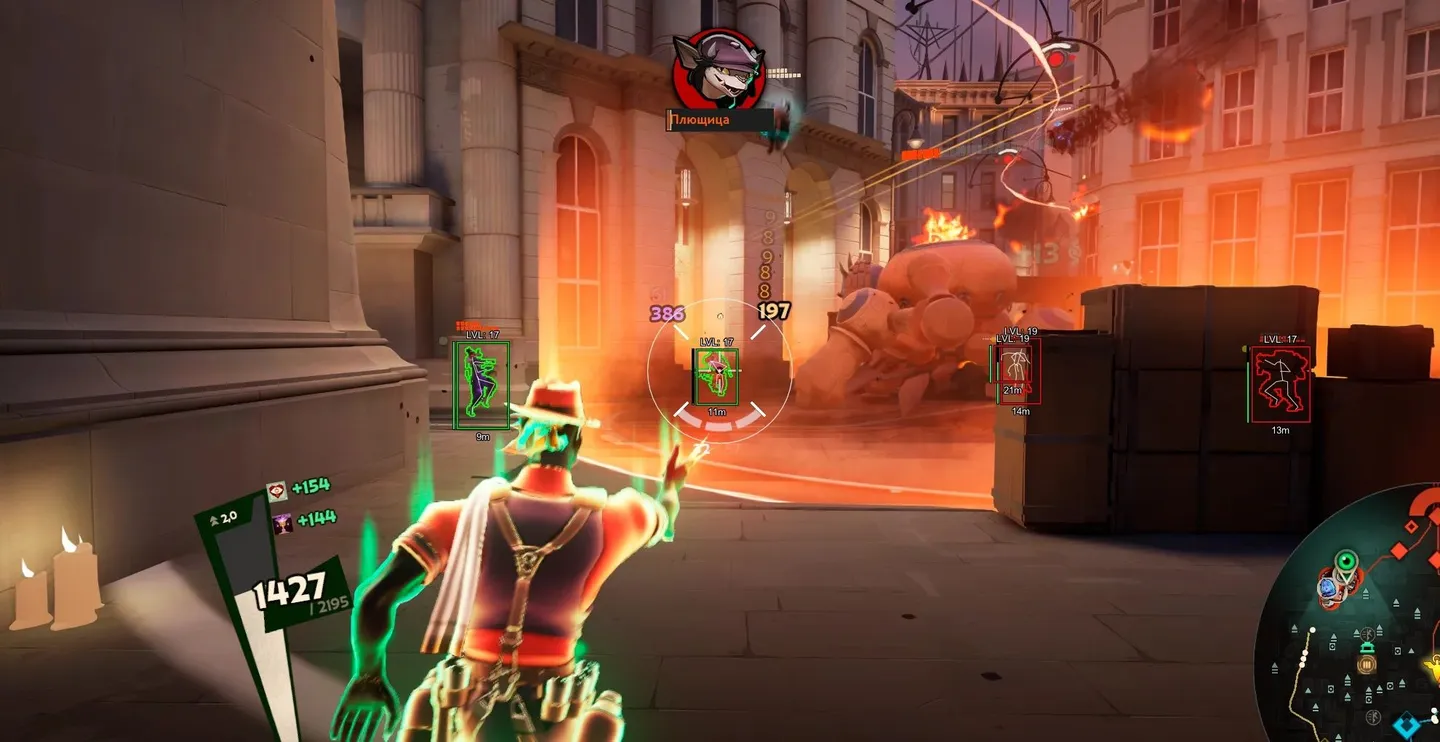
Phoenix for Deadlock splits aiming into two tools: a vector aimbot with smoothing for aim that looks like your own, and a silent aimbot with Magic Bullet that hits regardless of where the crosshair sits. Both can lock onto souls as well as heroes, and both can work through walls. Hero ESP shows a box, health, level, hero and player name, skeleton, glow and distance, with every color picked by hand. From the same menu you save, load and reset configs. The ESP covers heroes only, so troopers, camps and objectives stay exactly as the game shows them.
Status:
undetected
- Windows
- 1021h2-25h2/1121h2-25h2
- Processor
- All
- Graphics card
- All
- Launchers
- Steam
- Spoofer
- No built-in/Choose spoofer
List of Hack Features
Vector Aimbot
- Enable - enables the vector aimbot
- Aim Mode (Hold / Toggle / Always) - choose how the aimbot activates (hold key, toggle, or always on)
- Souls - enable aiming at souls
- Through Wall - allows the aimbot to target enemies through obstacles
- Show FOV - displays the aimbot field of view on screen
- FOV - the area within which the aimbot searches for targets
- Smooth - smoothing level for aim movement
- Bone - select the target point (head, closest bone to crosshair)
Silent Aimbot
- Enable - enables Silent Aim (hidden aiming without visible crosshair movement)
- Aim Mode (Key Hold / Toggle / Always) - choose the activation mode (hold, toggle, or always)
- Souls - enable aiming at souls
- Through Wall - allows Silent Aim to work through walls
- Magic Bullet - hits the target regardless of exact crosshair position
- Show FOV - shows the Silent Aimbot working area
- FOV - capture radius for Silent Aimbot
- Bone - select enemy hitbox for Silent Aim (head, closest point)
Visuals (ESP)
- Players ESP - ESP to display players through walls
- Enable - enables player ESP
- Show Box - displays players as boxes
- Show Health - shows player health
- Show Level - shows character level
- Show Hero Name - displays hero or class name
- Show Player Name - displays player nicknames
- Show Skeleton - shows player model skeleton
- Show Glow - highlights players with glow
- Show Distance - displays distance to players
Other Phoenix Deadlock Features
- Custom Colors - customize colors for boxes, text, skeletons, and other ESP elements with manual shade selection
- Save - save current cheat settings
- Load - load saved config
- Reset - reset settings to default values
The developer may change the program's functionality at any time, but we always do our best to keep this information up to date