

Medusa Cheat for EFT (Escape From Tarkov)
1 / 17
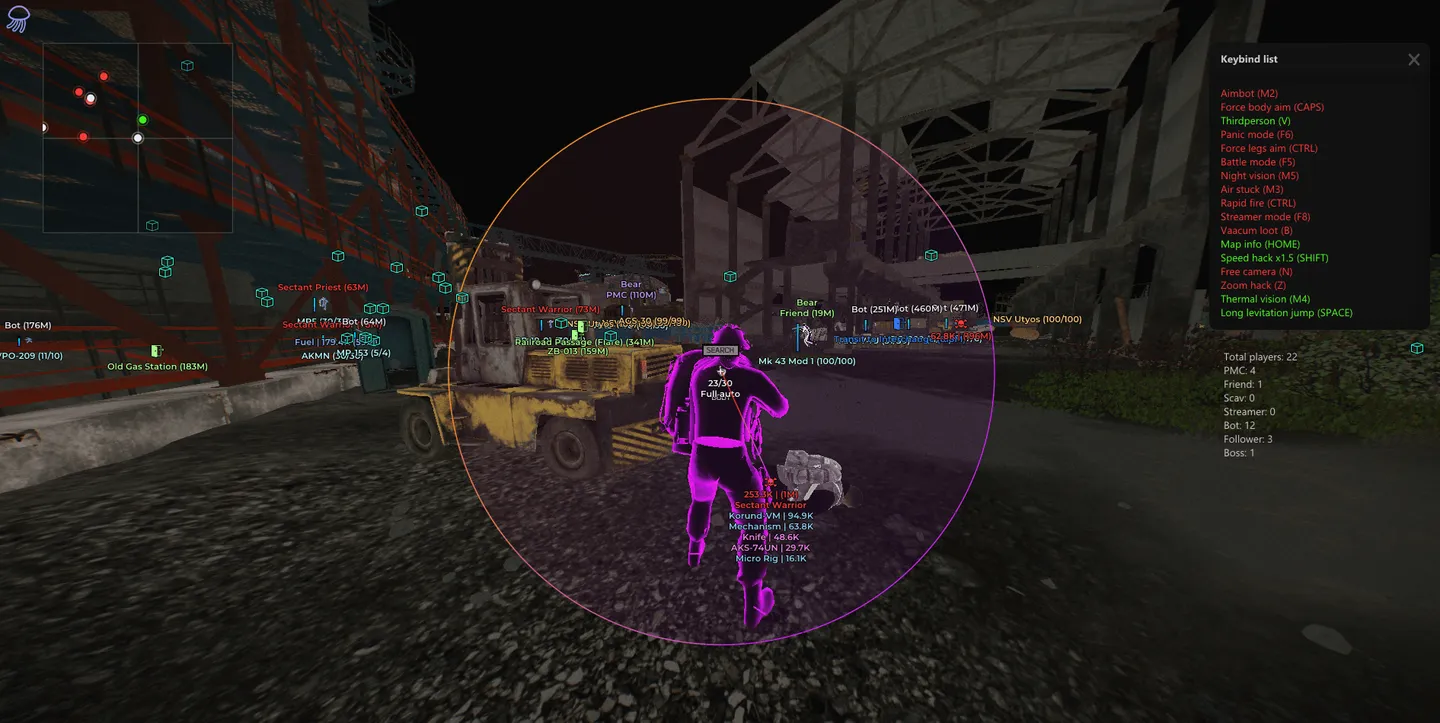
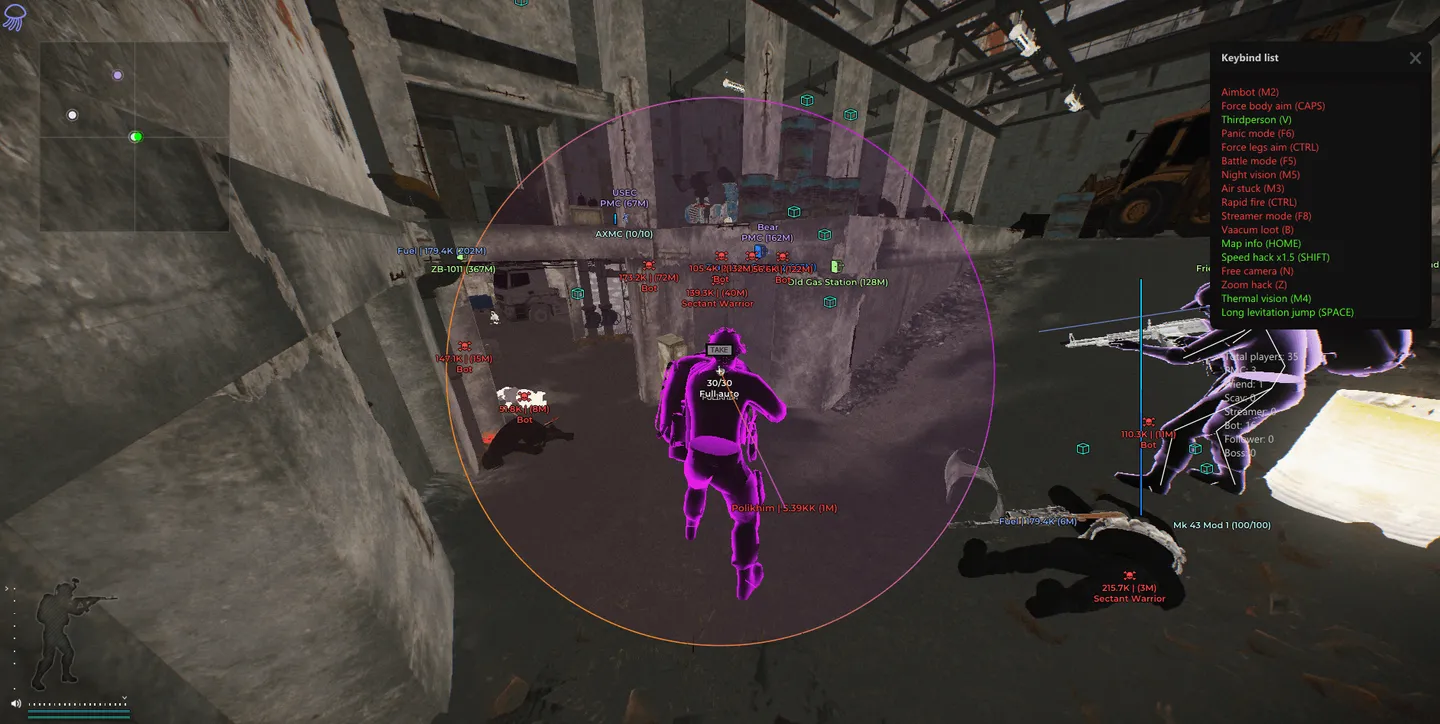
Medusa full is an advanced Escape from Tarkov cheat offering full control over aiming, visuals, and gameplay behavior. It features a powerful aimbot, detailed ESP with customizable Chams and item filters, movement enhancements like infinite stamina and speedhack, and a highly configurable interface. Designed for flexibility, it allows users to fine-tune every aspect — from recoil control to loot visualization and FOV settings.
Status:
undetected
- Windows
- 10(all)/1121h2-23h2
- Processor
- All
- Graphics card
- All
- Launchers
- Official launcher, Steam
- Spoofer
- Built-in
Note
Medusa has the ability to bypass streaming (OBS + Discord).
Instant delivery
List of Hack Features
Aimbot
- Enable feature
- Silent melee attacks
- Target only visible enemies
- Prioritize body shots
- Adjust targeting radius
- Set maximum targeting distance
- Aim at nearest bone
- Select player bone (Head / Neck / Pelvis)
- Select bot bone (Head / Neck / Pelvis)
- Ignore targets (PMC / Friends / Scavs / Bots / Bosses)
- Display target info (Above target / Center of screen)
- Draw line to target (Solid / Gradient)
- Set radius style (Solid / Gradient)
- Enable filled targeting radius
- Customize radius color
ESP, Visuals
- Box style (Corners & Outline / Corners / Box & Outline / Box) with custom color
- Filled box style (Solid / Gradient) with custom color
- Skeleton display with custom color
- Chams style (Latex / Glow) with custom color
- Chams settings (Effect power / Intensity / Additional colors)
- Health bar style (Solid / Gradient) with custom color
- Player information (Name / Distance / Level / K/D / Time in game / Survived streak)
- Player info color by role (Player / Scav / Bot / Boss)
- Show full bot names
- Weapon display with custom color
- Inventory display with custom color
- Minimum inventory price filter
- Lines display with custom color
- Maximum rendering distance
World
- Grenades (Fragmentation / Flash / Smoke)
- Grenade settings (Distance / Timer / Trajectory / Sphere / Radius)
- Trajectory style (Static / Animated)
- Radius style (Static / Animated)
- Grenade detection distance
- Danger zones (Mines / Snipers)
- Danger zone detection distance
- Mounted weapons display with custom color
- Exits display with custom color
- Show exit requirements
- BTR display with custom color
- Show BTR distance
- Bullet lines (Solid / Gradient) with custom color
- Show hit point on impact
- Enable hit sound
- Change time display mode
- Enable in-game clock
Map Information
- Players overview (Total players / PMCs / Scavs / Bots / Bosses)
- Item value filters (Above 100K / Above 250K / Above 500K / Above 1M)
- Selected items location (On the ground / In bodies / In containers)
Local Chams
- Chams style (Latex / Glow) with custom color
- Chams settings (Effect power / Intensity / Additional colors)
- Show ammo count with custom color
- Crosshair display with custom color
Loot
- Assign custom color for each category
- Use global visual settings
- Enable item display
- Set item draw distance
- Show item price
- Display short item names
- Set maximum display distance
- Adjust font size
- Hide while aiming
- Hide in battle mode
- Show only when hovered
- Category list (Weapons / Ammo / Ammo boxes / Magazines / Sights / Suppressors / Tactical devices / Weapon parts / Special equipment / Repair / Keys / Barter / Containers / Maps / Provisions / Clothing / Meds / Currency)
- Quest items with custom color
- Enable item filter
- Set minimum price filter
Filter
- Enable feature
- Display only selected items
- Apply same settings to all items
- Show only selected entries in item list
- Customize color, name, distance, and font size
Quest
- Enable quest display
- Use custom color for quest names
- Use custom color for quest conditions
- Show only active quests
- Display completed requirements
- Show quests only for the current location
- Set maximum quest display distance
- Hide while aiming
- Hide in battle mode
- Display list of all quests based on your settings
Misc
- Silent loot and loot through walls with custom color
- Enable auto loot
- Enable quick item study
- Automatically drop own dog tag
- Big Heads - this feature allows you to increase the size of your opponent’s head
- Open all doors without a key (pve)
- Automatic door opening (pve)
- Loot teleport (pve)
- GOD MODE (immortality) (pve)
Movement
- Infinite stamina and no fatigue
- Speedhack x1.5
- Speedhack x500 (pve)
- Fly hack (pve)
- No fall damage (pve)
- Allow running and shooting simultaneously
- Allow running with broken legs
K/D dropper
- Enable feature
- Enable auto suicide option
- Set maximum reconnection attempts
- Set maximum search time in minutes
Weapon
- Recoil modifier (0–100%)
- Disable weapon recoil
- Remove weapon shake
- Enable instant aiming
Camera
- Thermal vision (Dark / Bright) with custom key
- Night vision with custom key
- Disable visor effect
- Third-person view with custom key
- Adjust third-person camera distance
- Zoom hack with custom key
- Enable magnifier view
- Change field of view (FOV)
- Set FOV value
- Change aspect ratio
- Set custom aspect ratio
- Enable Post FX with custom color
- Activate anti-AFK protection
Config
- Show list
- Add new entry
- Save current configuration
- Load saved configuration
- Rename selected entry
- Delete selected entry
- Enable default auto-load
- Export current configuration
- Export all configurations
- Import configuration
- Reset all settings
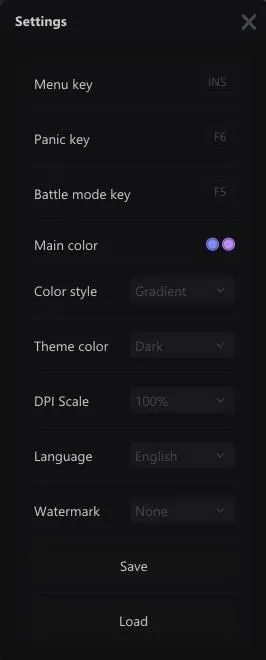
Settings
- Menu toggle key
- Panic key for emergency disable
- Battle mode activation key
- Primary interface color
- Interface style (Solid / Gradient)
- Theme selection (Dark / Light)
- DPI scale adjustment (100–150%)
- Language selection (English / Russian / Chinese)
- Watermark display (Icon / Text)
- Save configuration
- Load configuration
- Update player or item names
- Update item prices from flea market
The developer may change the program's functionality at any time, but we always do our best to keep this information up to date


