

Medusa Rage Cheat for EFT (Escape From Tarkov)
How to install and launch
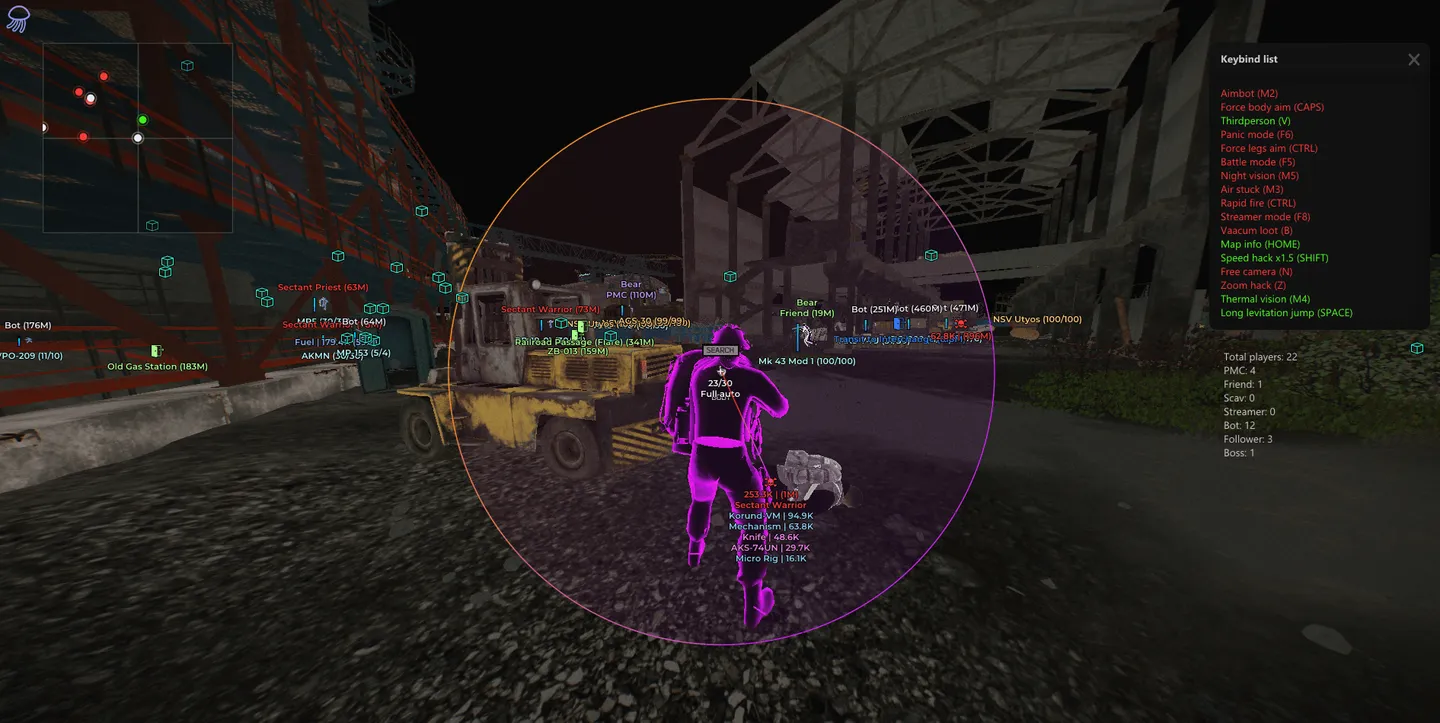
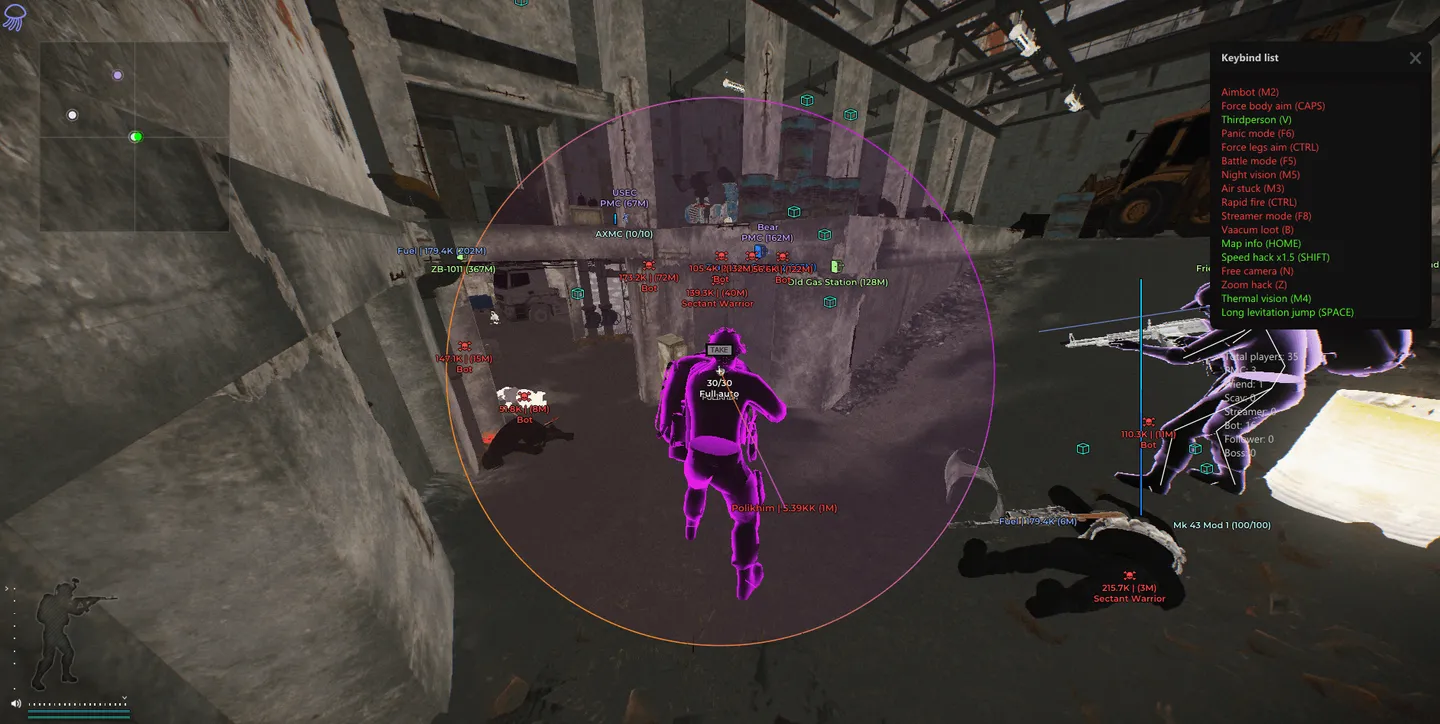
Medusa Rage for Escape from Tarkov is the loud build, and its PvE window shows how far it goes: kill every AI on the map, spawn bots of a chosen role, god mode, auto quest completion and teleporting dropped items to you. In regular raids the aimbot runs silent or vector, adds silent melee and a magic grenade thrown at the selected target, and can force body or leg shots on a key. ESP covers players and bots with ten chams styles plus your own, inventory value with a minimum filter, sound ESP and off-screen arrows, while a map info window counts PMCs, scavs, bots, bosses and guards. For loot there are nineteen categories plus containers from jackets to buried barrels, with quest items for active tasks and a price filter. Movement and weapon options go further than usual, with rapid fire, an instant knife, long hands, high and levitation jumps and a K/D dropper that lowers your stats on purpose. The menu itself puts a warning sign on infinite stamina and the speed hack, and in the PvE window Spawn AI and fast leveling carry the same mark.
- Windows
- 10(all)/1121h2-23h2
- Processor
- All
- Graphics card
- All
- Launchers
- Official launcher, Steam
- Streamproof
- yes
- Spoofer
- Built-in
List of Hack Features
Aimbot
- Silent aim: hits land without the crosshair visibly moving
- Vector aim for smoother, steadier tracking
- Silent melee
- Visible targets only
- Aim radius (FOV) and maximum distance
- Target lock and closest-to-crosshair priority
- Aim bone: Head, Neck or Pelvis, or the nearest bone automatically
- Force body aim and force leg aim
- Always headshot bots
- Ignore PMCs, player scavs, bots, boss followers, bosses, friends or streamers
- Current target info above the target or in the screen center
- Aimbot radius on screen: color, solid or gradient, static or animated
- Filled radius with its own color, style and animation
- Line to target: color, solid or gradient
- Magic grenade against the selected target
- Grenade throw trajectory: color, solid or gradient, static or animated, update delay
ESP, Visuals
- ESP on players and bots, optionally only those in line of sight
- Sound ESP for players and bots
- Off-screen arrows with a visibility mode and maximum distance
- Friends can be excluded from ESP
- Players and bots shown on the radar
- Distance fade with an adjustable start distance
- Boxes: Corners with outline, Corners, Box with outline or Box, custom color
- Filled boxes with their own fill color
- Skeleton with custom color
- View direction line: color, solid or gradient, thickness
- Name, faction, distance and item in hands
- Health bar, solid or gradient
- Inventory with total value and a minimum value filter
- Lines to targets
- Separate colors for players, scavs, bots, bosses, guards, friends and streamers
- Maximum draw distance
- Chams through walls: Glow, Latex, X-ray, Deep, Light, Dark, Solid, Glass and Wireframe glow, Amogus glow or a custom style
- Chams effect power, intensity, main and secondary color
Radar and Map Info
- Separate radar window: style, color, optional transparency
- Your own position dot and enemy dots, both resizable
- Distance and view direction lines on the radar
- Grid lines with adjustable line thickness
- Maximum radar range
- Map info window with player counts: total, PMCs, scavs, bots, bosses and guards
World
- Grenades: frag, flash and smoke, as text, icon or both, custom color
- Grenade timer, distance, sphere and danger radius (the radius is adjustable)
- Grenade trajectory: solid or gradient, static or animated
- Maximum grenade display distance
- Tripwires with custom color, trigger lines and the attached grenade type; exploded ones can be hidden
- Danger zones: mines and sniper zones
- Extracts and transitions between locations
- BTR marker
- Extracts, BTR and danger zones as text, icon or both, each with its own color
- Hover-only labels and hide in battle mode for extracts, BTR and danger zones
- Draw distance limits for tripwires and danger zones
- Mounted weapons with custom color and a range limit
- Bullet traces: color, solid or gradient, static or animated, fade delay
- Hit point, hit marker and hit sound
- Enemy hit info and hit log
Local Chams
- Chams on your own character and on your weapon
- Styles: X-ray, Light, Dark, Solid and Wireframe glow, Amogus glow or a custom style
- Effect power, intensity, main and secondary color
- Weapon info with ammo count
Loot
- Loot ESP by category: weapons, ammo, ammo boxes, magazines, scopes, suppressors, tactical devices, weapon parts, special equipment, repair, keys, barter, containers, maps, provisions, clothing, medical, currency, cosmetics
- Quest items, all of them or only those for active quests
- Price source selection and item name updates
- Short item names so labels do not flood the screen
- Item price and distance, custom color, minimum price and price filter
- Separate list of found loot in a transparent window with adjustable transparency
- Containers: jackets, safes, bank safes, cash registers, weapon, grenade and ammo boxes, medical bags and cases, sports bags, wooden crates, drawers, toolboxes, PC blocks, plastic suitcases, common stashes, ground caches, buried barrels, food, technical and medical supply crates
- Scav and PMC corpses treated as containers
- Container value and distance, text or icon, custom color; opened containers can be hidden
- Corpses: value of contents, distance, player name and faction, text or icon, custom or ESP role color
- Price filter and shared loot categories for items, containers and corpses
- Hover-only info, hide while aiming, hide in battle mode and draw distance, set separately for items, containers and corpses
- Silent loot can stay active in battle mode
- Colors by category, armor and armor plates included, and by price: up to 100K, 250K, 500K and 1M
Filter
- Item filter: matching items only or selected items only
- Search across all categories at once or one at a time
- Name and price list, items from the current raid
- Shared settings for every filtered item, or a custom color and font size
- Game item list with names and prices; the item name database can be updated
Quest
- Quest helper: quest targets and requirements in the world
- Active quests only, completed requirements shown
- Quest search and a toggle for the whole list
- Hover-only text, hide while aiming, hide in battle mode
- Maximum draw distance
Weapon
- Recoil compensation
- No recoil and spread
- No sway
- No malfunctions
- Instant ADS, reload and weapon switching
- Instant knife attack
- Rapid fire
- Long hands: longer melee and interaction reach
Movement
- Infinite stamina
- Speedhack with a movement speed limit
- Fast crouch
- Bunny hop
- High jump with adjustable jump distance
- Levitation jump, air stuck and air movement
- Run and shoot
- Instant door opening
- Fewer movement restrictions near obstacles
Camera
- Thermal vision, light or dark style
- Night vision
- No visor effect and no screen effects
- Lighting changer: color, solid or gradient, intensity
- Free camera with movement and rotation speed
- Camera passes through obstacles (ignore collisions)
- Third-person view with adjustable radius
- Camera radius
- Zoom hack with zoom amount
- FOV changer
- Aspect ratio
- Unlimited head rotation
Misc
- Clock and time of day changer
- Sky color, style and intensity
- Cloud density, fog and rain intensity
- No pickup, placement and container opening delays
- Inventory blur removed
- Info panel and active feature list (active only, transparent window)
- Hide your nickname
- Subscription time left
- Big heads
- Main menu background with style options
K/D dropper
- K/D Dropper to lower your stats
- Limits: maximum raids, reconnect attempts and raid search time
PVE
- Kill all AI
- Spawn AI by role and count
- Prohibit AI movement
- Teleport everyone to yourself
- Teleport dropped items
- God mode, no fall damage and perfect physical condition
- Speed hack, fly hack and teleport to the screen center
- Auto quest complete
- Fast leveling up
- Unlock locked doors
Config
- Create, save, load, rename and delete configs
- Auto-load a chosen config
- Export all settings or selected sections, import configs
- Copy to clipboard and load from it
- Reset settings to defaults
Settings
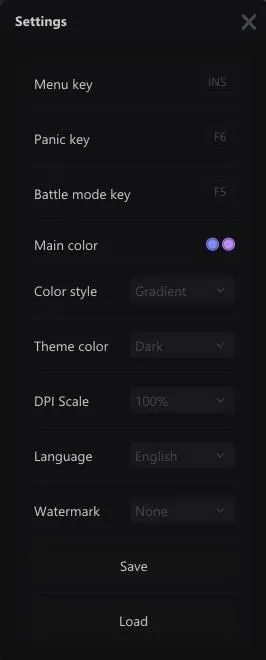
- Menu, panic and battle mode keys
- Interface color, solid or gradient
- Dark and light theme
- DPI scale from 100 to 150%
- Languages: English, Russian, Chinese
- Watermark as an icon or text
- Save and load client settings
The developer may change the program's functionality at any time, but we always do our best to keep this information up to date


