

Arcane Cheat for Mistfall Hunter
How to install and launch
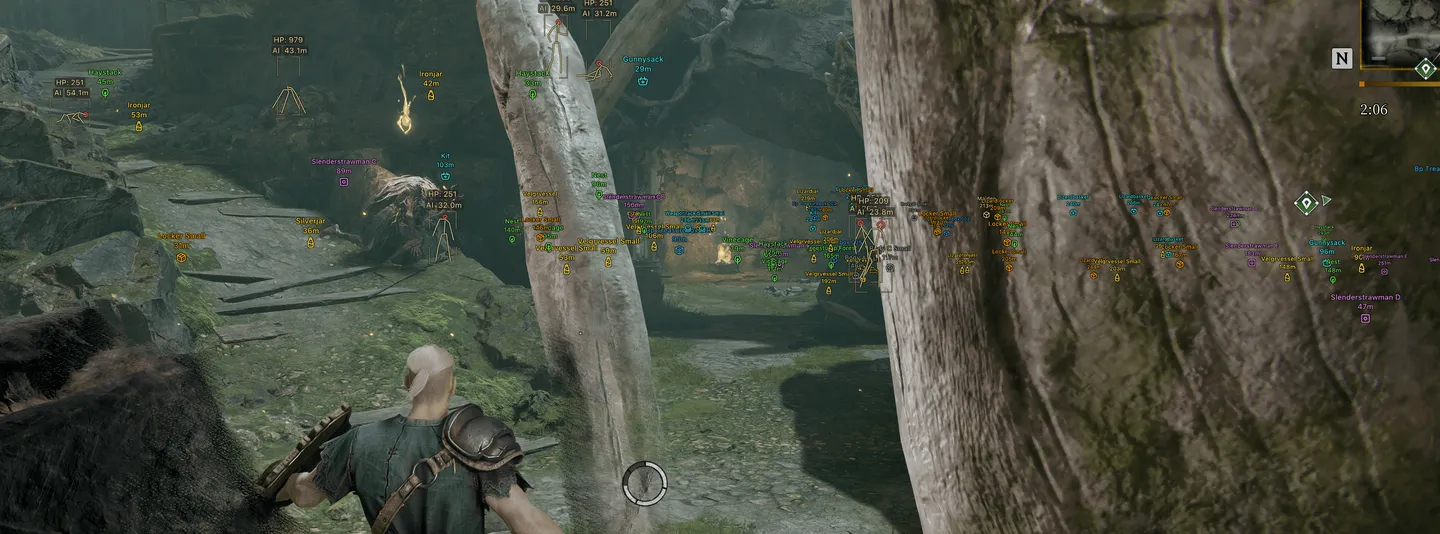
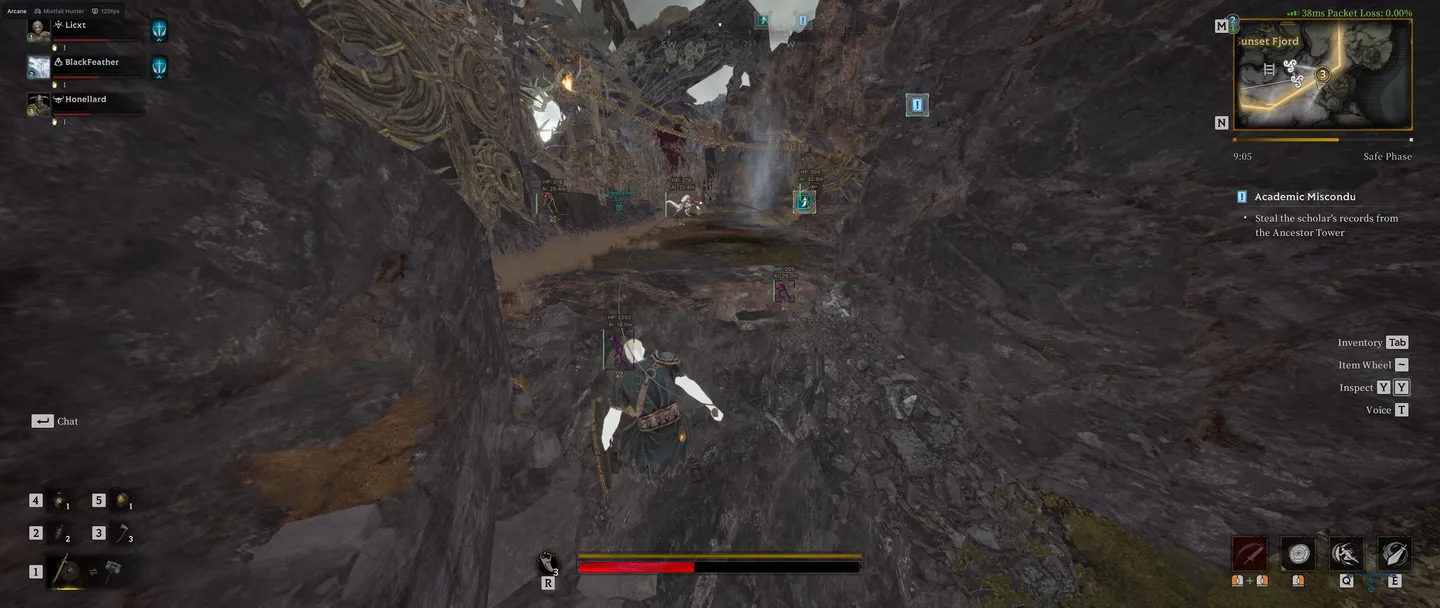
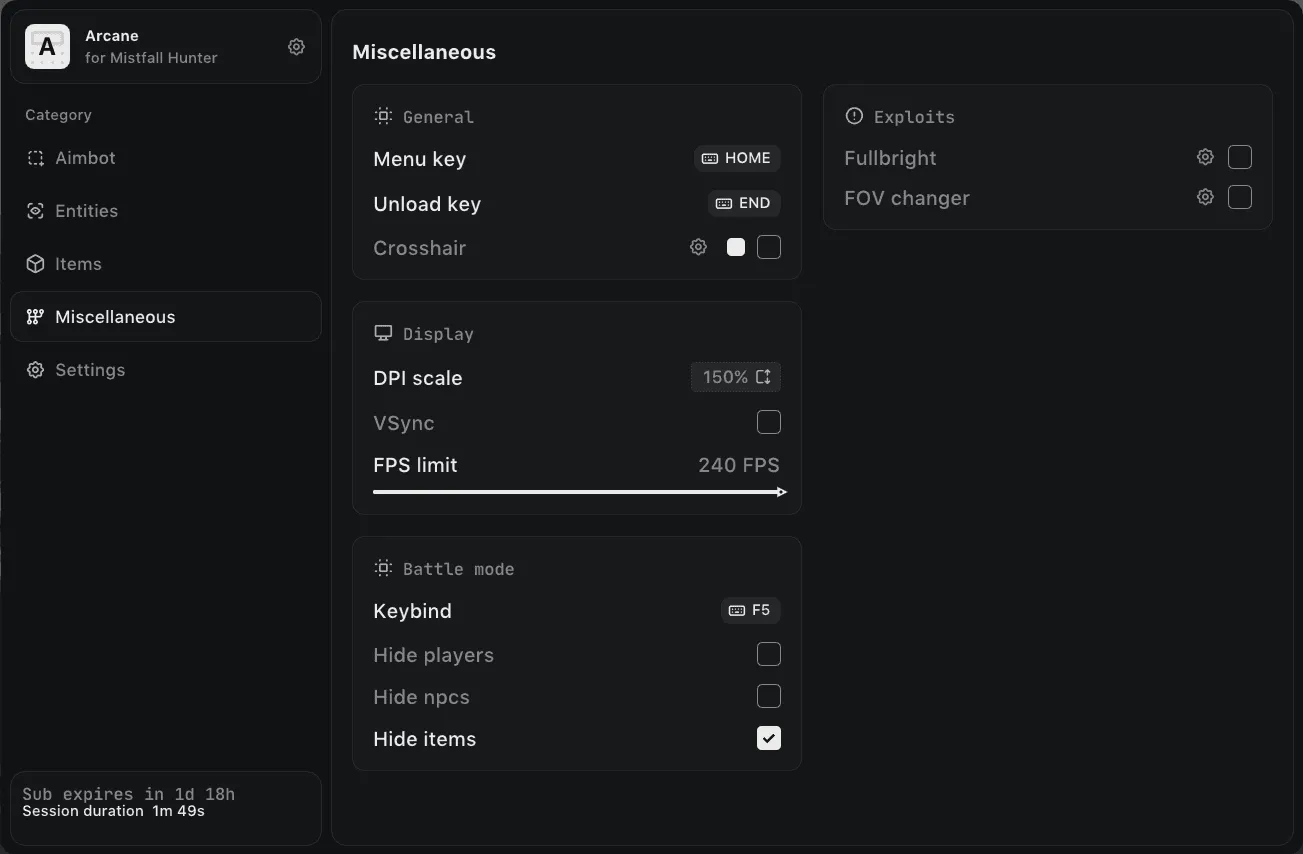
Arcane for Mistfall Hunter treats NPCs as a full target class: they get their own ESP with boxes, skeletons, health as a bar or text, names, icons and a fade near the crosshair, and the aimbot can take players, NPCs or both. For loot, dropped items are filtered by rarity from common to epic, and treasure covers containers, portable containers, vessels, bodies, effigies, furniture and large objects. Player ESP adds teams and dead bodies, and every group can be hidden on one Battle mode key. Among the extras are Fullbright for dark areas and a FOV changer, next to a crosshair, VSync and an FPS limit. Beyond Fullbright and the FOV changer there are no exploits, and there is no radar.
- Windows
- 10(all)/11(all)
- Processor
- All
- Graphics card
- Nvidia/AMD
- Launchers
- Steam
- Spoofer
- No built-in/Choose spoofer
List of Hack Features
Aimbot (RISK)
- Enable
- Keybind
- Max distance
- Mode: (Always, On hold)
- Target: (Players, NPCs)
- Bone: (Head, Neck, Body, Pelvis and other skeleton bones)
- Adaptive FOV
- Draw FOV Border
- Draw FOV Background
- FOV Size
- Smoothness
- Visibility check
Exploits
- Fullbright
- FOV changer
ESP (players)
- ESP Style: (No background, With background)
- Bounding box: (Box, Corner)
- Fill box: (Static, Gradient)
- Skeleton: (Head circle, Thickness)
- View line: (Start color, End color)
- Line to enemy: (Color, Position)
- Health bar: (Static, Health based, Gradient)
- Health text
- Name
- Distance
- Show icon
- Show team
- Show dead bodies
- Fade near crosshair
- Visibility check
- Max distance
ESP (npc)
- ESP Style: (No background, With background)
- Bounding box: (Box, Corner)
- Fill box: (Static, Gradient)
- Skeleton: (Head circle, Thickness)
- View line: (Start color, End color)
- Line to enemy: (Color, Position)
- Health bar: (Static, Health based, Gradient)
- Health text
- Name
- Distance
- Show icon
- Show team
- Show dead bodies
- Fade near crosshair
- Visibility check
- Max distance
- Transparency
ESP (items - general)
- Distance
- Transparency
- Max distance
ESP (items - dropped items)
- Common
- Uncommon
- Rare
- Excellent
- Epic
ESP (items - treasure)
- Containers
- Portable containers
- Vessels
- Bodies
- Effigies
- Nature
- Large objects
- Furniture
- Characters
- Other
Battle mode
- Keybind
- Hide players
- Hide NPCs
- Hide items
Settings
- Menu key
- Unload key
- Crosshair
- DPI scale
- VSync
- FPS limit
The developer may change the program's functionality at any time, but we always do our best to keep this information up to date