

UDP Cheat for Overwatch
How to install and launch
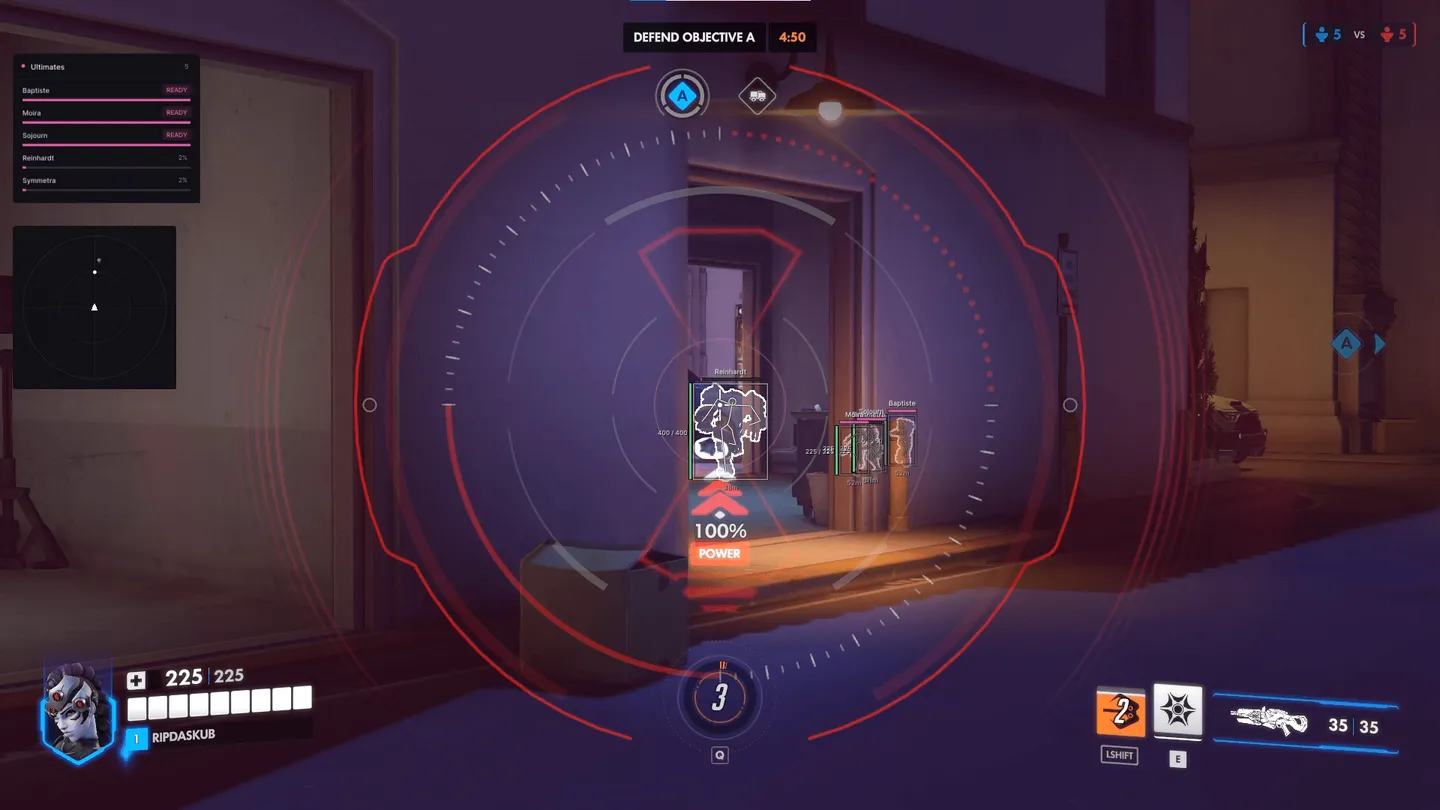
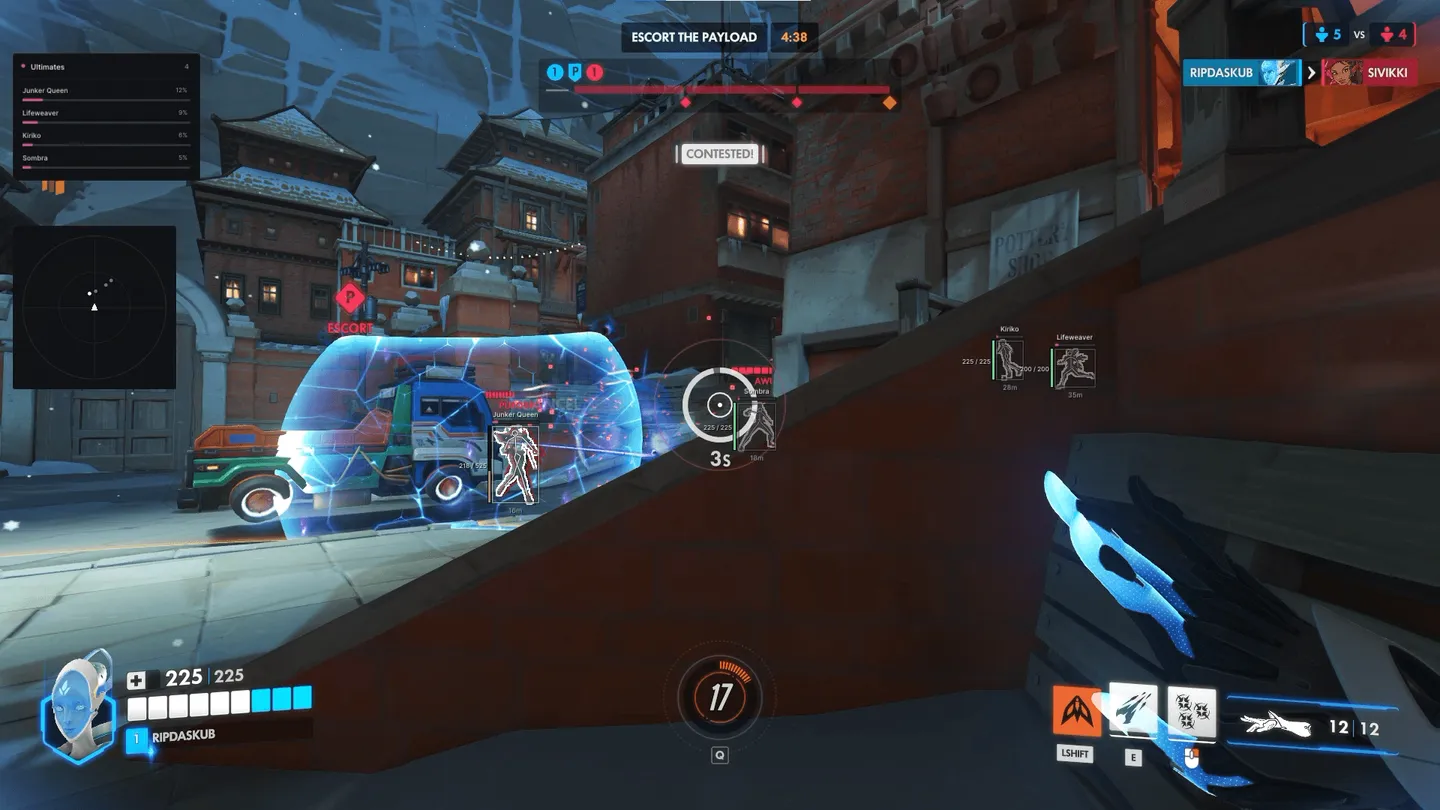
UDP for Overwatch brings three different ways to shoot for you plus helpers for specific heroes. The aimbot moves your crosshair smoothly and leads the target, the flickbot snaps onto a target and fires on its own, and the trigger shoots once an enemy is already under the crosshair. Hanzo gets a bow draw check and an arrow trajectory, Genji an automatic dash. You can aim at the head, neck, chest, shoulders or elbows, at the bone closest to the crosshair or at the whole body. Over enemies the ESP shows the hero, distance, health and ultimate charge, while a panel in the corner lists five heroes' ultimates, marked READY or with their percentage. Chams and a radar are there too. Recoil goes away, and melee lands by itself once the target is at 40 HP or lower.
- Windows
- 10(all)/11(all)
- Processor
- All
- Graphics card
- Nvidia/AMD
- Launchers
- All
- Spoofer
- No built-in/Choose spoofer
List of Hack Features
Aimbot
- Enable — works on a key
- Smoothness — how gradually the crosshair moves
- Prediction — leads a moving target
- Bow Draw Check (Hanzo)
- Auto Dash (Genji)
- Targets
- Switch Cooldown — pause before the next target
- FOV Type and FOV
- Visible Check
- Hitboxes — closest to the crosshair, full body, head, neck, chest, left and right shoulder, left and right elbow
Flickbot
- Enable — works on a key
- Speed — how fast the flick snaps
- Prediction
- Auto Shoot — fires after the flick
- Flickbot (Wait Charge) — waits for a charged shot, on its own key
- Fire Action, Mode and Cooldown
- Targets and Switch Cooldown
- FOV Type and FOV
- Bone Radius — shoots near the selected bones inside the model
- Hitboxes — closest to the crosshair, full body, head, neck, chest, shoulders, elbows
Triggerbot
- Enable and Hold Key
- Trigger (Wait Charge) — waits for a charged shot, on its own key
- Fire Action
- Delay — before the shot
- Bow Draw (Hanzo) — fires within a draw range, such as 65–100%
- Arrow Trajectory (Hanzo)
- Targets
- Bone Radius
- Hitboxes — full body, head, neck, chest, shoulders, elbows
Weapon
- No Recoil
- Auto Melee — when the target has 40 HP or less
- Aim Method — game action keys are read automatically
Player ESP
- Boxes — 2D, outline style
- Skeleton
- Lines
- Team Check
- Visible Only
- Visible Check — separate colours for visible and hidden players
- Max Distance
Info and bars
- Hero Name
- Distance
- Health Bar and Health Value
- Ultimate Bars — ultimate charge above each hero
- Box Fill
Chams
- Enable Chams
- Visible RGB
- Fill Opacity
- Contour Width
HUD and radar
- Ultimate Panel — heroes' ultimates in the corner, READY or a percentage
- FOV Circle
- Radar — size and range
- Show Allies on the radar
- Drag the radar while the menu is open
Settings
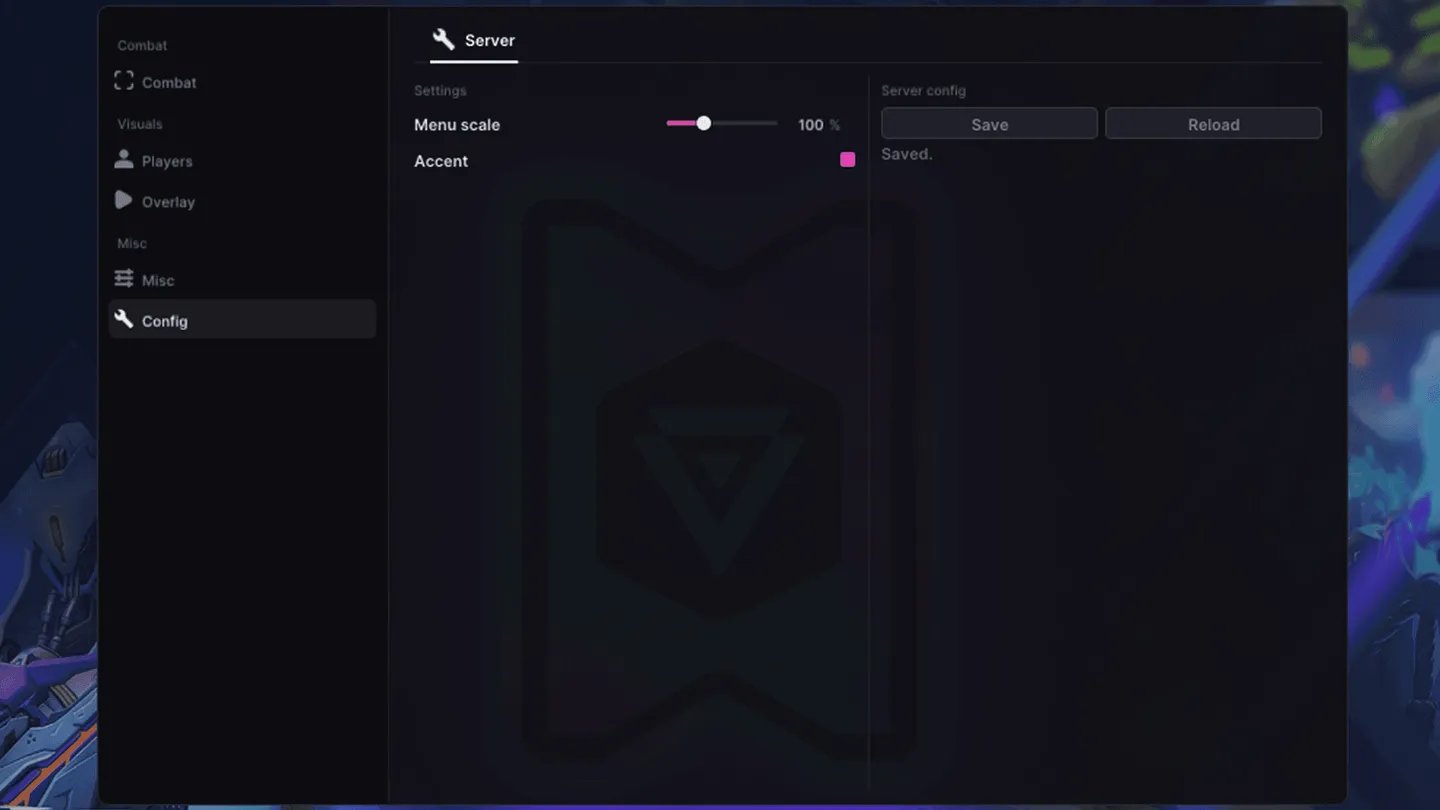
- Menu Scale
- Accent
- Debug — a separate tab
- Server Config — save and reload
The developer may change the program's functionality at any time, but we always do our best to keep this information up to date
