


Ghost Cheat for Squad
How to install and launch
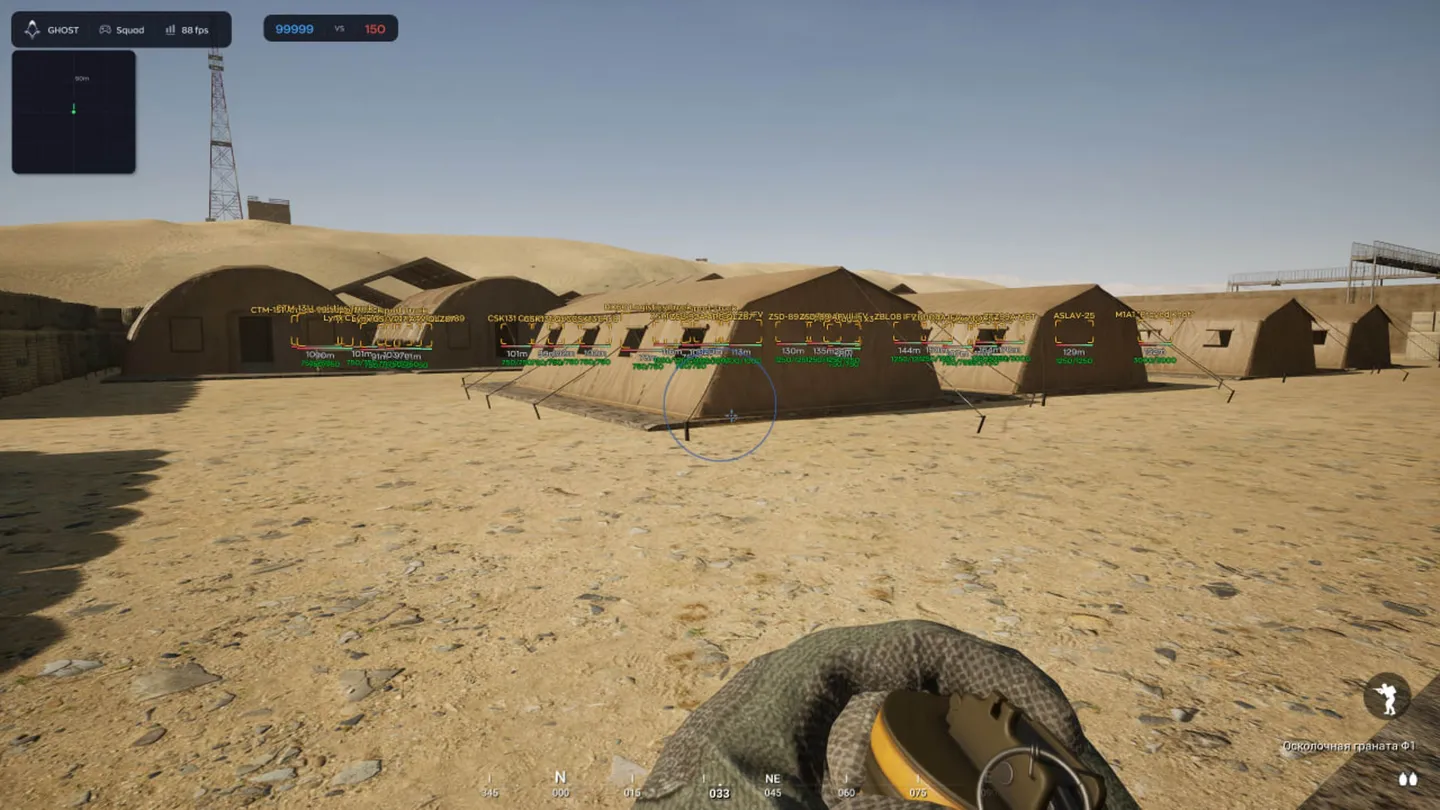
Ghost is built for Squad rather than adapted to it: the World tab carries FOB, HAB, mine and supply-crate markers plus a ticket counter, none of which generic cheats have at all. The visuals are standard for the class: four box styles, skeletons, snaplines, arrows for players off screen, separate ESP for bots and for vehicles with their health. Under Humanize the aimbot gets jitter, a deadzone, reaction delay and a ceiling on turn speed — settings that exist so the aim does not read as machine-made. There is a speedhack with three modes, plus no recoil, no sway and no spread. Milliradians sit right in the overlay and do the ranging for a mortarman. The aimbot works without prediction, so long shots across the map still need your own lead.
- Windows
- 10(all)/11(all)
- Processor
- All
- Graphics card
- Nvidia/AMD
- Launchers
- Steam
- Spoofer
- No built-in/Choose spoofer
Buy access
Instant delivery
List of Hack Features
48 features in 6 groupsAimbot
- Enable - Main aimbot switch.
- Type - Aiming mode.
- Field of View - Radius of the zone in which the aimbot picks up a target.
- Smooth - How gradually the crosshair travels to the target.
- Hitbox - Which part of the body the aim goes to.
- Bone Mode - Picks the bone on the model instead of a fixed hitbox.
- Visible Check - Works only on enemies you can see right now, not through walls.
- Max Distance - Range beyond which the aimbot ignores a target.
- Target Line - Draws a line to the current target.
- Humanize - Jitter, deadzone, reaction delay and a cap on turn speed, so the aim does not look machine-made.
Visuals
- Player ESP - Boxes in four styles (Normal, Corner, Filled, 3D), names, skeleton, distance and snaplines.
- Bot ESP - The same set for bots, switched separately.
- Zombie ESP - Marks zombies on the modes that have them.
- Vehicle ESP - Vehicles with their health, so you can see what is nearly wrecked.
- Offscreen arrows - Arrows at the screen edges pointing at players outside your view.
- Health - Health bar over the player.
- Weapon - Shows what the target is carrying.
- Milliradians - Mil readout for the range to the target, the number a mortar crew works in.
- Vehicle filter - Search and pick vehicle types: motorcycle, jeeps, logistics, anti-tank, artillery, trucks.
- Box settings - Thickness and corner rounding.
Radar
- Mini-radar with its own window over the screen.
- Outline, background and point style are set separately.
- Size - Radar window size.
- Max Distance - How far the radar reaches.
- Point size - Size of the marks on it.
- Zoom - Scales the picture inside the window.
World
- FOB - Forward operating bases on the map.
- HAB - Spawn points, so you can see where the enemy comes from.
- Mines and IEDs - Marks explosives before you drive into them.
- Supply crates - Ammo and construction supply points.
- Ticket counter - Both teams' tickets, the score the round is actually decided on.
Misc
- Speedhack - Movement multiplier with three modes: toggle, hold and always on.
- No Recoil - Removes weapon kick.
- No Sway - Removes weapon sway.
- No Spread - Removes bullet spread.
Settings
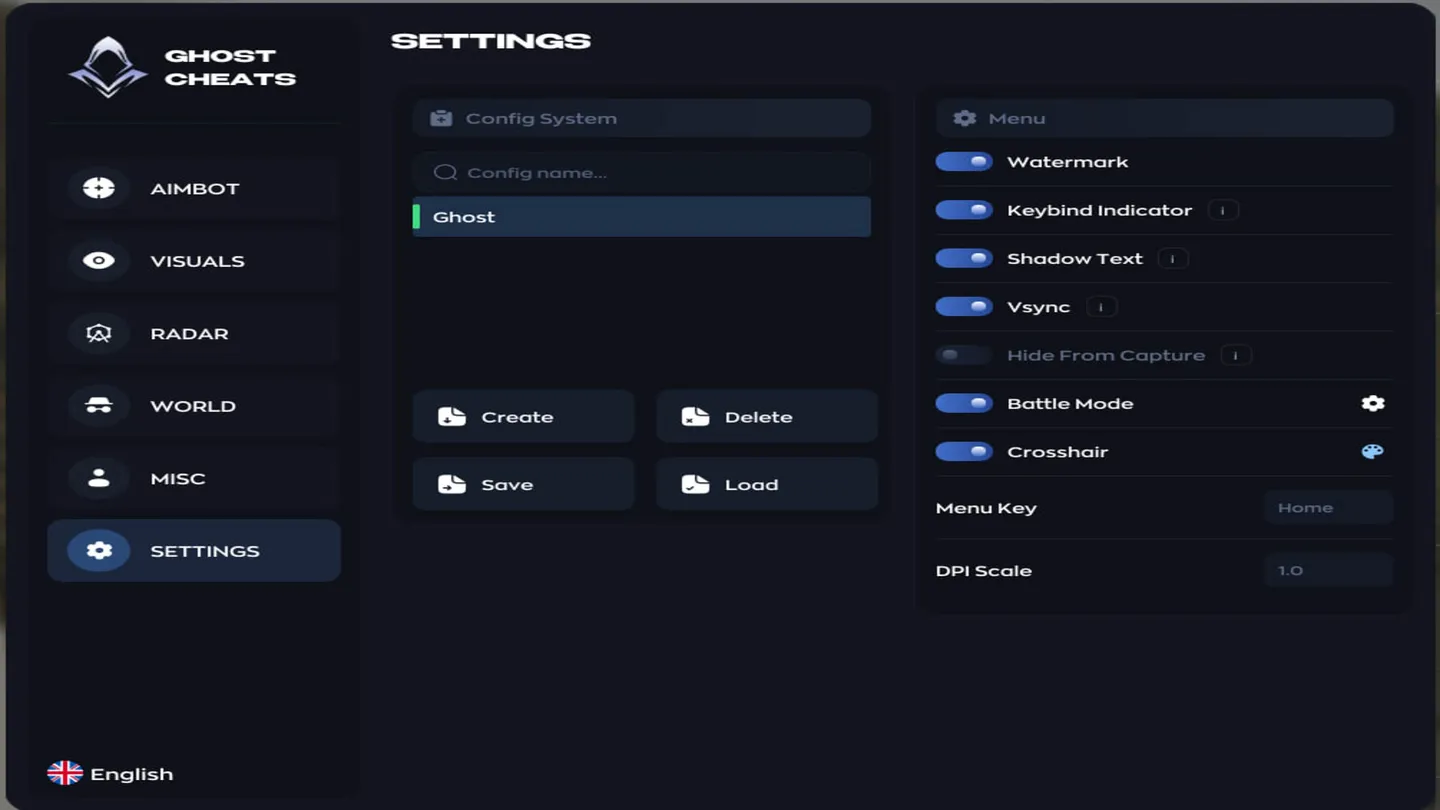
- Create - Saves the current settings as a new config.
- Delete - Removes a saved config.
- Save - Writes the current settings into the config.
- Load - Applies the selected config.
- Watermark - Overlay watermark on screen.
- Keybind Indicator - Shows which binds are active right now.
- Shadow Text - Draws menu text with a shadow.
- Vsync - Vertical sync for the menu itself.
- Hide From Capture - Keeps the menu out of OBS and Discord capture.
- Battle Mode - Simplified interface mode.
- Crosshair - Draws a crosshair on screen.
- Menu Key - Key that opens the menu.
- DPI Scale - Interface scale.
