


Xernel Cheat for Warface
How to install and launch
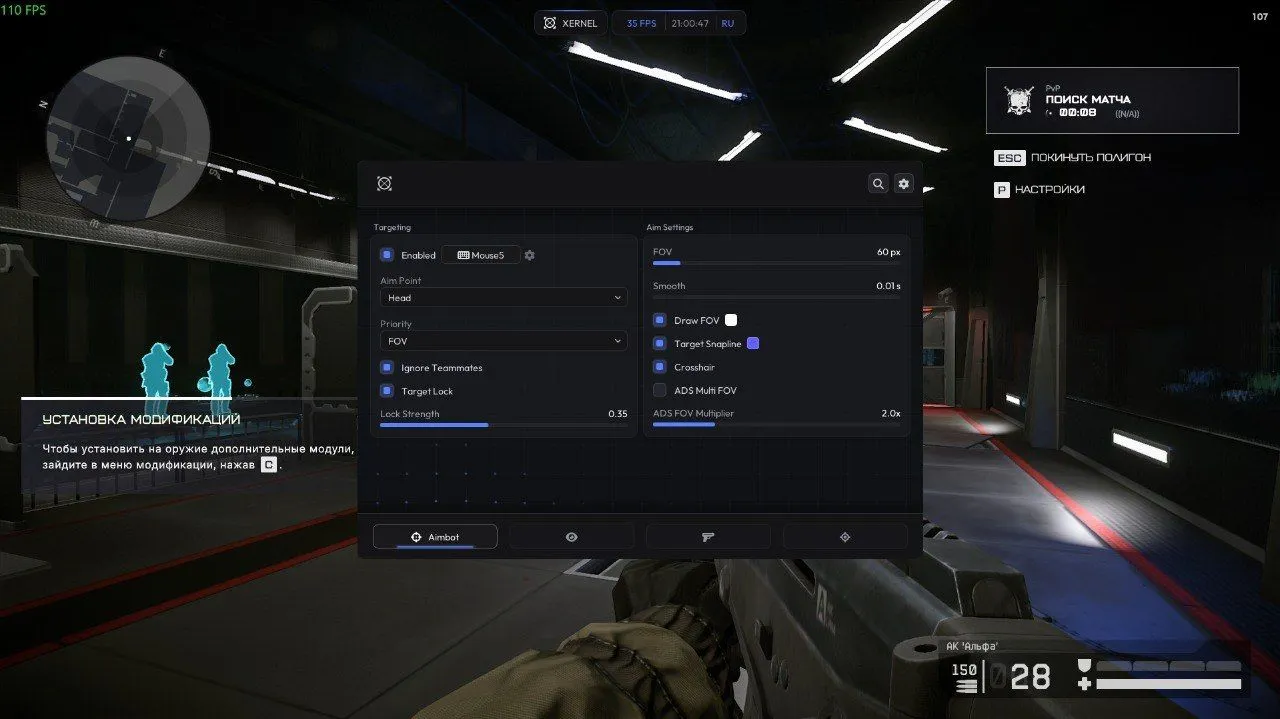
Xernel is a Warface cheat built around ESP for players who want to see every enemy through walls, with an aimbot and weapon tweaks on two more tabs. The wallhack draws a border or corner box, health, name, distance and a line to each enemy, and it can hide teammates and dead players. Enemies outside your view are not lost, because off-screen indicators point toward them. Dropped weapons get tags too. Each tag shows its distance, and filters plus a range setting keep the screen from filling up with loot. The aimbot runs in pSilent, where the shot lands without the crosshair visibly moving, or in Vector. Smooth sets how gradually the aim moves. While you aim down sights, the capture zone doubles or grows by your own multiplier. Misc adds a custom crosshair, NoRecoil, NoSway, NoZoom and a fast knife. Safe Mode blocks the riskier functions while it is on, so part of the menu goes dark until you switch it off. Three tabs hold 28 settings in all. The aimbot picks only between two bones, head and chest.
- Windows
- 10(all)/11(all)
- Processor
- All
- Graphics card
- All
- Launchers
- All
- HWID Spoofer
- No built-in/Choose spoofer
List of Hack Features
28 features in 3 groupsAimbot
- Enabled — turns the aimbot on
- Aimbot type — pSilent or Vector
- Fov — the capture zone
- Fov radius — its size
- Fov zoom double — doubles the zone while you aim down sights
- Fov zoom multiplier — your own multiplier for that
- Smooth — how gradually the aim moves
- Target Bone — head or chest
- Snapline — a line to the current target
- Snapline width
Wallhack
- Enabled — turns the ESP on
- Ignore teammates — hides your own team
- Ignore dead — hides dead players
- Lines — a line to each enemy
- Off-screen indicators — point to players outside the screen
- Lines width
- Health
- Name
- Distance
- Boxes
- Boxes type — border or corner
- Dropped weapons — tags on weapons lying on the ground, with distance, filters and a range setting
Misc
- Crosshair — a custom crosshair
- NoRecoil — removes recoil
- NoSway — removes weapon sway
- NoZoom
- FastKnife — a faster knife
- Safe Mode — blocks the riskier functions while it is on