

Arcane Cheat for Warzone and Black Ops 7
How to install and launch
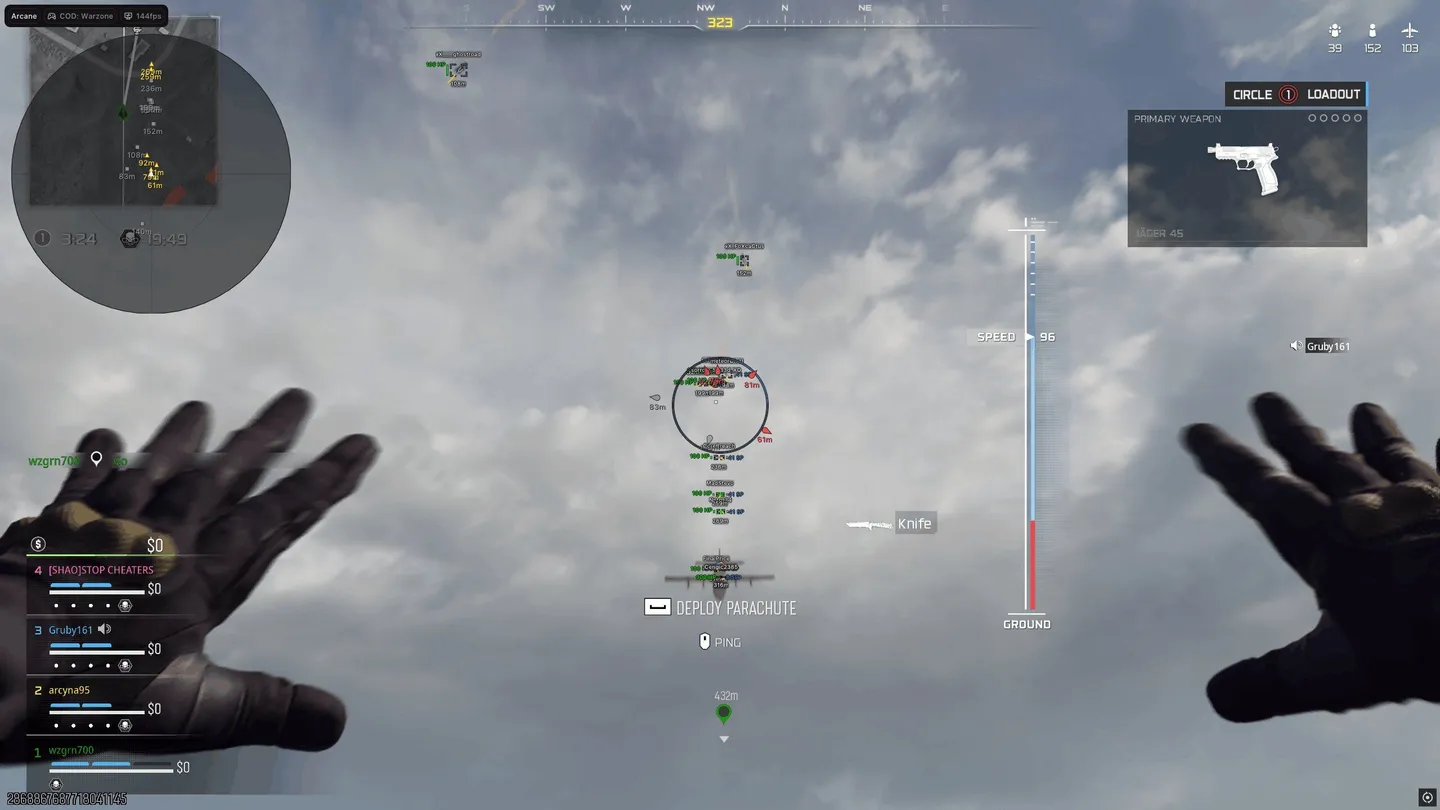
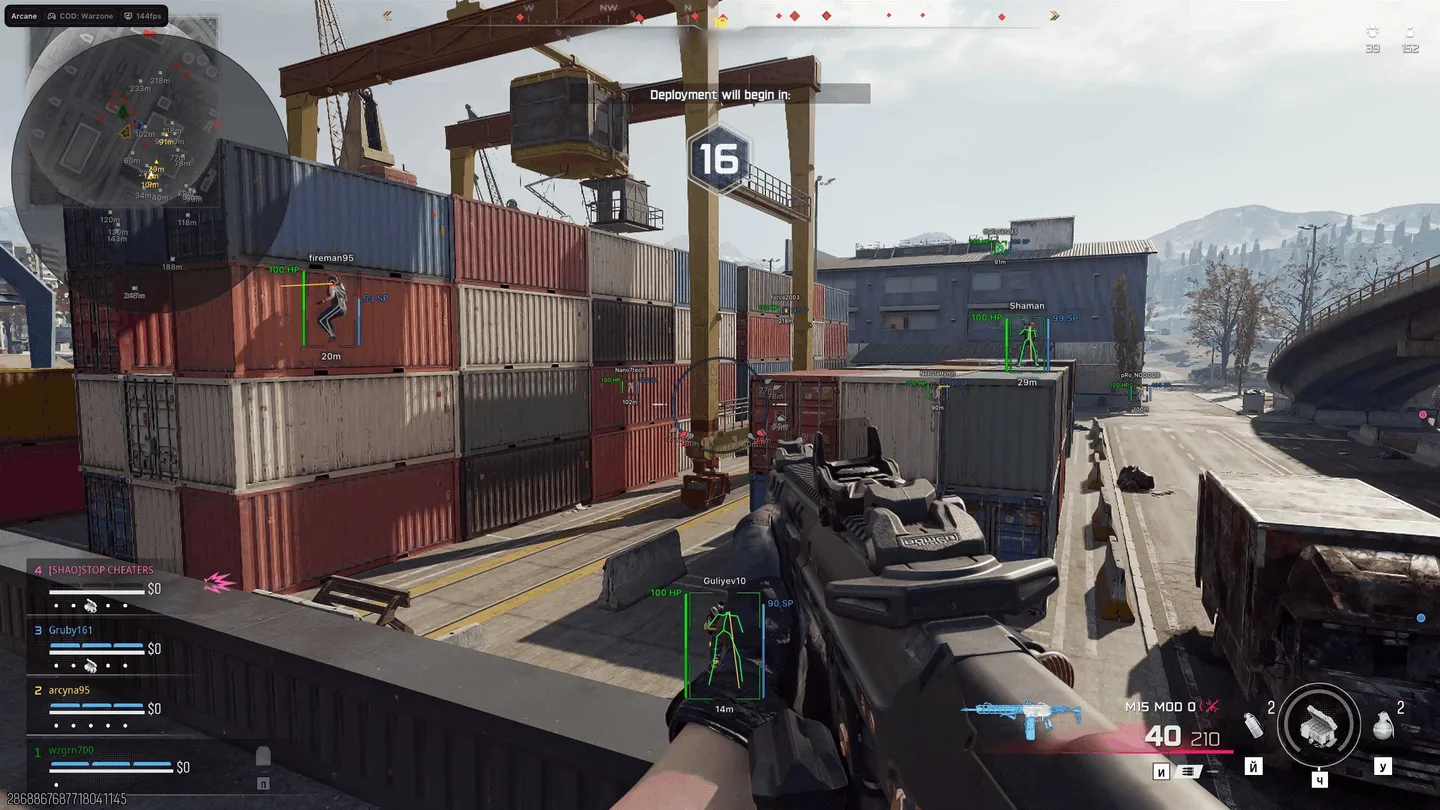
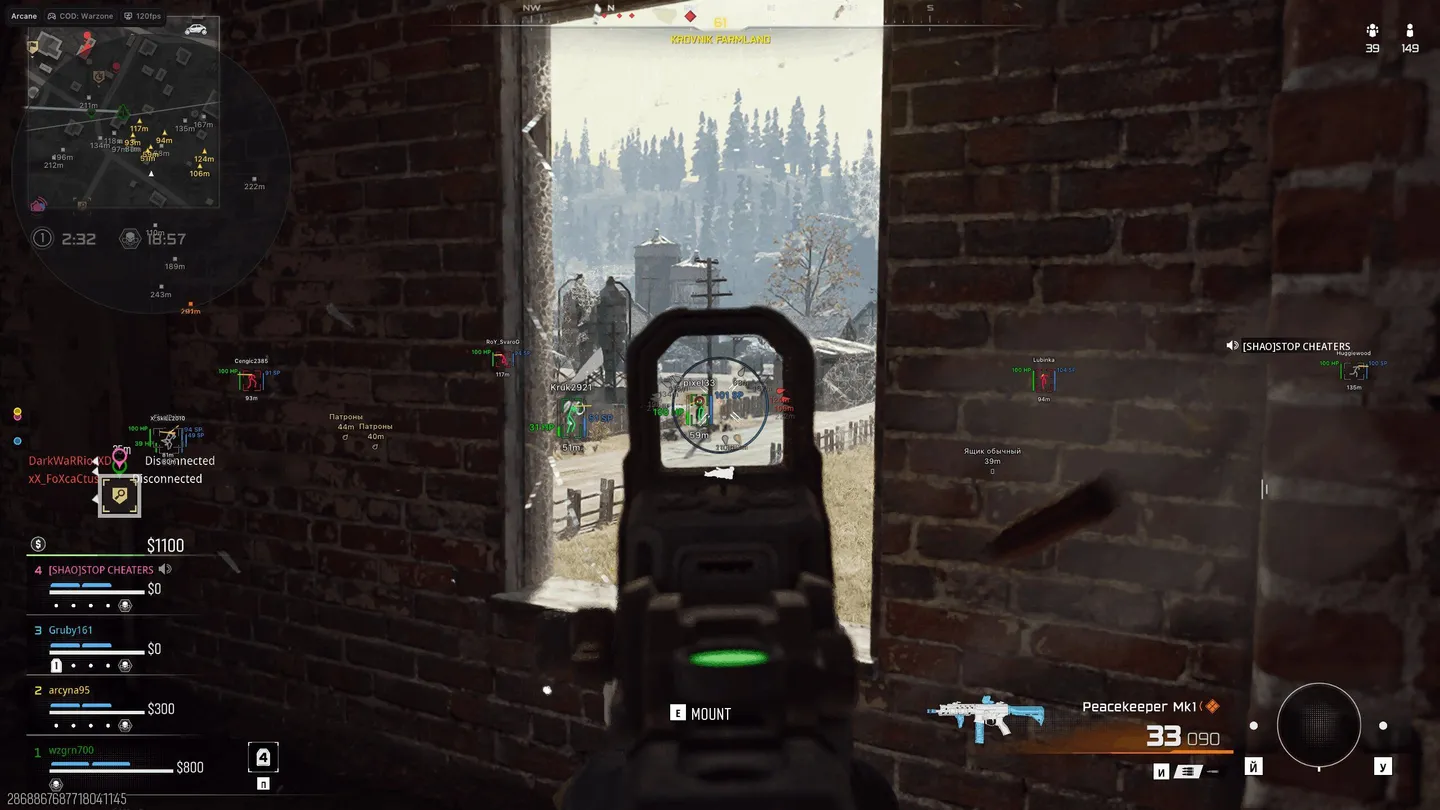
Arcane is a Warzone and Black Ops 7 cheat for players who want an aimbot they can tune down to the bone order. For aim type you pick Vector or Silent, and Silent lands shots without dragging your crosshair. The Targets dropdown holds four filters: visibility check, teammates, bots and knocked. Lose a target, and Switch delay holds the aim for 0 to 5000 ms before it moves to the next player. Weapon sway compensation shifts the aim point with the crosshair sway, while Prediction leads anyone on the move. FOV size goes up to 1000°. On the ESP side, each player shows armor plates above the box, a satchel icon past 5 plates, platform, level and a kills/deaths/assists line under it. World ESP signs every gun on the ground by its in-game name with a class tag like AR, and vehicles get a tab of their own that the radar can show too. Battle mode hides the ticked visuals on one key. With its unique key, a friend's config loads straight into your list. The Shield bar, the separate armor strip, is currently switched off by the developer because it malfunctions.
- Windows
- 10(all)/11(all)
- Processor
- All
- Graphics card
- Nvidia/AMD
- Launchers
- Steam
- Spoofer
- No built-in/Choose spoofer
Run the game in windowed or borderless mode.
List of Hack Features
Aimbot
- Enable
- Keybind: the key that turns the aim on
- Aim type: (Vector, Silent)
- Mode: (Always, On hold)
- Targets: one dropdown with the target filters (Visibility check, Teammates, Bots, Knocked)
- Find bone type: (Selected bone, Closest bone, Random bone)
- Bones selection: (Head, Neck, Chest, Pelvis…)
- Bone priority: the order in which the chosen bones are tried
- Prediction: leads a target on the move
- Humanization: a natural sway on the crosshair
- Recoil control system
- Weapon sway compensation: the aim point accounts for crosshair sway
- Draw FOV: the capture circle drawn on screen
- Draw FOV Background: fills the circle in
- FOV Size: up to 1000°
- Smooth: how gently the aim moves onto the target
- Switch delay: after a target is lost, the aim waits the set time (0 – 5000 ms) before moving on to the next player
- Max distance
ESP (players)
- Bounding box: (Normal, Corner)
- Box fill: (Solid, Gradient)
- Skeleton: (Thickness, Head circle)
- View line: (Start color, End color)
- Line to enemy: (Position, Color)
- Health bar
- Shield bar: armor as a strip of its own (temporarily disabled by the developer due to a malfunction)
- Armor Plates: how many plates the player carries, shown above the box
- Nicknames
- Armor Satchel icon: shown next to the plates when the player carries more than 5 plates
- Weapon in hands: what the player is holding
- Team name
- Platform above the box: Steam, Battle.net, Xbox and others
- Level: the player's level above the box
- Kills / Deaths / Assists: a stats line under the box
- Distance: with its own color setting
- Team colors: every squad in a color of its own
- Draw knocked
- Draw bots
- Visibility check
- Max distance
ESP (world)
- Menu tabs: (General, Weapons, Chests, Other)
- Show distance
- Transparency
- Max distance
- Weapons & Chests by rarity: (Common, Uncommon, Rare, Epic, Legendary)
- Every weapon on the ground signed with its in-game name: MXR-17, AK-27, Katana, Ray Gun and others
- Weapon class filter: (AR, BR, SMG, Shotgun, LMG, Marksman, Sniper, Pistol, Launcher, Melee, Special)
- Class tag: the weapon class before its name, e.g. [AR], [Sniper]
- Dropped items
- Ammo by type: (AR, Pistol / SMG, Sniper, Shotgun, Rockets), each with its own toggle and color
- Armor
- Equipment, each separately: frag, semtex, cluster, thermite, molotov, claymore, C4, throwing axe, flash, stun, smoke, gas, EMP, decoy, shock charge, sensor dart, stim, deployable cover, support box, heartbeat sensor, napalm strike, perk case
- Money
- Vehicles: ground and air transport, in a tab of its own
Radar
- Enable
- Entities: (Enemies, Team, Bots, Knocked, Items)
- Ammo and equipment filters: the World ESP filters apply on the radar too
- Draw vehicles: transport shown on the radar
- Position settings: where the radar sits and how big it is
- Show distance
Off-screen
- Enable: arrows pointing at targets outside the screen
- Entities: (Enemies, Team, Bots, Knocked)
- Position and radius settings
- Show distance
Battle mode
- Keybind: one key hides everything ticked below
- Hide players
- Hide items
- Hide world items
- Hide radar
- Hide off-screen
Settings
- Menu keybind
- Unload keybind
- DPI Scale: menu size
- VSync
- Theme: (Dark, Light)
- Watermark
- Language: (EN, RU, CH)
- FOV Changer: (60° – 125°), adjusts automatically to the in-game FOV setting and the screen resolution
Configs
- Create
- Get shared: a friend's config loaded by its unique key
- Launch: loads a saved config
- Save
- Edit name
- Share
- Remove
The developer may change the program's functionality at any time, but we always do our best to keep this information up to date
