


Ghost Cheat for Escape from Tarkov
1 / 13
How to install and launch
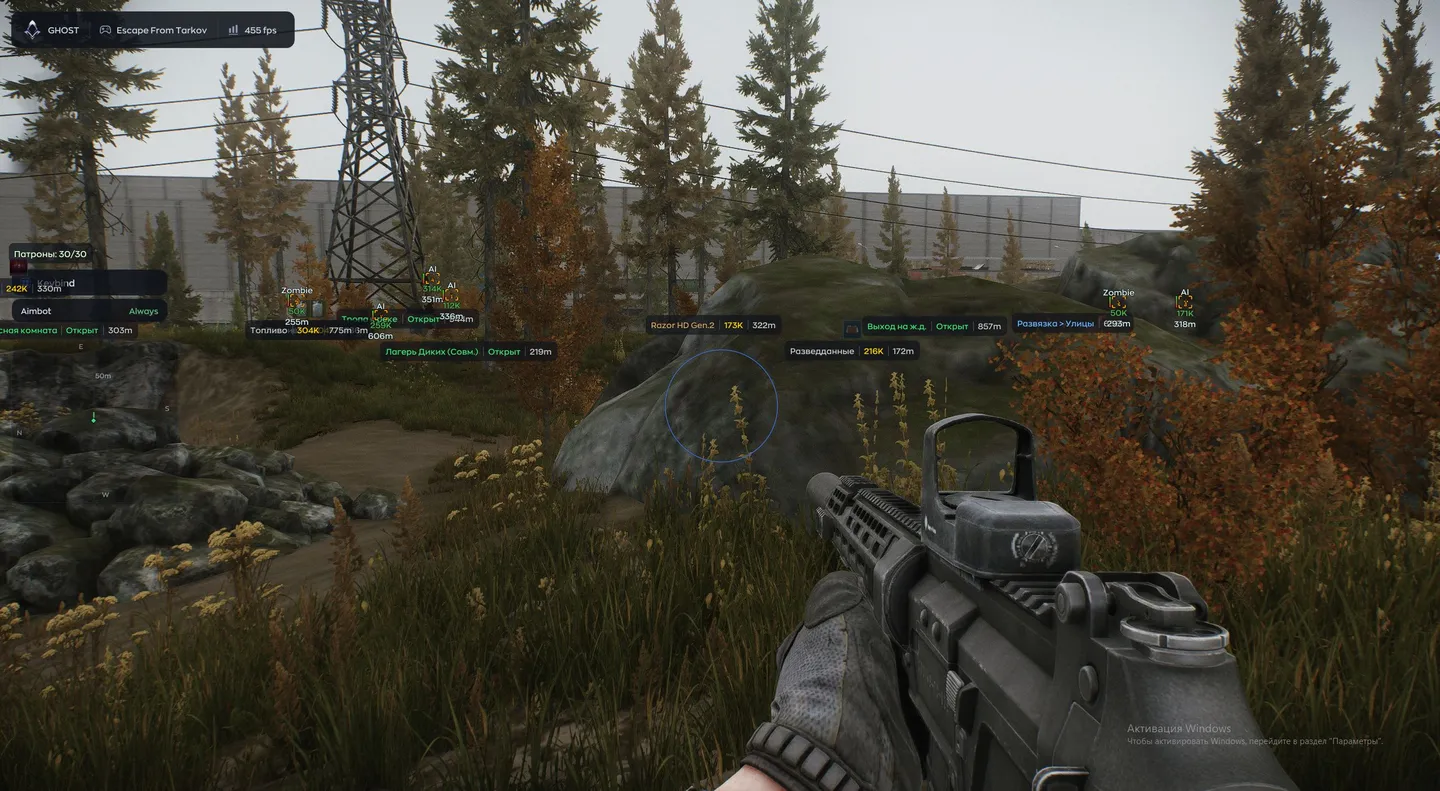
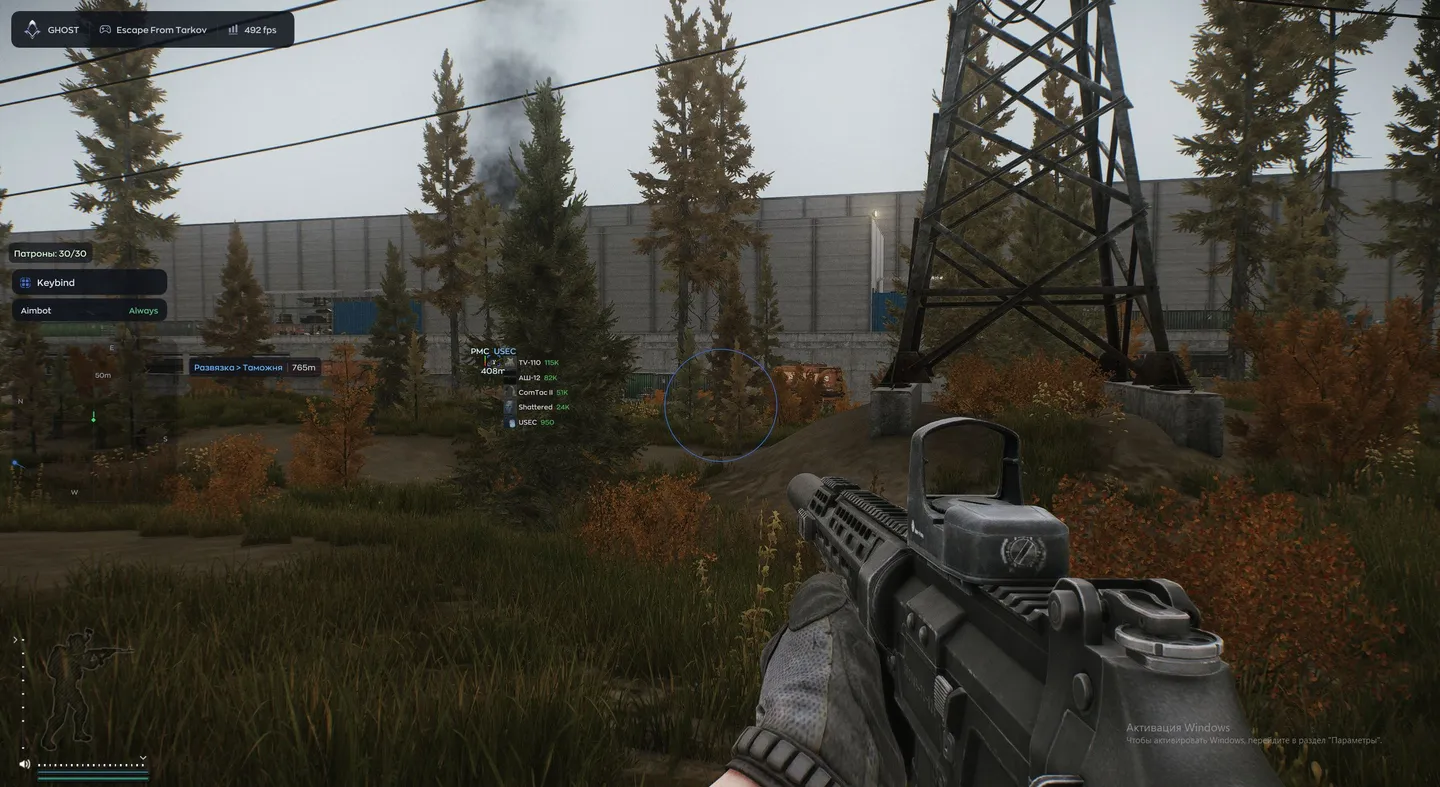
Ghost's Tarkov radar separates PMCs from AI and Scavs, with direction markers that help track movement around you. It stays on the game screen. Before approaching a target, the ESP shows their kit value and inventory; a separate loot search lists named items with prices, so you can weigh a fight against what is already nearby. Silent and Memory aim share target lock and prediction, while Humanize adds reaction delays and small aim movements. The developer marks the aimbot and several movement, skill and weapon changes as risky, including Infinite Stamina, Insta Hit and Fast Reload.
Status:
undetected
- Windows
- 10(all)/11(all)
- Processor
- All
- Graphics card
- Nvidia/AMD
- Launchers
- Steam
- HWID Spoofer
- No built-in/Choose spoofer
List of Hack Features
84 features in 14 groupsAimbot
- Enable — switches aim assistance on; the menu marks this function as risky
- Aim Method — choose Silent or Memory aiming
- PMC Hitbox and Bot Hitbox — set separate target bones for PMCs and AI
- Target Priority — choose how targets are ranked, including proximity to the crosshair
- Field of View — configure and draw the aiming area, with a selectable color
- Smooth — adjust how gradually the aim moves
- Target Lock — keep tracking the selected target
- Prediction — account for target movement when leading a shot
- Max Distance — limit the reach of aim assistance
- Hit Chance — adjust the chance of aim assistance activating
- Line Target — draw a colored line to the current target
- Preview — inspect the selected hitboxes on a PMC or AI/Scav model
Humanize
- Enable — switch the Humanize settings on separately
- Jitter — add small variations to the aim movement
- Deadzone — leave a small area around the target without aim correction
- Reaction Min and Reaction Max — set the delay range before aiming starts
- Max Speed — cap the speed of the aim movement
Player ESP
- Enable — control player overlays separately from bots
- Box — frame the player model
- Health Bar — show the target's remaining health
- Skeleton — draw the bones of the player model
- Name and Distance — display the nickname and distance in meters
- Weapon — identify the weapon carried by the target
- Magazine Ammo — show how many rounds are left in the magazine of enemy PMCs and bots
- State — show the target's current action, such as running or reloading
- Faction — distinguish USEC, BEAR and Scavs
- Kit Value — display the estimated value of the target's equipment
- Inventory — inspect items carried by the target, including their prices
- Snapline — draw a line toward the player
- View Direction — show which way the target faces
- Colors and individual settings — configure overlay elements separately
- Preview — check the layout on a player model before applying it in a raid
Bot ESP
- A separate Bots panel offers the same overlay options as Player ESP, with its own switches and colors
Radar
- Enable — display the radar inside the game view
- Draw Outline — show the radar border
- Draw Background — toggle the background fill
- View Direction — show the direction each target faces
- Point Style and Point Size — choose the shape and size of target markers
- Size — resize the radar widget
- Max Distance — set the distance covered by the radar
- Zoom — adjust the radar scale
- Extra — toggle PMCs and AI/Scavs independently and assign their colors
- Preview — inspect the radar with direction markers and compass labels
Loot ESP
- Enable — switch world-item overlays on
- Icons — display item icons
- Categories — keys, medicine, weapons, weapon mods, ammunition, gear, barter items, quest items and other loot
- Category colors — assign a separate color to each item type
- Filter — search for a specific item by name in the side list
- Item list — compare named items and their prices; world labels also show distance
- Loot Summary — open a separate window listing all loot on the map
World objects
- Exits — mark extraction points, with their status and distance visible in the raid
- Transits — locate transitions between maps
- Mines — display mine locations
- Grenades — mark thrown grenades and grenades on the ground
- BTR — locate the armored personnel carrier
- Independent switches, colors and settings for each object type
Raid HUD and tracers
- Tracers — draw bullet paths in a configurable color
- Ammo Counter — show the exact number of rounds left
- Kit Value — display equipment value
Player modifications
- Infinite Stamina — remove the stamina limit; marked as risky
- Fast Shot — increase firing speed; marked as risky
- Free Camera — move the camera independently
Skills
- Quick Aim — accelerate aiming down sights; marked as risky
- Fast Ammo — speed up loading rounds into magazines; marked as risky
Weapon modifications
- Insta Hit — make hits register instantly; marked as risky
- No Recoil — remove weapon recoil
- Unlimited Focus — keep weapon focus active without its usual limit
- No Sway — remove weapon sway
- No Malfunction — prevent weapon jams; marked as risky
- Fast Reload — shorten reloading to an instant; marked as risky
Configurations
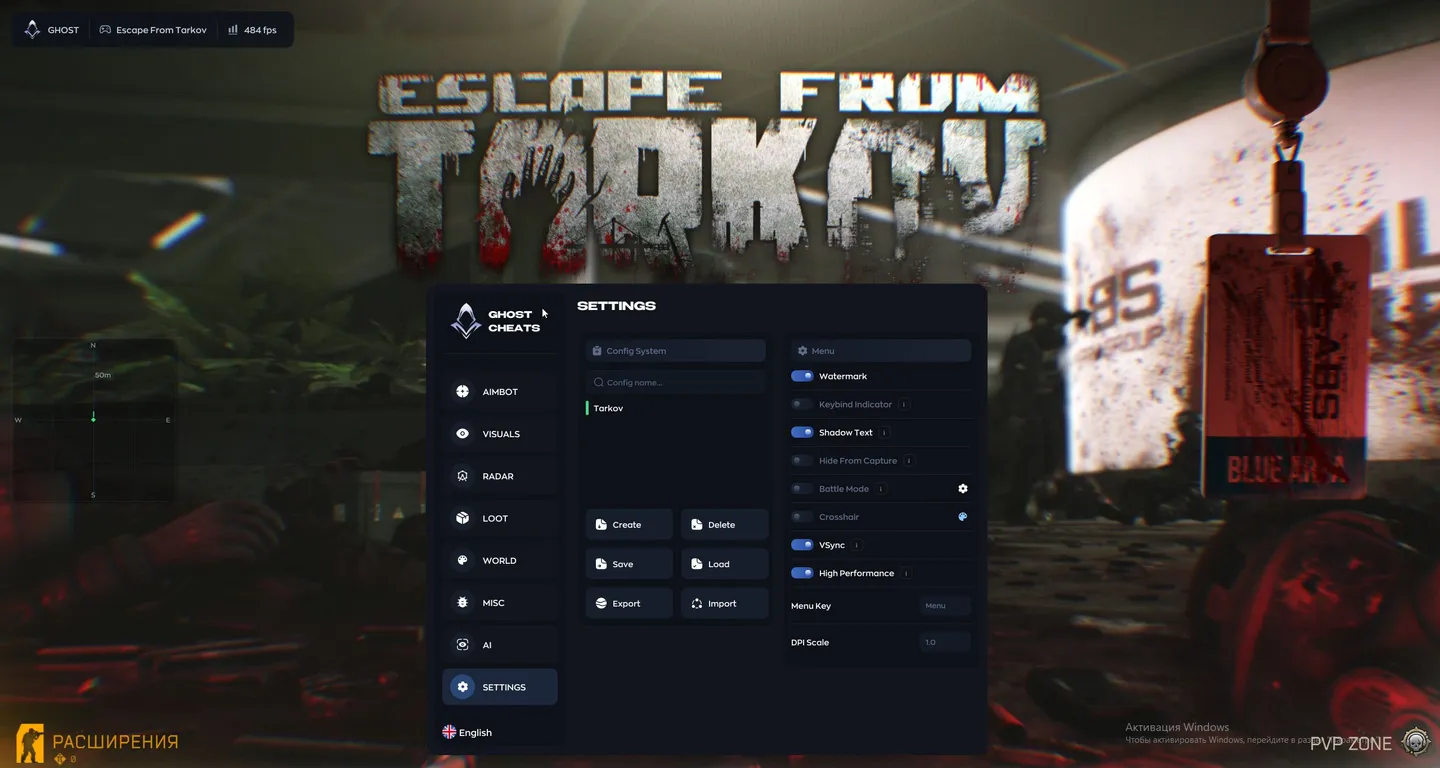
- Create, save, load and delete named configurations
- Export and import settings between configurations
Menu and display
- Watermark — toggle the Ghost information panel
- Keybind Indicator — display assigned hotkeys and their active modes
- Shadow Text — add a shadow to overlay text
- Hide From Capture — hide the menu during recording or streaming
- Battle Mode — hide the menu when combat begins
- Crosshair — display a custom crosshair with a selectable color
- VSync — toggle vertical synchronization
- High Performance — switch the performance mode on
- Menu Key — choose the key that opens and closes the menu
- DPI Scale — change the interface scale
- Player type labels — PMC, Bot, Boss, Scav, Friend and Zombie, available in Russian and Chinese
AI assistant
- Built-in chat for questions about Ghost settings and the game


