


Ghost Full Cheat for Fortnite
How to install and launch
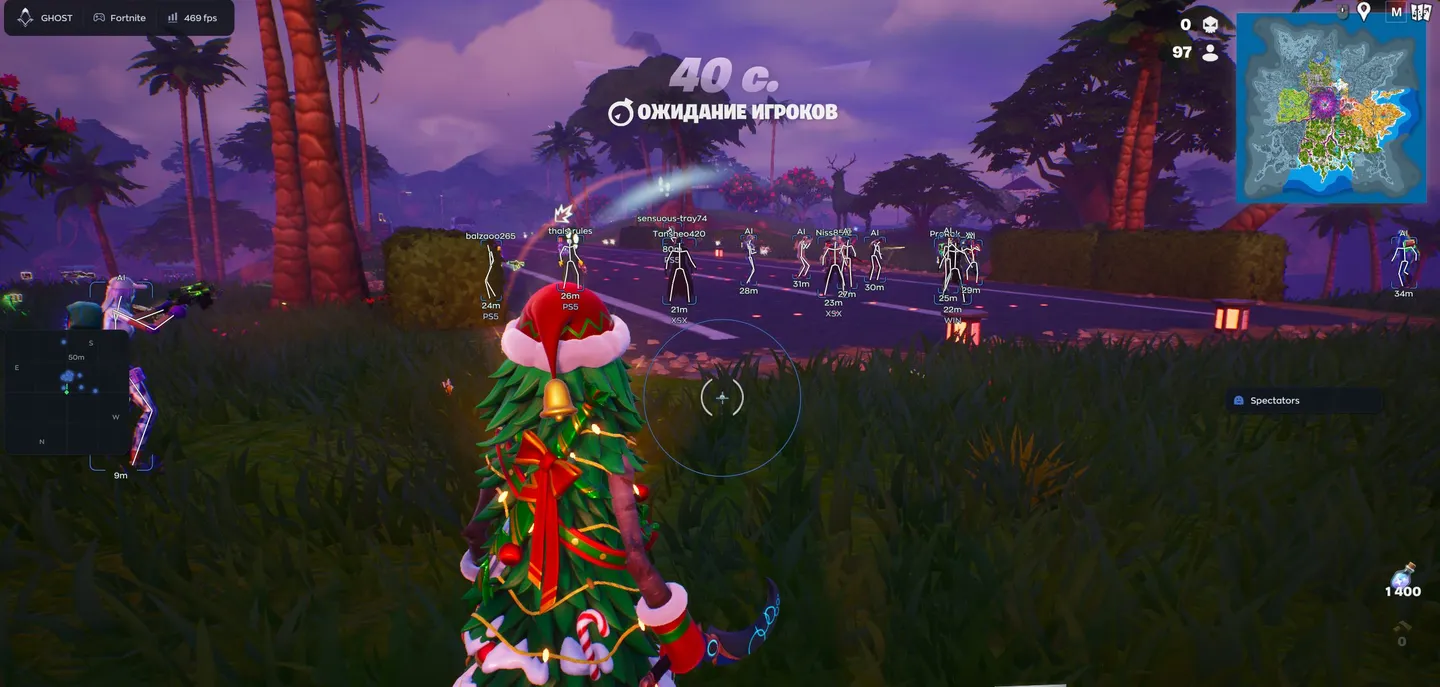
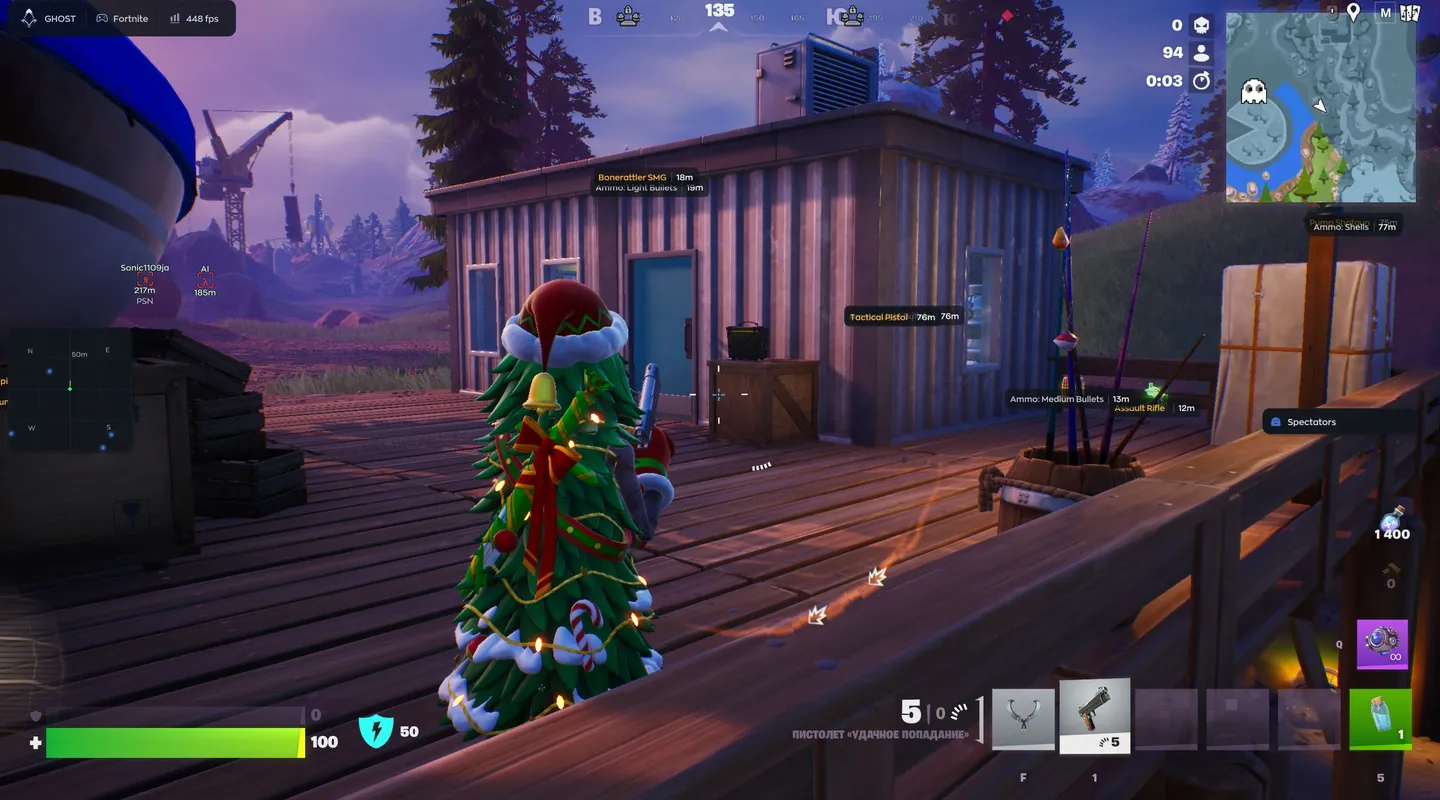
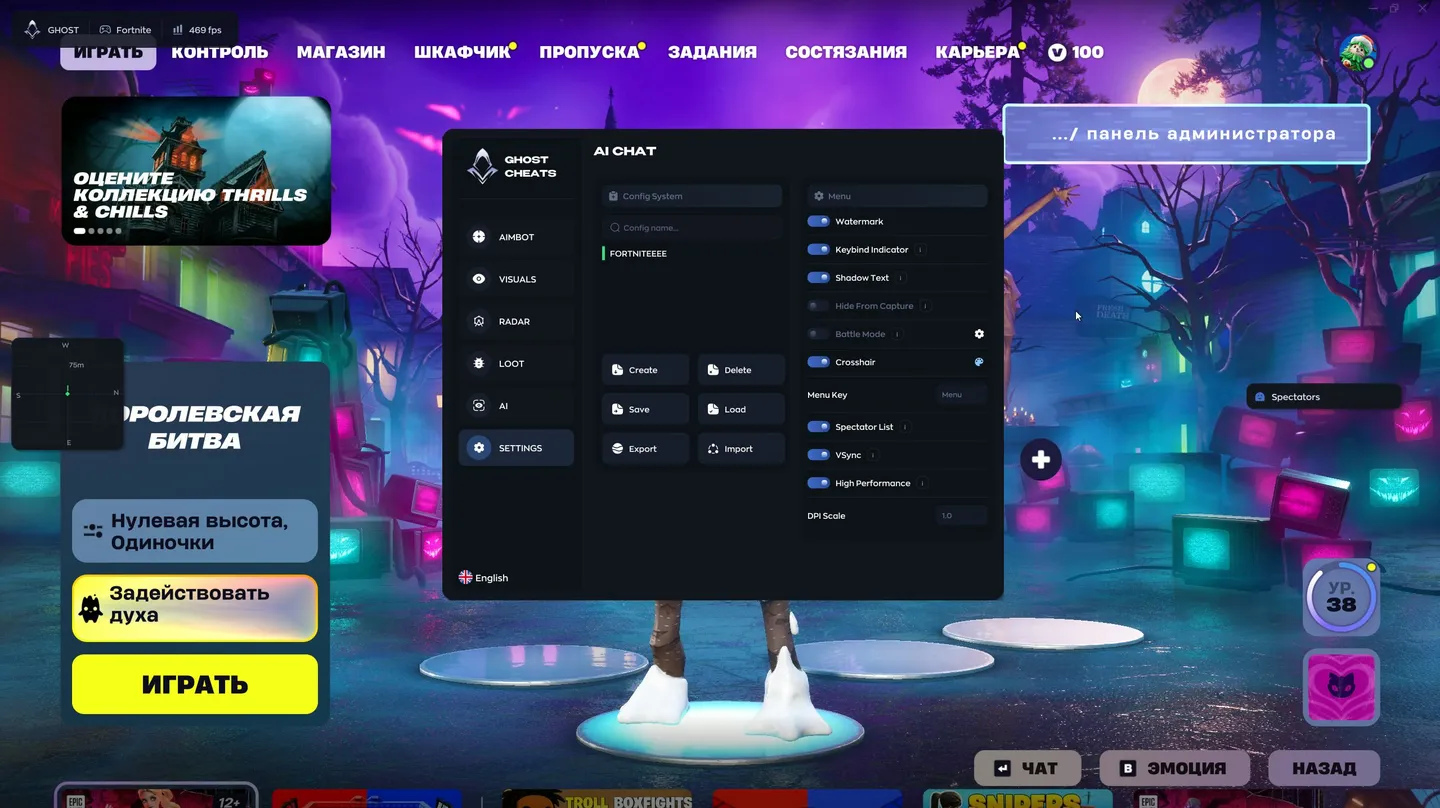
Ghost Full for Fortnite is built around an aimbot that tries not to look like one. On top of the usual FOV, smoothing and target lock it has a separate Humanize block: jitter adds small shakes, a deadzone ignores mouse movement, the reaction delay is picked between a minimum and a maximum in milliseconds, and Max Speed caps how fast the camera turns. If tuning that by hand sounds tedious, the AI tab has a chat for it: ask for a legit aim setup and it applies a config with a small FOV and reaction delays, then lists what it changed. The ESP shows each player's name, distance, platform and rank, bots are tagged AI instead of a nickname, and a spectator list tells you who is watching your game. Loot is split into eight categories, from weapons and ammo to shields, healing and traps, each in its own color with a distance label. There is no triggerbot, no chams and no exploits such as no recoil, and the developer marks the aimbot's main switch as risky.
- Windows
- 10(all)/11(all)
- Processor
- All
- Graphics card
- Nvidia/AMD
- Launchers
- Epic Games
- Streamproof
- no
- Spoofer
- No built-in/Choose spoofer
List of Hack Features
51 features in 6 groupsAimbot
- Enable — turns the aimbot on; the developer marks it as risky
- Field of View (FOV) — the radius inside which the aimbot picks up a target; the circle can be drawn on screen in its own color
- Smooth — how smoothly the aim moves to the target
- Visible Check — aims only at enemies in sight
- Target Lock — keeps the aim on the chosen target even while it moves
- Hitbox — the body part to aim at, the head by default
- Target Priority — how the next target is picked, by default the one closest to the crosshair
- Max Distance — how far the aimbot reaches, 150 m by default
Humanize
- Enable — turns humanized aim movement on
- Jitter — micro-deviations that imitate a hand on the mouse
- Deadzone — a zone where the aimbot does not react to mouse movement
- Reaction Min and Max — the range of delay before the aim starts moving, in milliseconds
- Max Speed — the ceiling on how fast the camera turns
Player ESP
- Enable — turns the player ESP on
- Visible Check — shows information only about enemies in sight
- Box — a frame around the enemy
- Skeleton — the bones of the player model
- Name — the nickname above the player; bots are tagged AI
- Distance — how many meters away the enemy is
- Platform — what the enemy plays on, PC or a console
- Rank — the player's rank, Diamond 1 for example
- Snapline — a line from the bottom of the screen to the enemy
- Snapline Target — where the line ends, the head by default
- Offscreen Arrows — point toward enemies outside your view
- Preview — a window that shows how the ESP will look on a player
Radar and compass
- Enable — turns the radar on
- Draw Outline and Draw Background — the radar border and backdrop
- Point Style — how the dots look, a circle by default
- Size — how big the radar is on screen
- Max Distance — how far the radar reaches
- Point Size — the size of the dots
- Zoom — the radar scale
- Compass Bar — a compass strip with directions, on its own switch
Loot ESP
- Enable — turns the loot ESP on; each item shows its name and distance
- Categories — weapons, ammo, shields, healing, throwables, consumables such as fish and bananas, traps and utility, and other items, each on its own switch and in its own color
Settings and AI chat
- Config System — the list of saved configs with a search by name
- Create and Delete — make a new config or remove one
- Save and Load — save the current settings or load saved ones
- Export and Import — pass a config to other players or take theirs
- Watermark — the cheat's watermark on screen
- Keybind Indicator — shows which hotkeys are pressed
- Shadow Text — a shadow under the text for readability
- Hide From Capture — hides the cheat menu from screen recording, streams and screenshots
- Battle Mode — turns off extra functions during a fight
- Crosshair — a built-in crosshair
- Menu Key — the key that opens the menu, Menu by default
- Spectator List — shows who is spectating you
- VSync — vertical sync
- High Performance — a high-performance mode
- DPI Scale — scales the interface to your resolution
- AI Assistant — a chat with a built-in AI on the AI tab: it answers questions about the settings and can set them up on request, a legit aim for example


