

Vengeance Cheat for Fortnite
How to install and launch
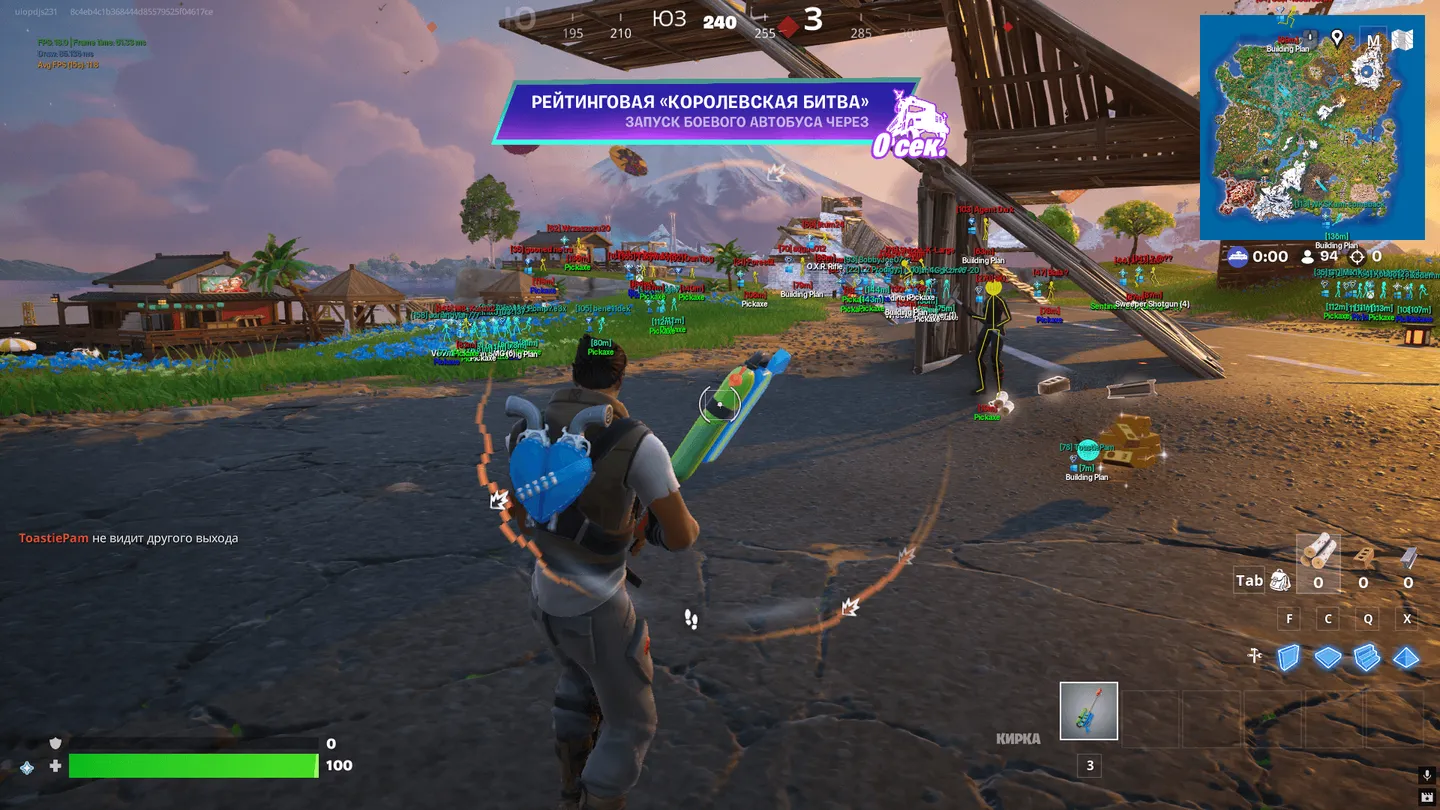
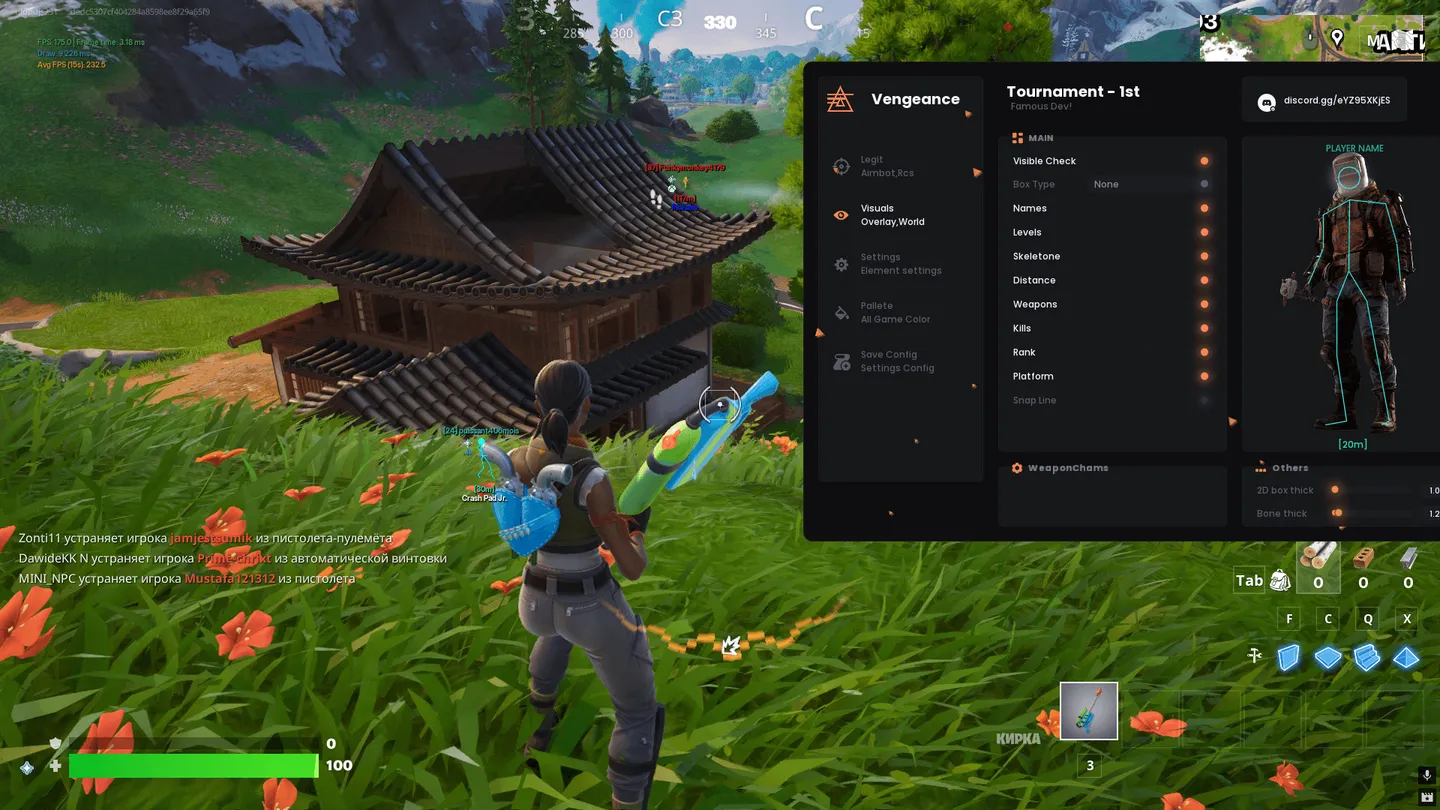
Vengeance for Fortnite aims only while a chosen key such as the right mouse button or Shift is held, with smoothing and a random offset inside the bone so the aim looks less mechanical. For the target you pick head, neck or chest, and a static crosshair can sit in the center of the screen. Its visuals draw boxes with fill, skeletons and snap lines and show names, distance, weapons, level, kills, rank and platform. With the visibility check on, nothing is drawn through walls, and the palette sets separate colors for visible and hidden enemies. A Safe-mode SpeedHack changes game speed minimally and with delays to keep the risk lower. The developer itself labels the main aimbot switch UnSafe, since it turns off internal masking and noticeably raises the risk of detection.
- Windows
- 10(all)/11(all)
- Processor
- All
- Graphics card
- Nvidia/AMD
- Launchers
- Epic Games
- Spoofer
- No built-in/Choose spoofer
List of Hack Features
Aimbot
- Aim Mouse(UnSafe) - Main AimBot toggle (UNSAFE MODE). Enables or disables all automatic aiming functionality. The "UnSafe" mode disables internal protection and masking mechanisms, which SIGNIFICANTLY increases the risk of anti-cheat detection. Use at your own risk.
- Aim-Bot keybind - Modifier key used to activate the AimBot. Aiming only works while this key is held (for example, RMB or Shift), making its behavior look more natural.
- Crosshair - Enables a static crosshair in the center of the screen for easier positioning.
- Smoothing - Controls how smoothly the crosshair moves. Higher values make aiming smoother and more human-like, reducing sharp, robotic movements. A key setting for a more legitimate-looking behavior.
- AimBone - Selects the body part the AimBot will target.
- Randomize - Adds random deviation to the aiming point within the selected bone. Helps avoid perfectly consistent, suspicious hits on the exact same spot.
- Head - Targets the head (high damage, but more suspicious).
- Neck - Targets the neck (a good balance between damage and concealment).
- Chest - Targets the torso/chest (the most stable and legitimate-looking option, as hits in this area are easier to explain).
- RCS - Recoil control, listed on the Legit tab of the menu.
Visuals
- Visible Check - Visibility check. A key feature for legitimate-looking behavior. Displays information (box, skeleton, etc.) only for enemies you can see directly (not through walls). Nothing will be highlighted through walls.
- Box - Box outline. Draws a rectangular outline (2D box) around the enemy, allowing you to quickly assess their position, size, and posture.
- Fill Box - Box fill. Fills the inside of the box with a semi-transparent color, making the target more noticeable against the surrounding environment.
- Bone - Skeleton. Displays the enemy's skeleton, showing the exact position of their limbs, head, and viewing direction. Useful for precise aiming and understanding where the enemy is looking.
- Names - Names. Displays the enemies' in-game names above their heads.
- Distance - Distance. Shows the distance to the enemy in meters (or other units), helping you estimate engagement range and weapon effectiveness.
- Weapons - Weapons. Displays the name of the weapon the enemy is currently holding. Allows you to assess their threat level and tactics (for example, a sniper rifle or shotgun).
- Levels - Levels. Shows the player's level in the game (if applicable). Helps quickly assess the enemy's experience.
- Kills - Kills. Displays the number of kills made by the player in the current session or match. Helps identify the most dangerous enemy on the team.
- Rank - Rank. Displays the player's competitive rank or title (for example, in the game's ranking system).
- Platform - Platform. Indicates which platform the enemy is playing on (PC, Xbox, PlayStation, etc.), if the game supports cross-platform play.
- Snap Line - Snap line. Draws a line from the center of your screen (or from the enemy's feet) to the target. Helps you locate enemies faster within your field of view and assess their position.
- Weapon Chams - Highlighting of weapons.
- 2D Box / Bone Thickness - Line thickness of the box and skeleton.
Misc
- SpeedHack(Safe) - Game speed modification feature. The "Safe" mode applies changes minimally and with delays to reduce the risk of anti-cheat detection.
Palette
- Color Name - Color of the displayed player's name.
- Color Distance - Color of the distance text.
- Color Box - Color of the box around the enemy.
- Color Bone - Color of the skeleton.
- Color Fov - Color of the AimBot's field of view (FOV), if this option is available.
- Color Crosshair - Color of the static crosshair.
- [IsVisible] Player Color - Main color for VISIBLE enemies. For example, you can set it to green.
- Visible Color - Color of specific elements (such as the skeleton or box) for visible targets.
- Visible Name - Name color for visible targets.
- Visible Distance - Distance color for visible targets.
- Visible Weapons - Weapon text color for visible targets.
- Visible Box - Box color for visible targets.
- [InVisible] Player Color - Main color for INVISIBLE enemies (those you cannot see directly). For example, red or orange. Using this option may be illegitimate.
Config
- Save Config - Saves the current settings to a file.
- Load/Unload - Loads a previously saved configuration or unloads the current one.
The developer may change the program's functionality at any time, but we always do our best to keep this information up to date

