

Arcane Cheat for HumanitZ
1 / 6
How to install and launch
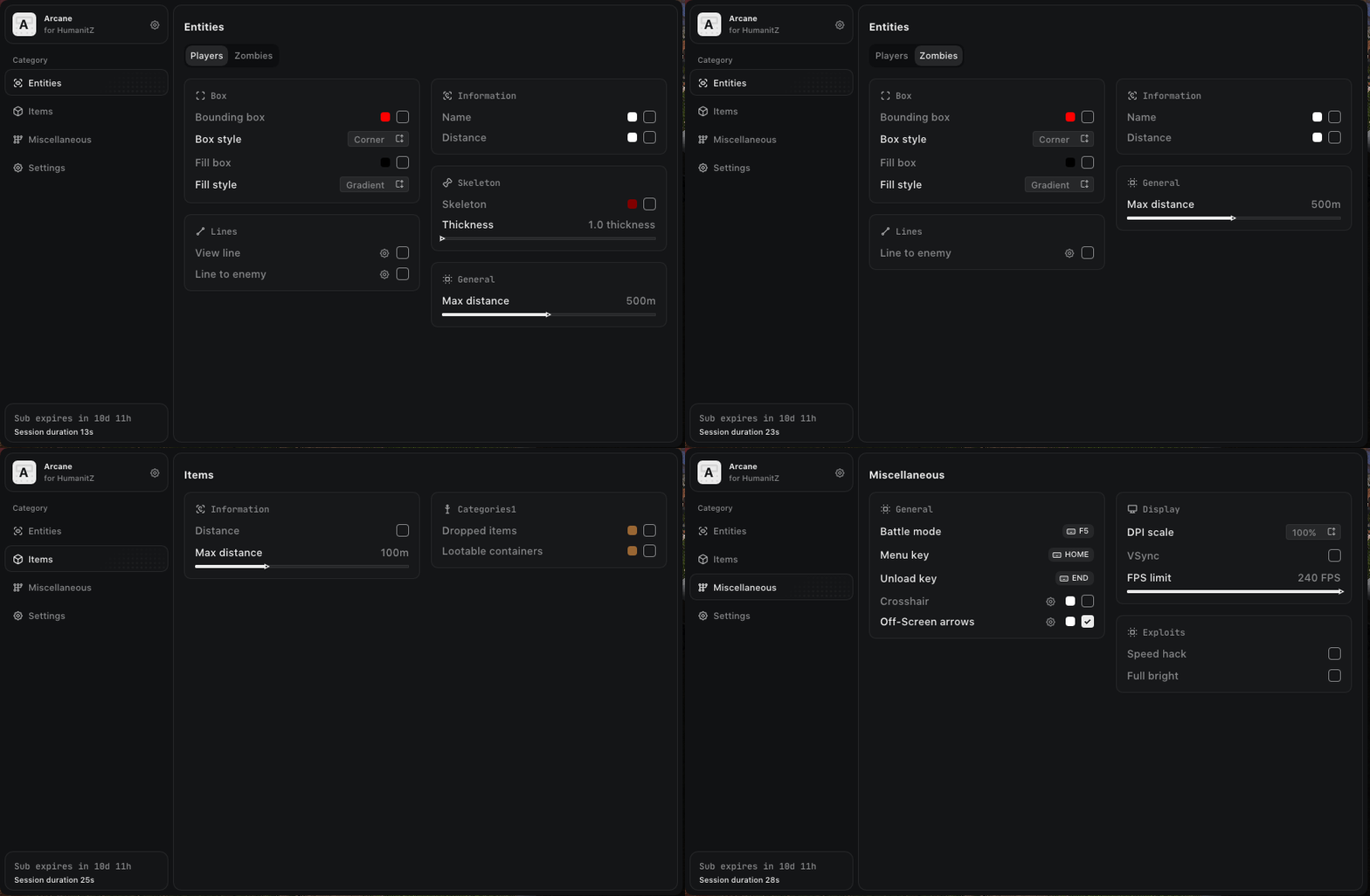
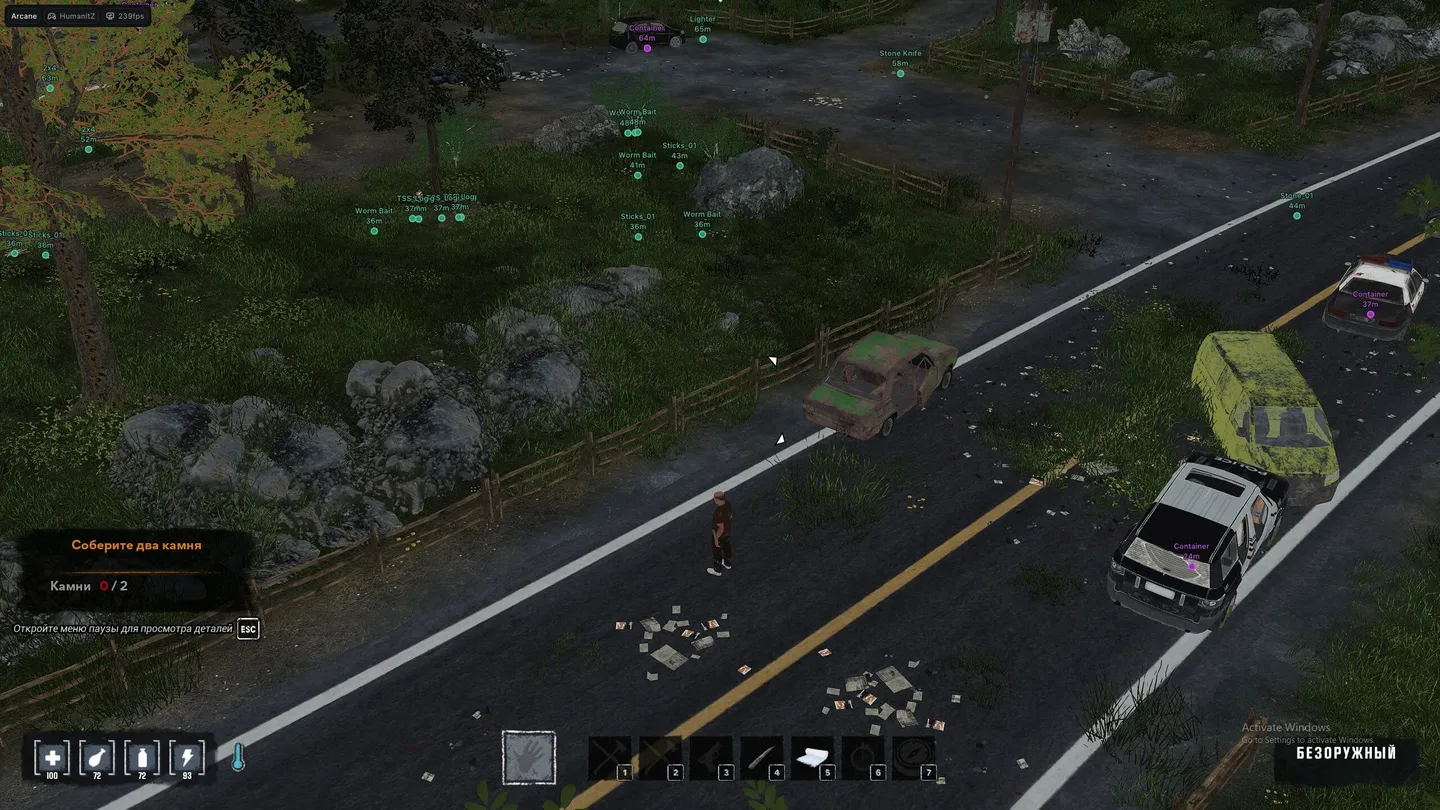
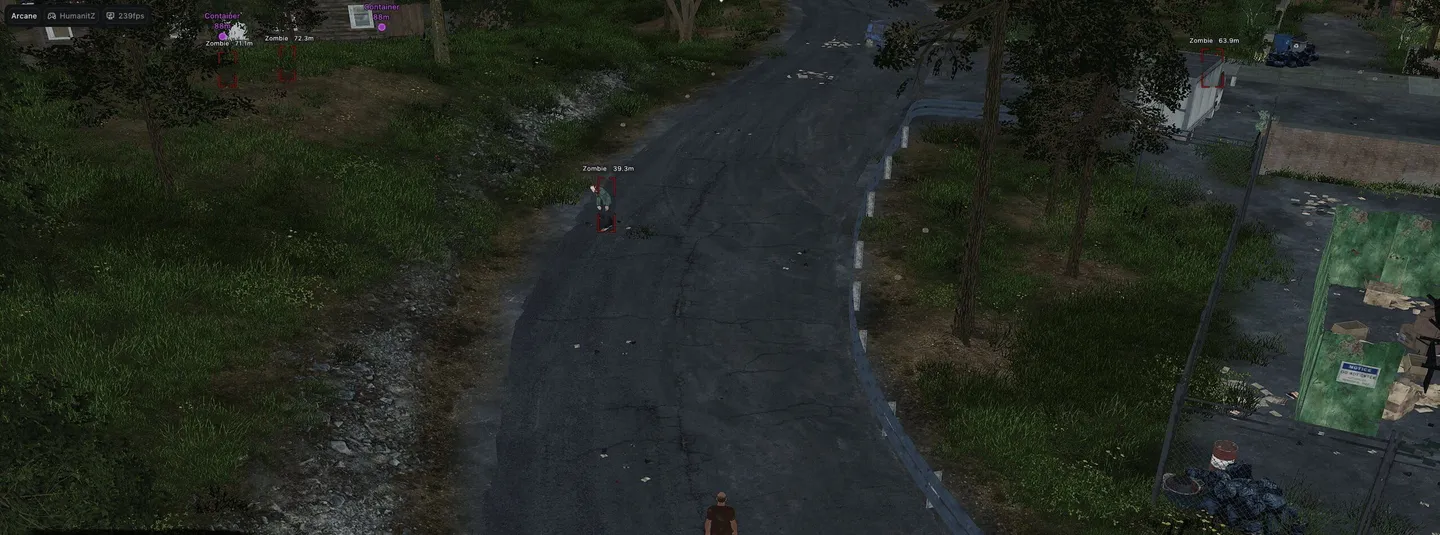
Arcane for HumanitZ is a light ESP for survival: players get boxes with a fill, skeletons, names, distance, view lines and lines to the enemy, and zombies get the same minus skeletons and view lines. Items and containers are shown separately with their distance, so a loot run starts from the screen rather than from a search. Beyond that it adds a x1.8 speedhack and full bright for the night, and the menu speaks English, Russian and Chinese. There is no aimbot, and neither players nor zombies show their health.
Status:
undetected
- Windows
- 10(all)/11(all)
- Processor
- All
- Graphics card
- Nvidia/AMD
- Launchers
- Steam, Epic Games
- Streamproof
- yes
- Spoofer
- No built-in/Choose spoofer
List of Hack Features
ESP (players)
- ESP Style: (With background, No background)
- Bounding box: (Box, Corner)
- Fill box: (Static, Gradient)
- View line: (Start color, End color)
- Line to enemy: (Color, Position)
- Skeleton
- Name
- Distance
- Max distance
ESP (zombie)
- ESP Style: (With background, No background)
- Bounding box: (Box, Corner)
- Fill box: (Static, Gradient)
- Line to enemy: (Color, Position)
- Name
- Distance
- Max distance
ESP (items)
- Show distance
- Max distance
- Show items
- Show containers
Misc
- Speedhack (x1.8)
- Full bright
- Battle Mode
- Crosshair
- Off-Screen Arrows
Settings
- Menu keybind
- Unload keybind
- DPI Scale
- FPS Limit
- Theme: (Murky, Sunny)
- Watermark
- Language: (EN, RU, CN)
Configs
- Create config
- Load config
- Rename config
- Delete config
The developer may change the program's functionality at any time, but we always do our best to keep this information up to date