


Arcane Cheat for HUNGER
How to install and launch
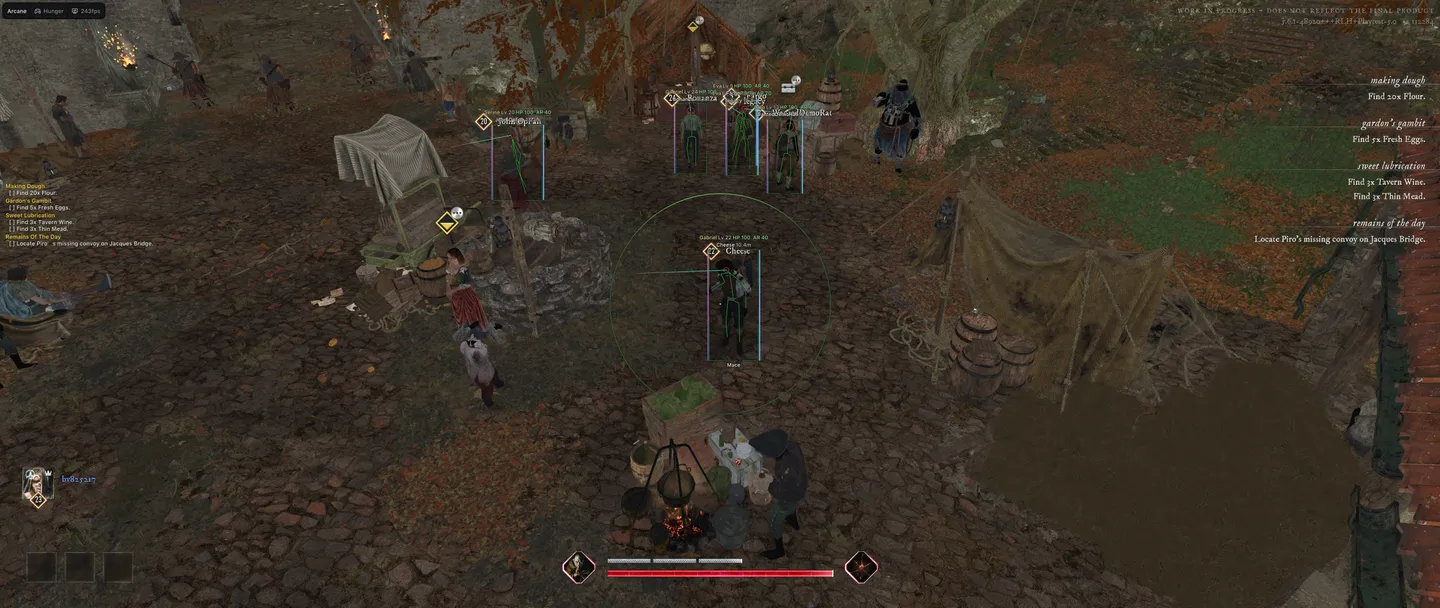
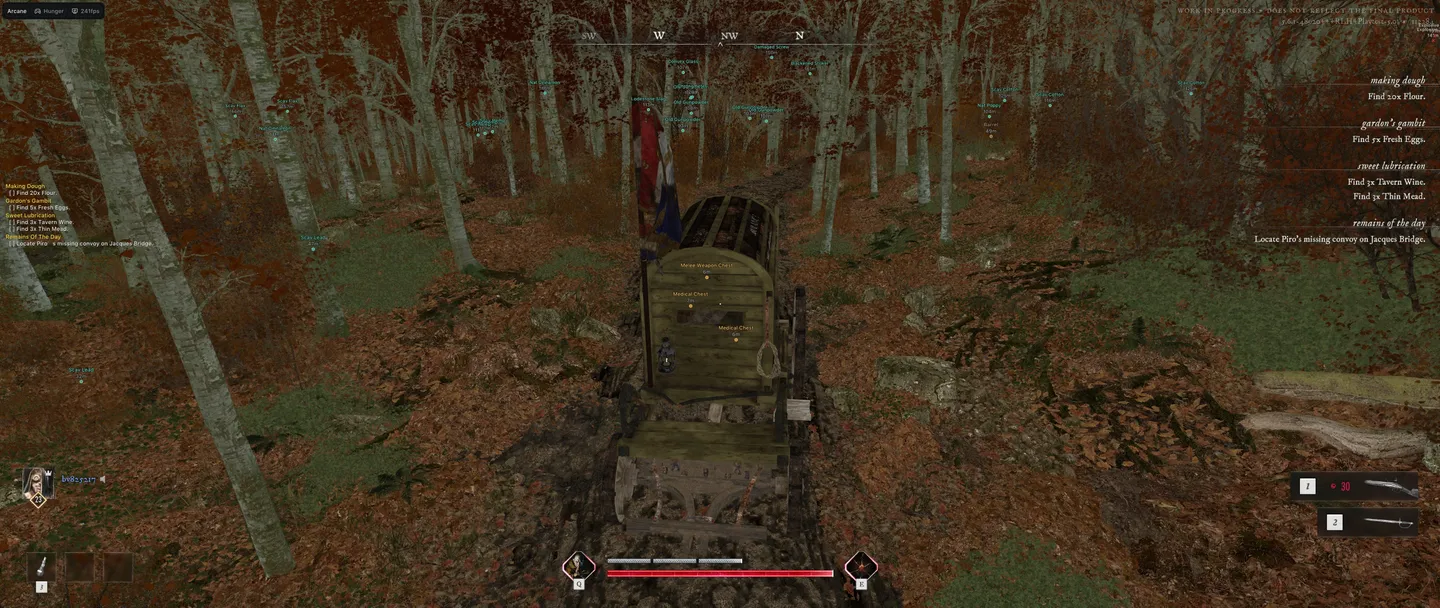
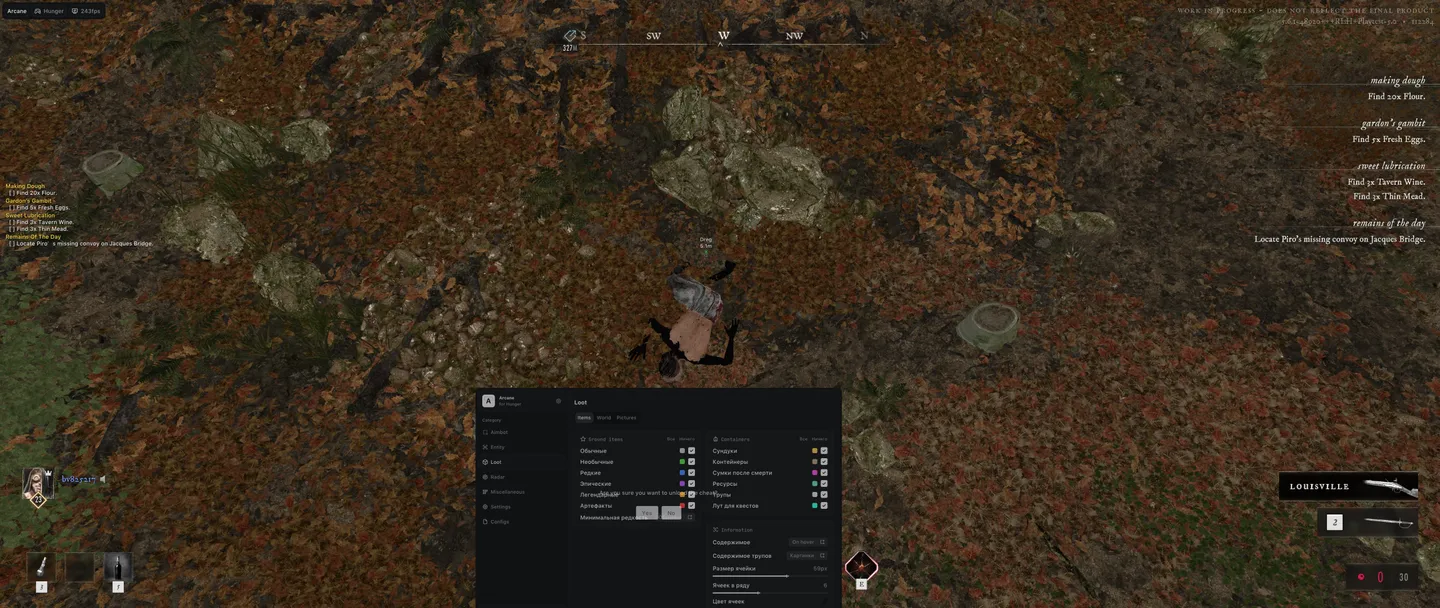
Arcane for HUNGER is built around the way out: World ESP marks extraction points with their own range, quest objectives, explosive and sound traps, poison areas and the raid timer, so the route to the exit is clear before you leave cover. Chests, containers, death bags and corpses show their contents on hover or all at once, filtered by rarity up to legendary items and artifacts. Above players and bots you see the hero they play, their level, the weapon in hand, health and armor. Mobs show whether they are fighting or already targeting you, and sleeping ones can be left off the screen. The aimbot leads moving targets by bullet speed and draws the lead point on screen. For axe fights the weapon tab adds Melee reach, which picks the nearest visible target and swings on its own. Battle mode clears bots, mobs, loot and world markers off the screen. One key is enough. In a fight at arm's length, Melee reach and Big player are the loudest switches in the menu: an opponent notices them first.
- Windows
- 10(all)/11(all)
- Processor
- All
- Graphics card
- All
- Launchers
- Steam, Epic Games
- Spoofer
- No built-in/Choose spoofer
List of Hack Features
134 features in 13 groupsAimbot
- Enable — turns the aimbot on
- Keybind — the key it works on
- Activation — on hold, always or toggle
- Force aim key — a second key that forces the aim
- Lock target — stays on one target
- Shift to head — moves the aim up to the head
- Visibility check — only targets you can see
- Ignore teammates
- Target — players, bots or mobs
- Bone selection — chosen bones or the closest one
- Target bones — head, neck, body, pelvis
- Prediction — leads a moving target, with a fallback bullet speed
- Prediction cross — marks the lead point, size adjustable
- Target switch delay — a pause before moving to the next target
- Humanization — makes the aim move like a hand, strength adjustable
- Adaptive FOV
- Draw FOV Border — outlines the FOV circle, with thickness
- Draw FOV Background — fills the FOV circle
- FOV size
- Smoothness — how gradually the aim moves
- Max distance
ESP (players and bots)
- Bounding box — full or corners only
- Box fill — solid or gradient
- Skeleton — with line thickness
- Head circle — outline or filled
- Visibility check — separate colors for visible and hidden targets
- View line — where the player is looking, with start and end colors
- Line — from the top, bottom or center of the screen
- Nickname
- Distance
- Hero — the character the player picked
- Level
- Weapon in hands
- Health bar — solid, by health or gradient
- Health text — health as a number
- Armor bar
- ESP preview — how the ESP looks, right in the menu
- ESP style — with or without a background
- Show teammates
- Rendering distance
ESP (mobs)
- Box, fill, skeleton, head circle, visibility check, view line, line, health bar and ESP style — the same options as for players
- Name
- Distance
- Health text — health as a number
- State — in combat or targeting you, each with its own color
- Hide sleeping — sleeping mobs stay off the screen
- Rendering distance
ESP (items)
- Ground items by rarity — common, uncommon, rare, epic, legendary and artifacts
- Minimum rarity — hides everything below it
- Chests
- Containers
- Death bags
- Resources
- Corpses
- Quest loot
- Contents — hidden, on hover or always shown
- Contents view — as text or as pictures
- Cell size and cells per row — the grid the contents are drawn in
- Hide empty — skips empty containers
- Color by rarity
- Show distance
- Rendering distance
ESP (world)
- Extraction points — with their own max distance
- Quest items
- Quest objectives
- Quest list on screen — your active quests in a corner of the screen
- Explosive traps
- Sound traps
- Poison areas
- Raid timer
- Show distance
- Rendering distance
Item pictures
- Item style — text, picture or both
- Picture source — silhouette or full image
- Picture size
- Picture opacity
- Picture outline — contour or box, solid or rainbow
- Outline thickness
Radar
- Enable — turns the radar on
- Targets — players, bots, mobs and items
- Distance rings
- FOV cone — your field of view on the radar
- Scale by distance — marker size follows distance
- Show on rim — targets beyond the radar's range stay on its edge
- Zoom
- Size
- Transparency
- Max distance
Off-screen
- Enable — arrows toward targets outside the screen
- Targets — players, bots, mobs and extraction points
- Range — the radius of the arrows
- Size
- Max distance
Exploits (weapons)
- No recoil
- No spread
- No sway
- Instant ADS — aiming down sights without the delay
- No shot smoke
- Auto fire mode — keeps firing while the key is held, with a set reload time
- Fast reload — reload speed adjustable
- Fast weapon switch — switch speed adjustable
- Fast melee — attack speed adjustable
- Melee reach — longer melee range, picks the nearest visible target and attacks on its own at a set interval
Exploits (character and view)
- FOV changer — sets the camera field of view
- Big player — player size adjustable
- No camera shake
- Infinite stamina
- Infinite energy
- Free camera — with its own key, speed and boost
- Fullbright — unlit, detail lighting, lighting only or wireframe
- No screen effects
Battle mode
- Battle mode — clears the screen for a fight
- Battle mode key
- Activation — toggle or on hold
- Hide bots
- Hide mobs
- Hide items
- Hide world objects
- Hide items on radar
Settings
- Menu key
- Unload key — unloads the cheat
- Crosshair — plus, circle, dot, X cross and more
- DPI scale — 100%, 125% or 150%
- VSync — vertical sync
- FPS limit
- Theme — dark or light
- Watermark
- Layout — two columns or one
- Language — English, Russian or Chinese
Config
- Create new
- Launch — loads a config
- Save
- Edit name — renames a config
- Remove — deletes a config