

Arcane Cheat for Marvel Rivals
How to install and launch
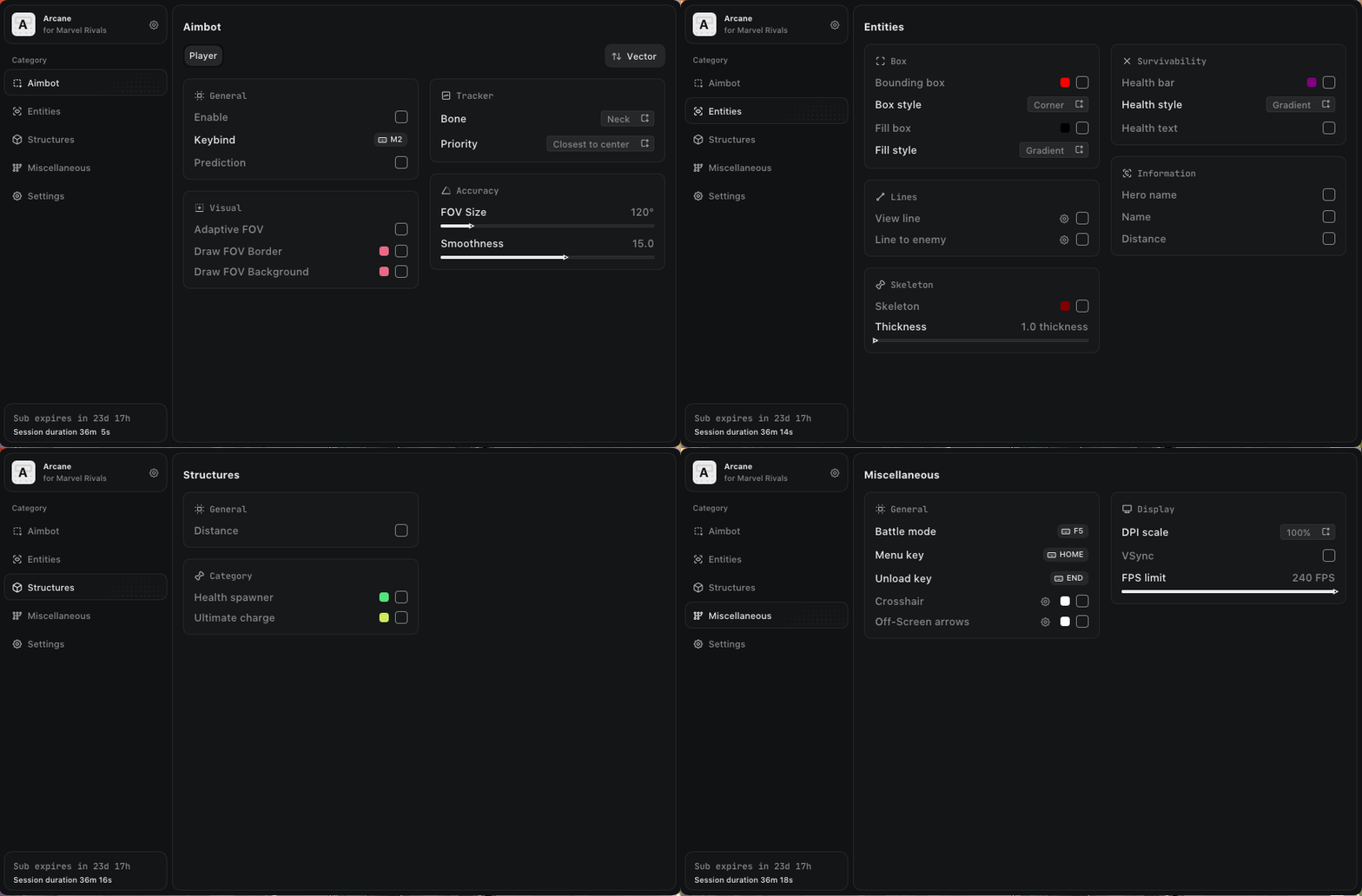
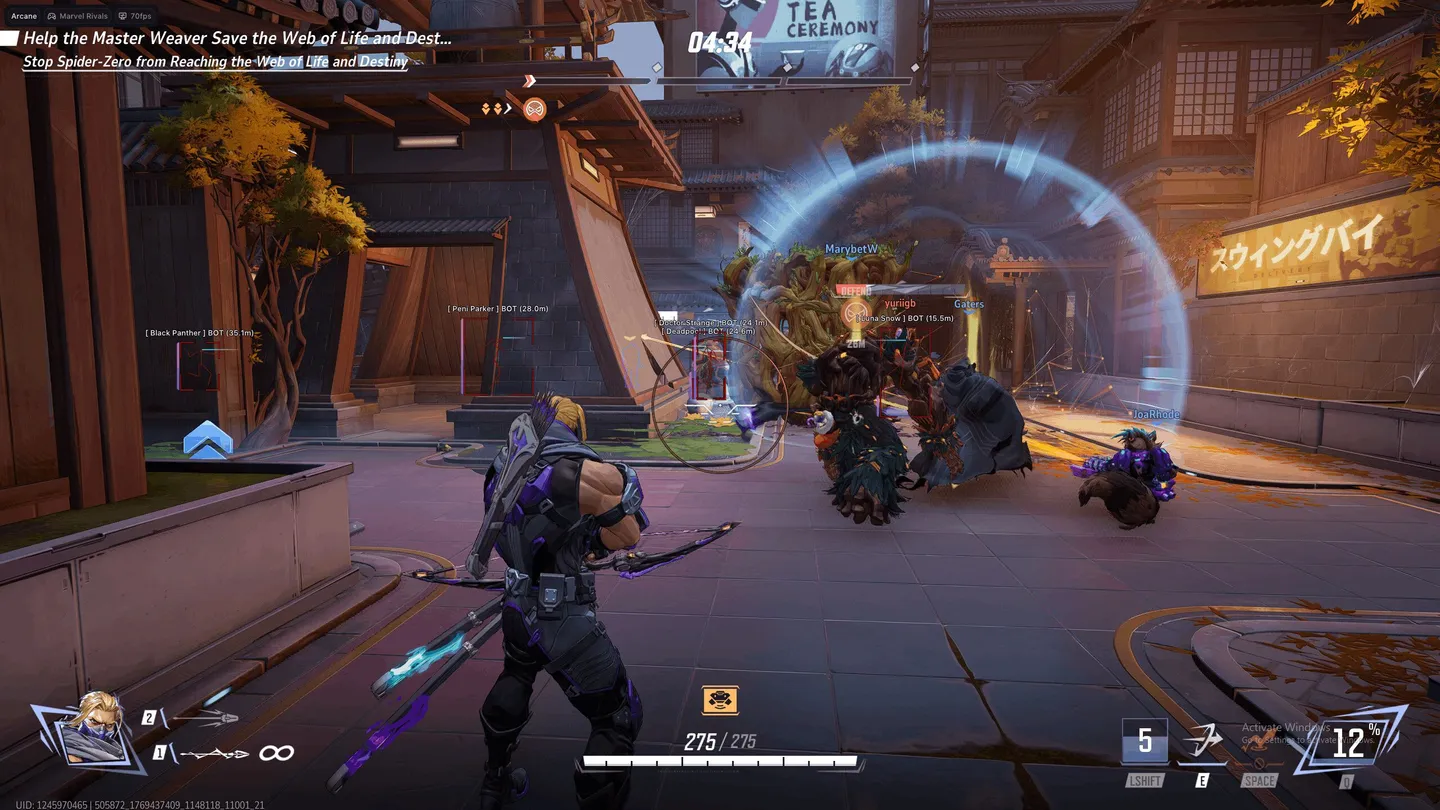
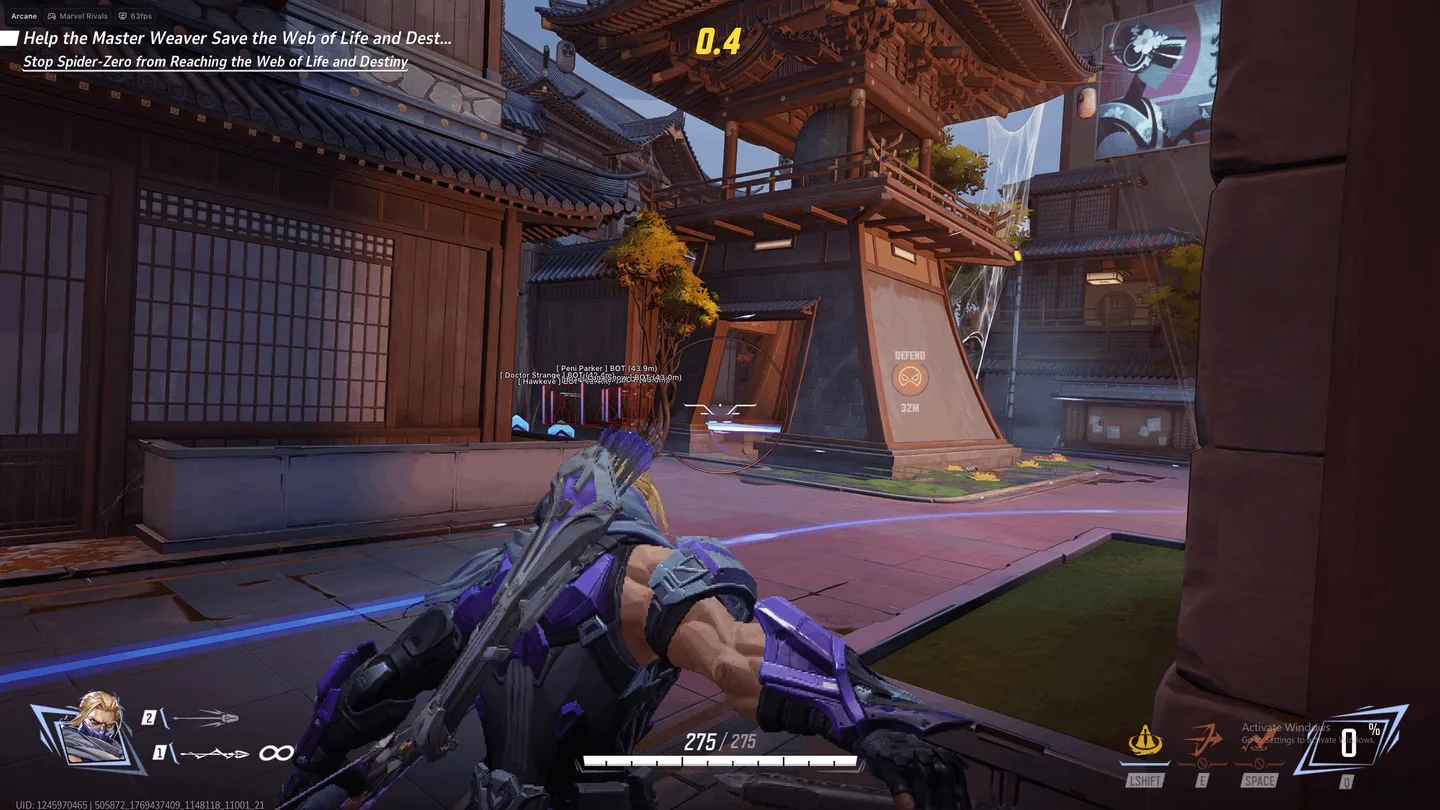
Arcane is a Marvel Rivals aimbot for players who want two aim methods running at once: Vector moves the camera, Silent hits without moving it. Each mode has its own keybind, settings and FOV circle. Silent picks its method automatically from the weapon you hold, and a Silent chance slider sets how often it fires that way. The aimbot targets one of 16 bones or the closest one, and if those bones are hidden, it switches to any visible bone on the target. Smoothing slows the aim near the target. For moving heroes, Prediction leads the shot and a Prediction Cross marks the aim point. TriggerBot fires on its own once the crosshair rests on an enemy hitbox. The ESP checks every bone with a raycast against map geometry, so boxes and skeletons show visible and hidden parts in different colors. Enemy ult charge appears as a bar next to the player or in a separate panel. No Clip flies a detached camera through walls. There is no glow. On the map the ESP marks only health spawners and ult charge pickups, nothing else.
- Windows
- 10(all)/11(all)
- Processor
- All
- Graphics card
- Nvidia/AMD
- Launchers
- Steam, Epic Games
- Streamproof
- yes
- Spoofer
- No built-in/Choose spoofer
List of Hack Features
Aimbot
- Keybind
- Activation mode: (On Hold, Always)
- Force Aim Key (ignores visibility checks)
- Mode: (Vector, Silent) - separate settings, keybinds and FOV circles, can work at the same time
- Bone: (16 bones, Closest Bone)
- Bone priority: (Closest to center, Closest by distance, Lowest health)
- Auto switch to visible bone
- Shift to Head
- Lock Target
- Target Switch Delay
- Target filters: (Players, Bots, Teammates)
- Max Distance
- Prediction
- Prediction Cross
- Adaptive FOV
- Draw FOV Border
- Draw FOV Background
- FOV Size
- FOV circle thickness and transparency
- Smoothness
- Humanization
- Silent chance
- TriggerBot - auto fire when the crosshair is on an enemy hitbox
ESP (players)
- Visibility check: Raycast (per bone)
- Bounding box: (Box, Corner)
- Visible / hidden colors for boxes and skeletons
- Fill box: (Static, Gradient)
- View line: (Start color, End color)
- Line to enemy: (Color, Position)
- Health bar: (Static, Health based, Gradient)
- Skeleton
- Head Circle: (Head Circle, Head Circle Filled)
- Hero name
- Name
- Distance
- Health text
- Ultimate charge: (Bar, Separate panel)
- Ultimate Charge Text
- Skeleton thickness
- ESP Style: (No Background, With Background)
ESP (objects)
- Distance
- Health spawner
- Ultimate charge
Settings
- Menu keybind
- Unload keybind
- DPI Scale
- FPS Limit
- Theme: (Murky, Sunny)
- Watermark
- Language: (EN, RU, CN)
- Battle mode
- Crosshair
- Off-Screen arrows
- No Clip - free camera through walls
- No Clip settings: (Toggle key, Movement speed, Boost, Movement keybinds)
- VSync
Configuration
- Create config
- Load config
- Rename config
- Delete config
The developer may change the program's functionality at any time, but we always do our best to keep this information up to date

