


SMG Cheat for Active Matter
How to install and launch
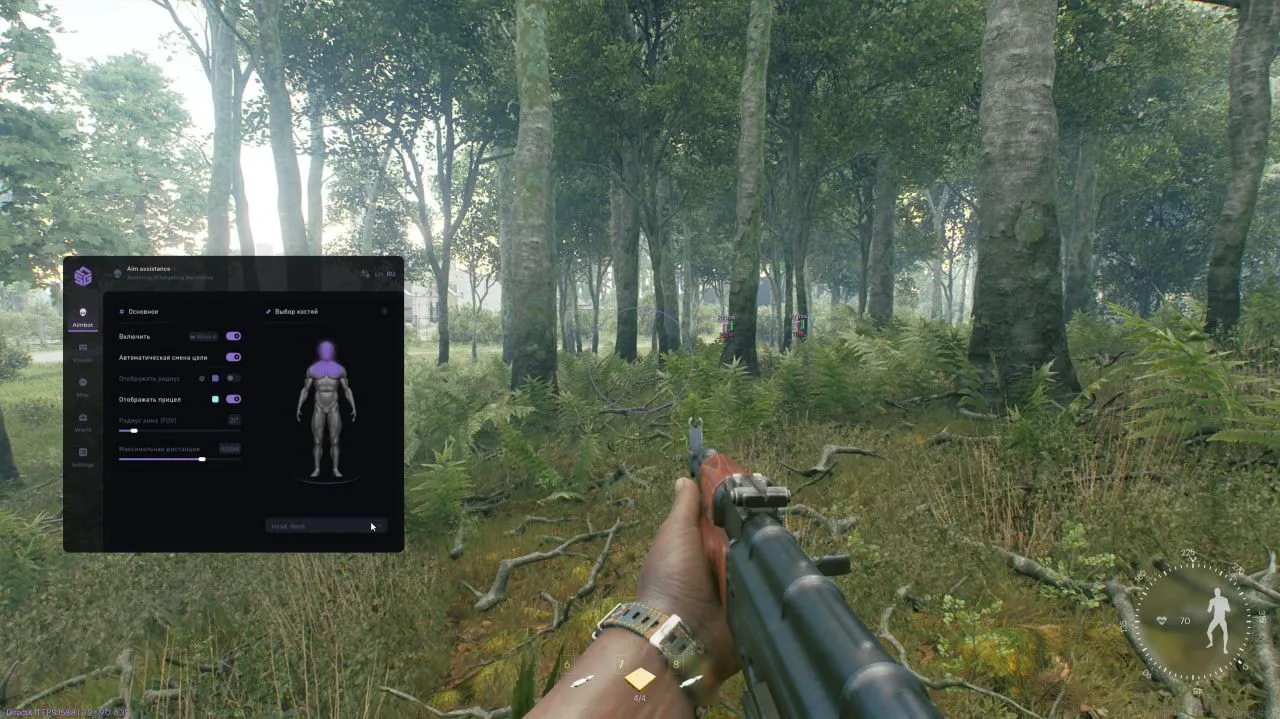
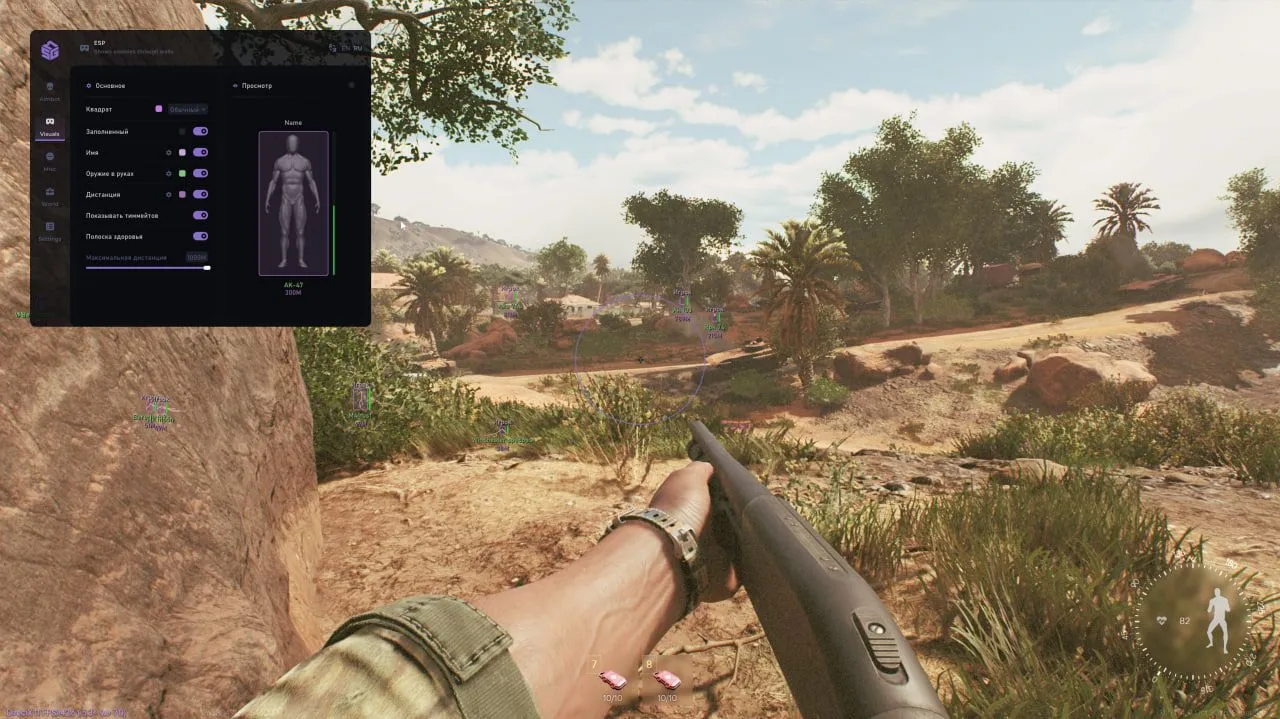
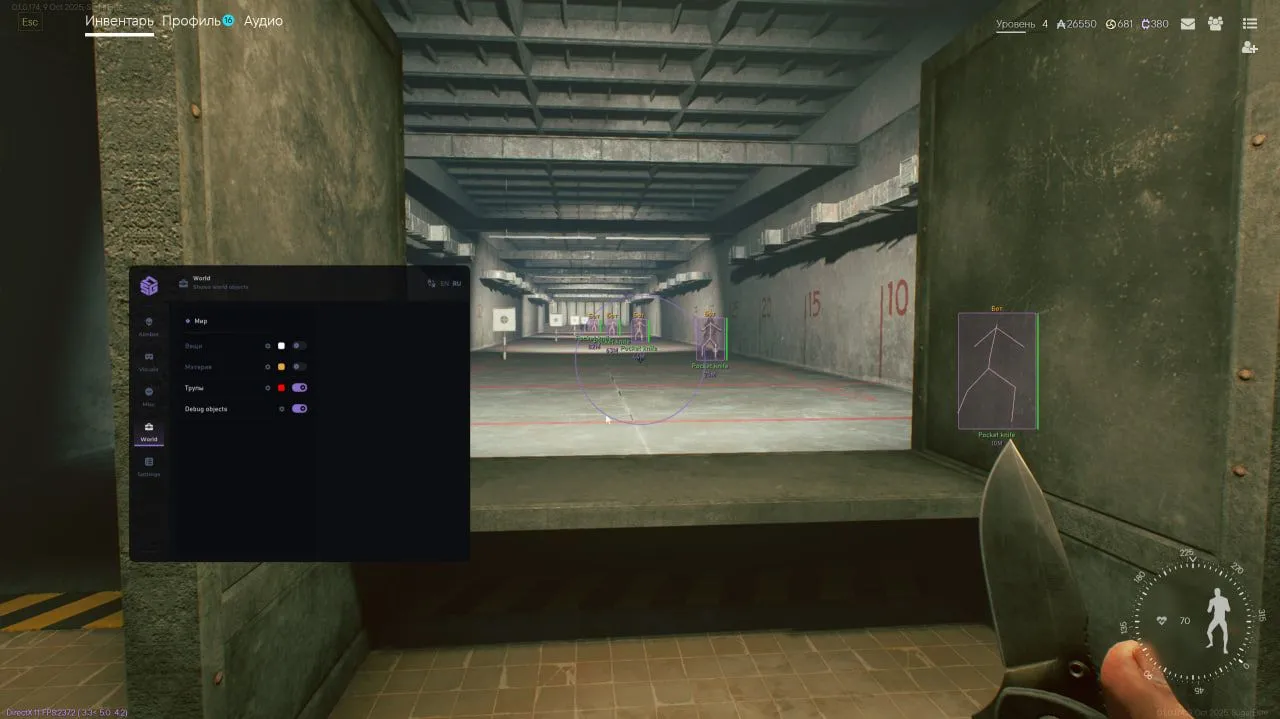
On Active Matter, SMG puts its weight on the ESP: every player and bot gets a name, the weapon in their hands and a distance, and in the developer's own screenshots those labels still read at 500–600 m, with the range slider topping out at 1000. Next to it, the World tab switches on items, materials, anomalies and corpses one by one, each in a color of its own, so a fresh body shows up before you walk into it. For the boxes there is a choice of plain or filled, plus a skeleton, a health bar and a separate toggle for teammates, and a dummy in the preview window shows the whole layout before the match. The aimbot is the lighter half, with an FOV circle set in degrees, automatic target switching, a visible check and a 3D figure where you mark bones by hand, head and neck together if you like. What it lacks is a smoothing setting of any kind. Misc holds two switches, no recoil and no sway, and there is no radar anywhere in the menu.
- Windows
- 1021h2-22h2/1121h2-23h2
- Processor
- All
- Graphics card
- Nvidia/AMD
- Launchers
- Gaijin
- HWID Spoofer
- Built-in
List of Hack Features
34 features in 5 groupsAimbot
- Enable — turns the aimbot on; the activation key sits on the same row
- Auto switch target — moves to the next target on its own
- Visible check — locks only onto targets that are actually in view
- Show FOV — draws the capture circle on screen
- Show crosshair — a crosshair of your own in the middle of the screen
- Aim FOV — size of the capture circle in degrees
- Bone — a 3D figure where bones are marked by hand, several at once such as head and neck
- Maximum distance — how far the aimbot reaches
ESP
- Box type — the box style, with a color of its own
- Filled — fills the box in
- Skeleton — the model skeleton
- Name — the nickname above the target
- Weapon — what the target is holding
- Distance — how far away the target is
- Show teammates — draws your own squad as well
- Health bar — health shown as a strip beside the box
- Maximum distance — ESP range, up to 1000 m
- Preview — the whole layout on a dummy before the match
World
- Items — loot lying around the map
- Materials — matter on the map
- Anomaly — anomalies marked on the map
- Corpses — bodies left after a fight
- Colors — every object type gets a color of its own
- Icons — world objects are shown on screen as icons instead of text labels
- Debug object — shows debug info on objects so unknown ones can be sent to support
Misc
- No recoil — removes recoil
- No sway — removes weapon sway
Settings
- Save config — writes the current setup
- Load config — reads a saved setup back
- Reset config — returns everything to defaults
- Custom font — a menu typeface of your choice
- Menu key — the key that opens the menu
- Panic key — the emergency key
- Language — the menu switches between English and Russian
