


Ghost Cheat for Apex Legends
How to install and launch
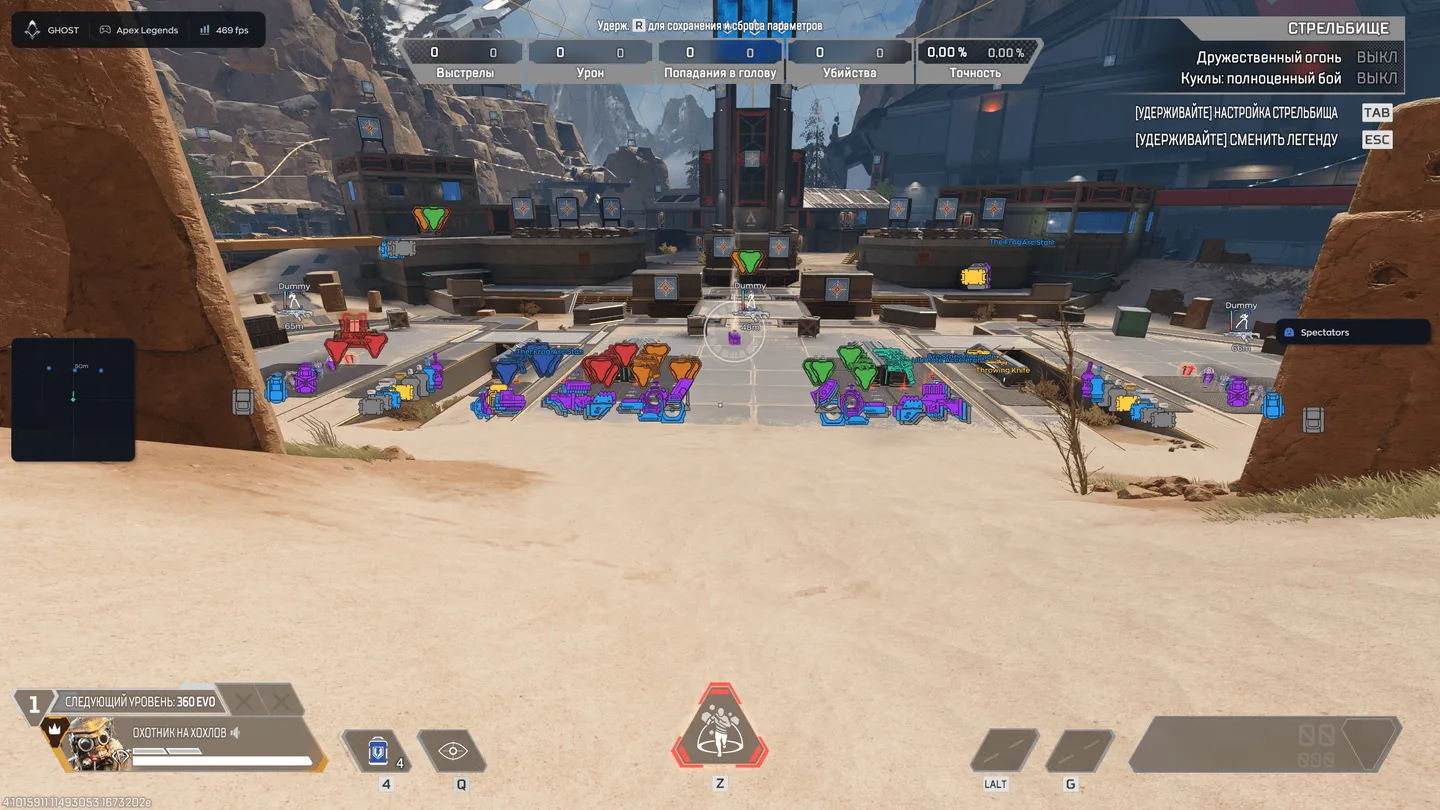
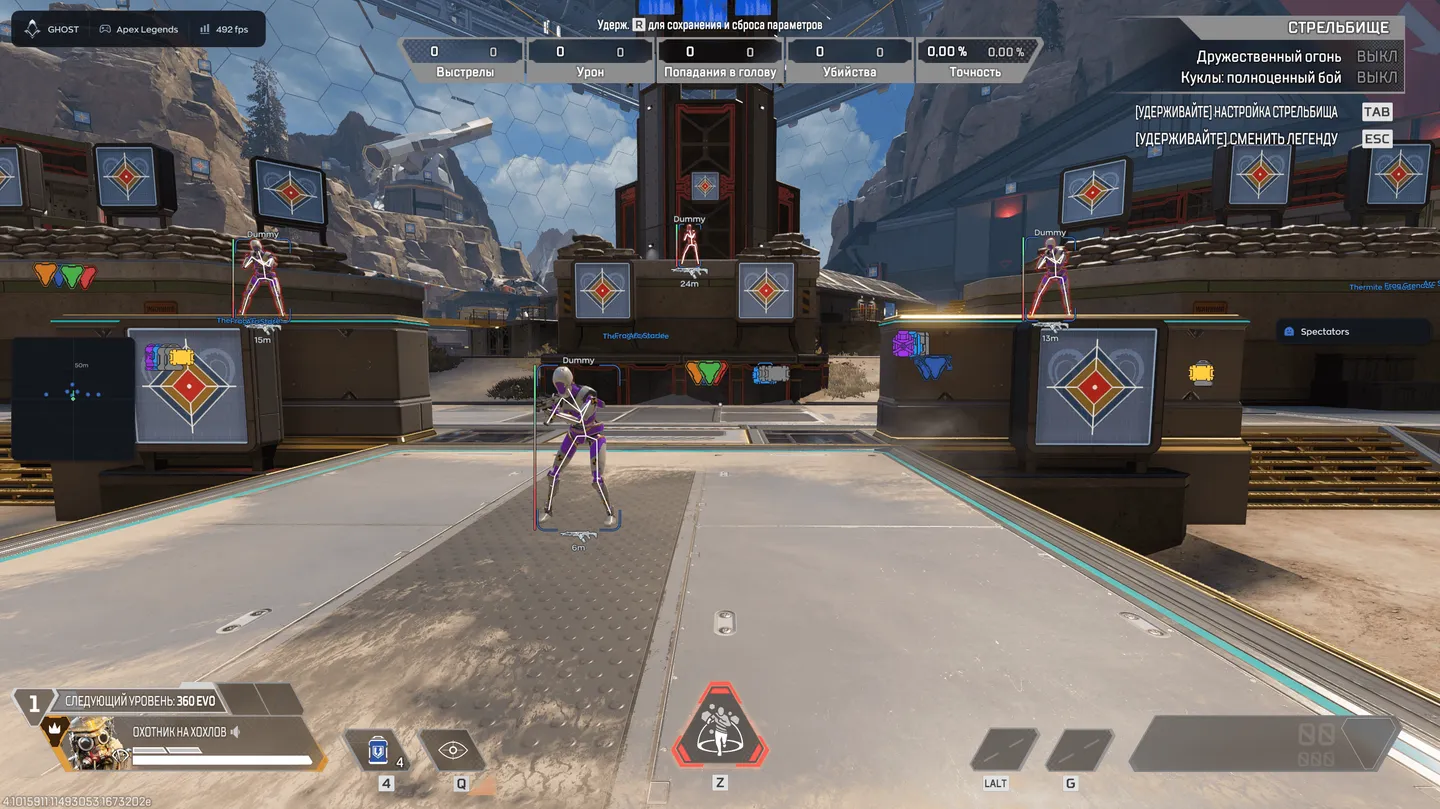
Ghost for Apex Legends is built around hiding the aim rather than sharpening it, and five of its fourteen aim settings exist only to keep the assist from reading as machine-made. Among them are jitter, deadzones, a reaction delay with a min and a max, a ceiling on turn speed and Humanize, on top of the usual FOV, smoothing, hitbox, prediction and recoil control. In its own tab the radar gets zoom, point size, three point styles and a separate distance limit, next to a spectator list. Loot is highlighted by category, weapons, gear, healing, ammo and attachments, and a search finds a single item by name. The visuals are the usual set of boxes, skeletons, health, legend name, the weapon in hand, offscreen arrows and model glow, and the menu can hide itself from screen capture. As for movement, there is no automation at all, no tap-strafe, no super-glide and no auto-grapple.
- Windows
- 10(all)/11(all)
- Processor
- All
- Graphics card
- Nvidia/AMD
- Launchers
- All
- Streamproof
- no
- Spoofer
- No built-in/Choose spoofer
Buy access
Instant delivery
List of Hack Features
54 features in 6 groupsAimbot
- Enable - Main aimbot switch.
- Field of View - Radius of the zone in which the aimbot picks up a target.
- Smooth - How gradually the crosshair travels to the target.
- Hitbox - Which part of the body the aim goes to.
- Bone Mode - How the exact bone on the model is chosen.
- Visible Check - Aim works only on targets in line of sight.
- Max Distance - Range beyond which the aimbot stays off.
- Prediction - Lead for target movement and bullet travel.
- Recoil Control - Compensation for weapon recoil.
- Humanize - Makes the aim movement less machine-like.
- Jitter - Micro-movements that mask the assist.
- Deadzones - Zones in which the aimbot does not engage.
- Reaction Min/Max - Delay before the aim starts, with a spread.
- Max Speed - Ceiling on how fast the crosshair turns.
Visuals
- Box - Draws a box around the player.
- Legend Name - Shows which legend the enemy plays.
- Player Name - Shows the nickname.
- Skeleton - Draws the model skeleton.
- Distance - Shows the range to the target.
- Snapline - Line from you to the player.
- Weapon - Shows the weapon the enemy holds.
- Offscreen Arrows - Arrows pointing at enemies outside the screen.
- Health - Health readout above the target.
- Glow - Highlights the model itself.
- Visible Check - Draws only targets in line of sight.
- Target - Choice of whom the visuals draw.
- Weapon Style - How the held weapon is shown, for example as an icon.
Radar
- Enable - Turns the radar on.
- Draw Outline - Outline around the radar.
- Draw Background - Background fill under the radar.
- Point Style - Dots, arrows or squares for the marks.
- Size - Overall width and height of the radar.
- Max Distance - Range beyond which targets stop showing.
- Point Size - Size of the marks themselves.
- Zoom - Scale of the area the radar covers.
- Spectators - List of players spectating you.
Loot
- Enable - Turns loot highlighting on.
- Weapons - Guns on the ground.
- Gear - Armour, helmets, backpacks.
- Healing - Syringes, cells, med kits.
- Ammo - Ammunition by type.
- Attachments - Scopes, mags, stocks.
- Icon Size - Size of the item icons.
- Search - Finds a single item by name in the filter.
Misc
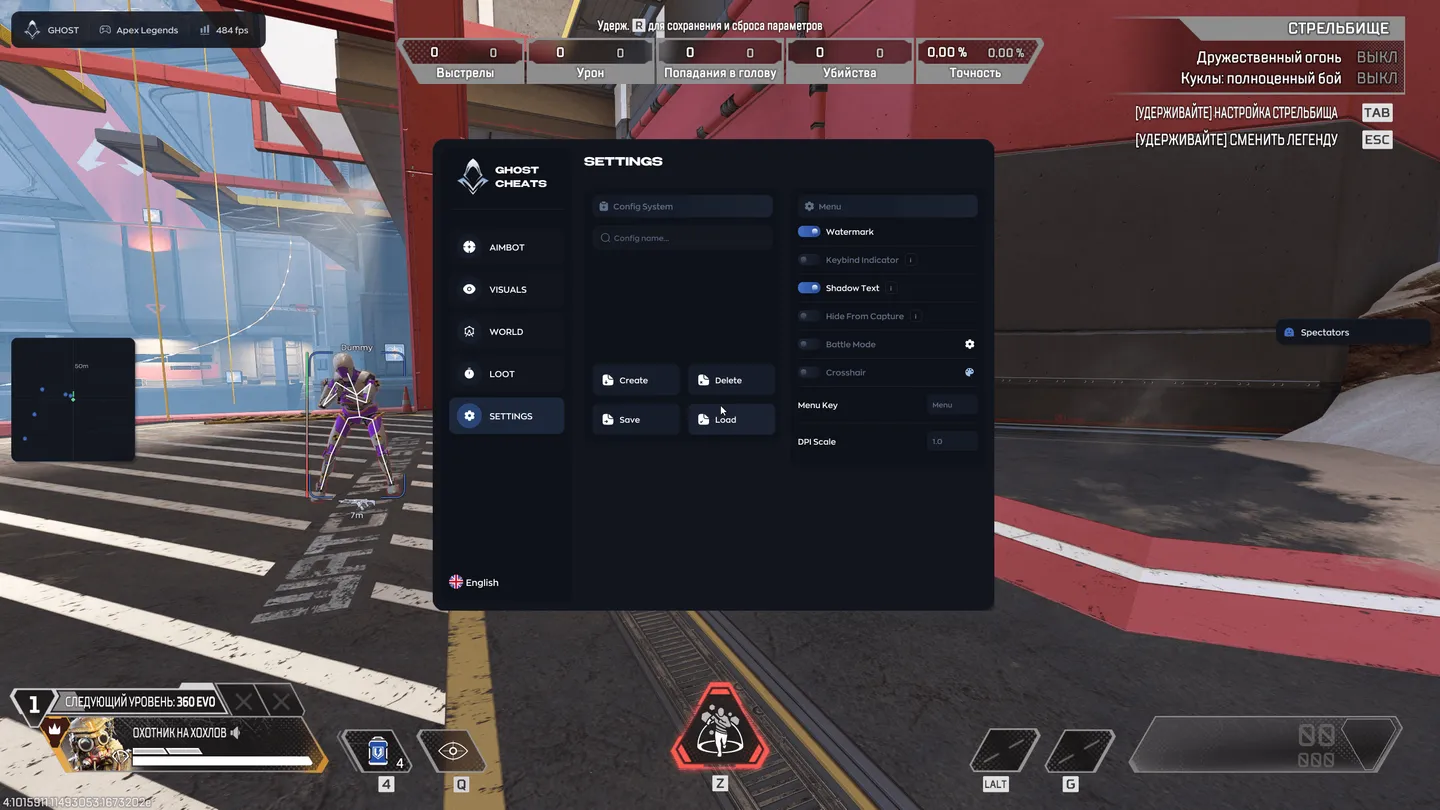
- Config System - Handling of saved setups.
- Create/Delete/Save/Load - Create, delete, save and load a config.
Settings
- Watermark - Cheat watermark on screen.
- Keybind Indicator - On-screen list of active keybinds.
- Shadow Text - Shadow under the ESP text.
- Hide From Capture - Hides the menu from screen capture.
- Battle Mode - Combat mode toggle.
- Crosshair - On-screen crosshair.
- Menu Key - Key that opens the menu.
- DPI Scale - Scale of the menu.


