


Ghost Cheat for Bodycam
How to install and launch
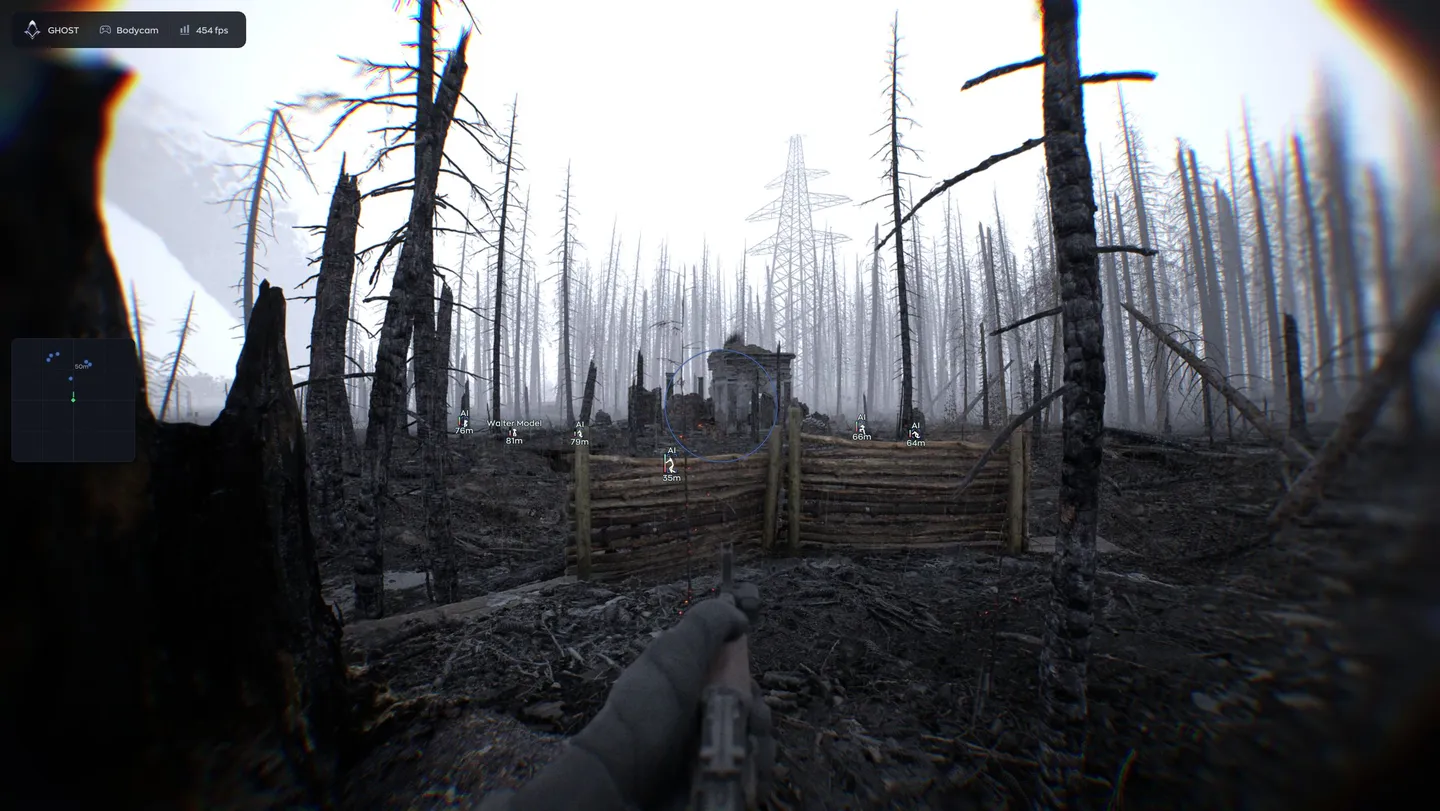
ESP is where Ghost for Bodycam actually goes deep, not the shooting. On the snapline alone there are two decisions: where it points, at the head, the body or the feet, and who gets one, every player or only the aimbot target. Boxes draw four ways, 3D included, and enemies you can see are painted a different color from the ones behind cover. Names, skeletons, distance, health bars and arrows for anyone off the edge of the screen fill in the rest. On its own sits the radar, with 150 m of range, zoom and three point styles. Aimbot is complete too, with hitboxes from head to legs, a visible check, 500 m of reach, smoothing and a humanize block that delays reaction by milliseconds. In Misc come no recoil, no spread, no sway, rapid fire, fast reload, unlimited ammo and a speedhack. God Mode and the gravity slider work only when you host the match.
- Windows
- 10(all)/11(all)
- Processor
- All
- Graphics card
- Nvidia/AMD
- Launchers
- Steam
- Streamproof
- yes
- Spoofer
- No built-in/Choose spoofer
List of Hack Features
47 features in 5 groupsAimbot
- Enable — switches the aimbot on
- Field of View — capture cone from 20 to 360 degrees
- FOV Circle — draws that cone on screen
- Hitbox — head, neck, torso, arms or legs
- Bone Mode — the bone you picked or the nearest one
- Visible Check — fires only at targets that are actually visible
- Max Distance — working range from 1 to 500 m
- Smooth — how slowly the aim travels, 1 to 20
- Humanize — Jitter, Deadzone, Reaction Min and Reaction Max in milliseconds, Max Speed
Visuals
- Enable — turns the player ESP on
- Visible Check — separate colors for players you can see and players behind cover
- Box — standard, corners, filled or 3D
- Name — the player nickname
- Skeleton — the model skeleton
- Distance — how far the player is
- Snapline — a line drawn to the player
- Snapline Target — where the line lands: head, body or feet
- Snapline Mode — to every player or only to the aimbot target
- Offscreen Arrows — direction of players outside the frame
- Health — the health bar
Radar
- Enable — turns the radar on
- Draw Outline — the radar outline
- Draw Background — the radar background
- Point Style — square, circle or triangle
- Size — radar size on screen
- Max Distance — how far the radar reads
- Point Size — size of the dots
- Zoom — radar scale
Misc
- No Recoil — removes recoil
- No Spread — removes bullet spread
- No Sway — removes weapon sway
- Rapid Fire — raises the fire rate
- Fast Reload — speeds the reload up
- Unlimited Ammo — infinite ammo, the magazine refills itself
- Speedhack — speeds the character up, with a keybind and a speed slider
- God Mode — invincibility, holds health at maximum; host only
- Gravity — gravity multiplier on a slider from 0 to 3x; host only
Settings
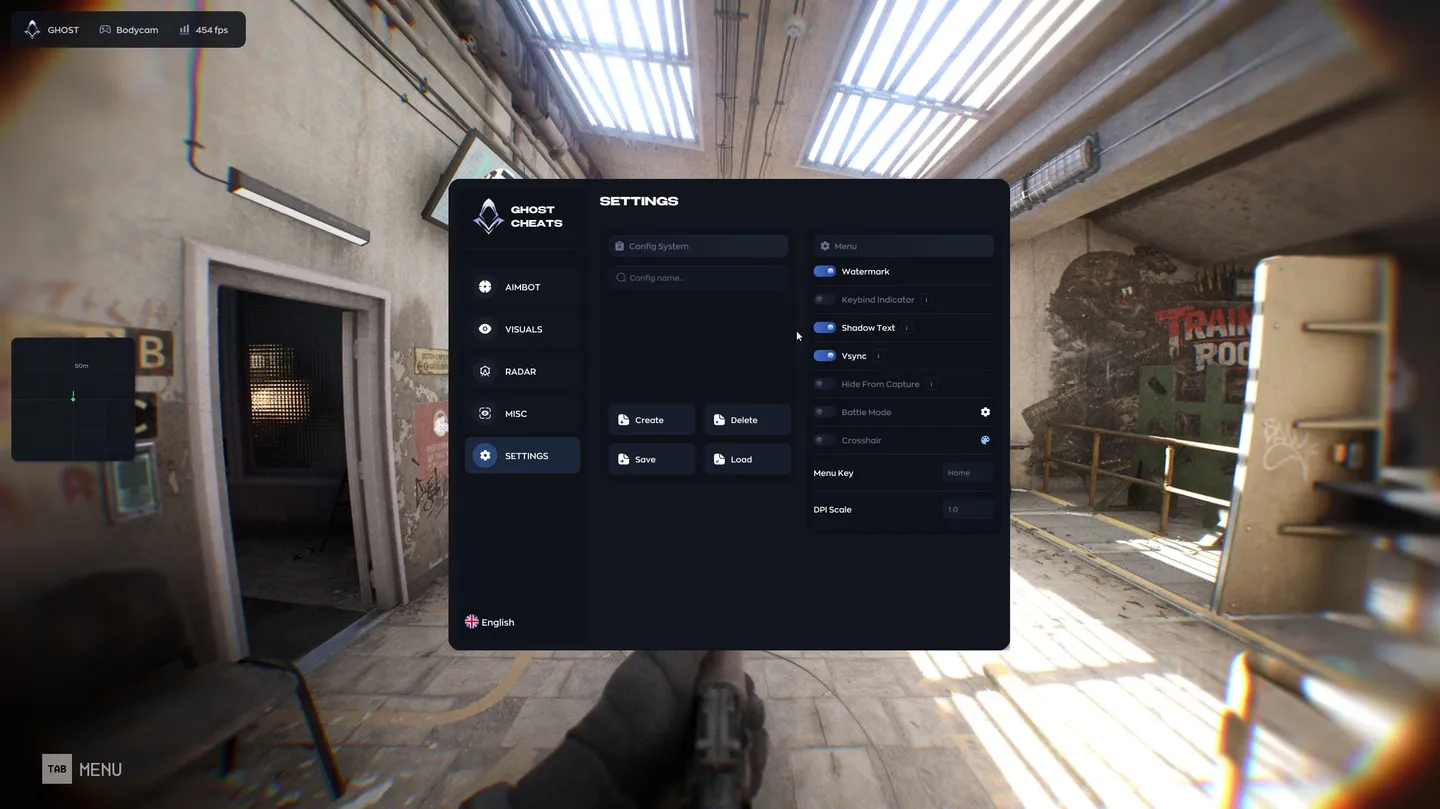
- Config System — create, save, load and delete configs
- Watermark — the on-screen watermark
- Keybind Indicator — panel of the binds currently active
- Shadow Text — shadow under the menu text
- Vsync — caps the menu refresh to the monitor
- Hide From Capture — hides the overlay from OBS, Discord and Game Bar
- Battle Mode — a stripped-down menu for a fight
- Crosshair — custom crosshair with a color picker
- Menu Key — the key that opens the menu
- DPI Scale — interface scale

