


UDP Aimbot for Marvel Rivals
1 / 10
How to install and launch
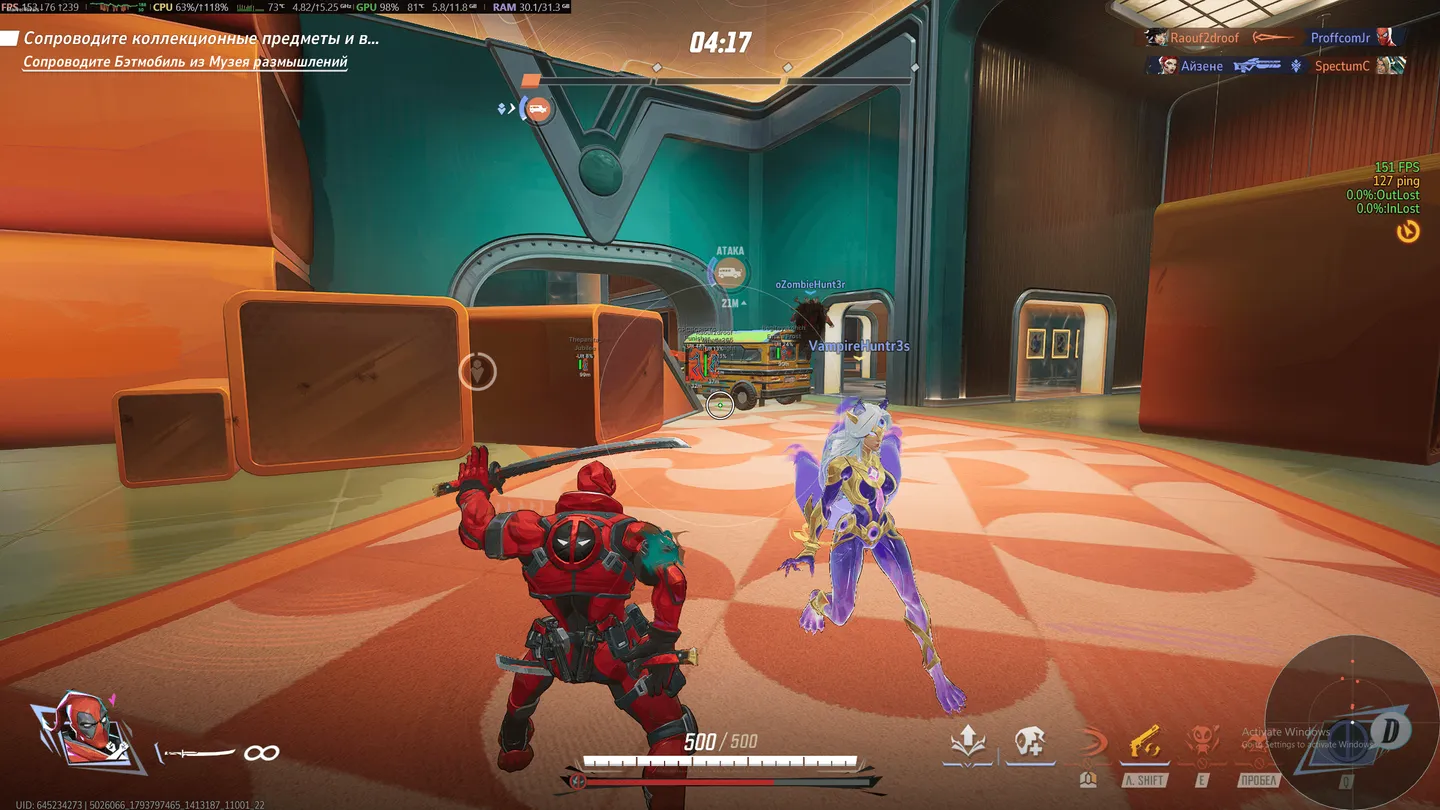
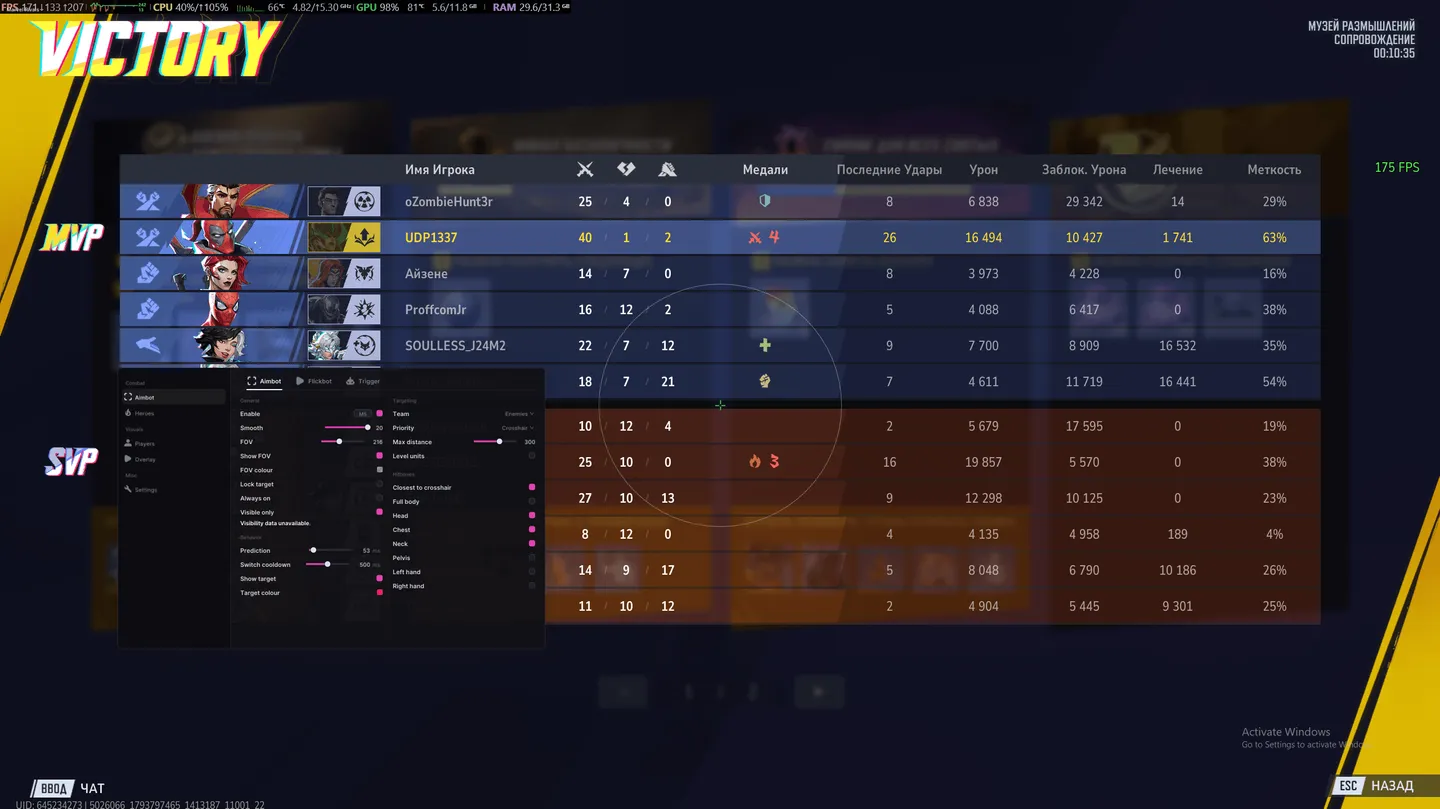
UDP's Marvel Rivals aimbot tracks a selected target with prediction to account for movement. For quick snaps, the flickbot can aim and fire, while the triggerbot shoots when a target crosses your crosshair. Each has its own controls. Hero profiles keep separate aiming FOV, smoothing and hitbox choices, so different heroes do not have to share one setup. Player ESP shows positions, health and ultimate charge, helping you spot who has an ultimate ready before you commit to a fight. A radar provides another view of player positions.
Status:
undetected
- Windows
- 101909+/1121H2–26H2
- Processor
- All
- Graphics card
- Nvidia/AMD
- Launchers
- All
- HWID Spoofer
- No built-in/Choose spoofer
List of Hack Features
67 features in 15 groupsAimbot
- Enable aiming and assign its activation key
- Adjust Smooth and the aiming FOV
- Draw the FOV circle and choose its colour
- Use Lock Target to keep the selected target
- Keep aiming active with Always On
- Restrict aiming to visible targets with Visible Only
Aimbot: Behavior
- Adjust Prediction in milliseconds
- Set Switch Cooldown between target changes
- Show the selected target and set Target Colour
Aimbot: Targeting and Hitboxes
- Choose the target Team and selection Priority
- Set Max Distance and toggle Level Units
- Select the hitbox closest to the crosshair
- Hitbox options: full body, head, chest, neck, pelvis, left hand and right hand
Flickbot
- Enable flick aiming and assign its key
- Set a separate FOV
- Choose the Mode and set Cooldown
- Enable Auto Shoot
- Apply Visible Only and adjust Prediction
- Choose the target Team, Max Distance and Level Units independently
- Use the same closest-to-crosshair and body hitbox options as Aimbot
Trigger
- Enable automatic firing at a target under the crosshair
- Assign Hold Key and set the firing Delay
- Restrict firing to visible targets
- Choose the target Team, Max Distance and Level Units independently
- Use the same closest-to-crosshair and body hitbox options as Aimbot
Heroes: Hero Profiles
- Enable hero profiles and select a hero from the list
- Filter the hero list by Duelist, Vanguard or Strategist
- Activate the selected hero's profile with Profile Active
- Set profile-specific Aimbot FOV, Smooth, Visible Only and Team
- Choose the same closest-to-crosshair and body hitbox options as Aimbot for the profile
- Restore the profile with Reset Defaults
Players: ESP
- Enable player ESP and select the Box style, including corner boxes
- Choose Box Colour and draw player skeletons
- Display player names with a configurable Name Colour
- Show the hero name and distance
- Configure Team Check and Team Colour
- Limit ESP with Max Distance
Players: Ultimate
- Display ultimate charge as Percent Text
- Show a Charge Bar or use Box Fill for charge
- Set separate Charge Colour and Ready Colour
Players: Health and Markers
- Show a Health Bar and choose its Position
- Display Health Text
- Enable the health Gradient
- Draw a Head Circle
- Draw Snaplines to players
Body: Chams
- Enable body highlighting and choose its colour
- Adjust Opacity and Outline
- Apply Visibility Check
Body: Skeleton Style
- Set separate Visible Colour and Hidden Colour
- Enable skeleton Glow
- Adjust skeleton Thickness
Overlay: Crosshair
- Enable an overlay crosshair and select its Style
- Choose the crosshair colour or enable Rainbow
- Adjust Size and Gap
- Set Hook and Angle
- Enable Rotate
Overlay: Radar
- Enable radar with configurable Size and Range
- Adjust radar Opacity
- Keep north at the top with North Up
- Position the radar using X and Y
Settings
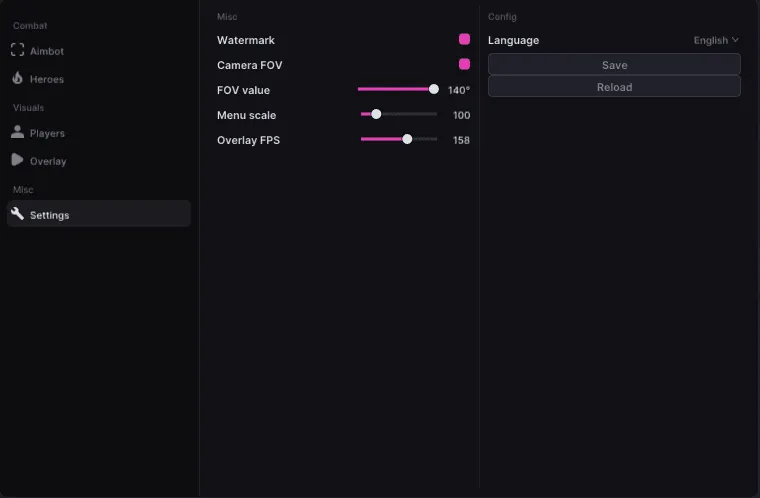
- Show or hide the Watermark
- Enable Camera FOV and set FOV Value
- Adjust Menu Scale
- Configure Overlay FPS
Config
- Select the interface Language
- Save the configuration
- Reload the configuration


