


Ghost ESP Cheat for Fortnite
How to install and launch
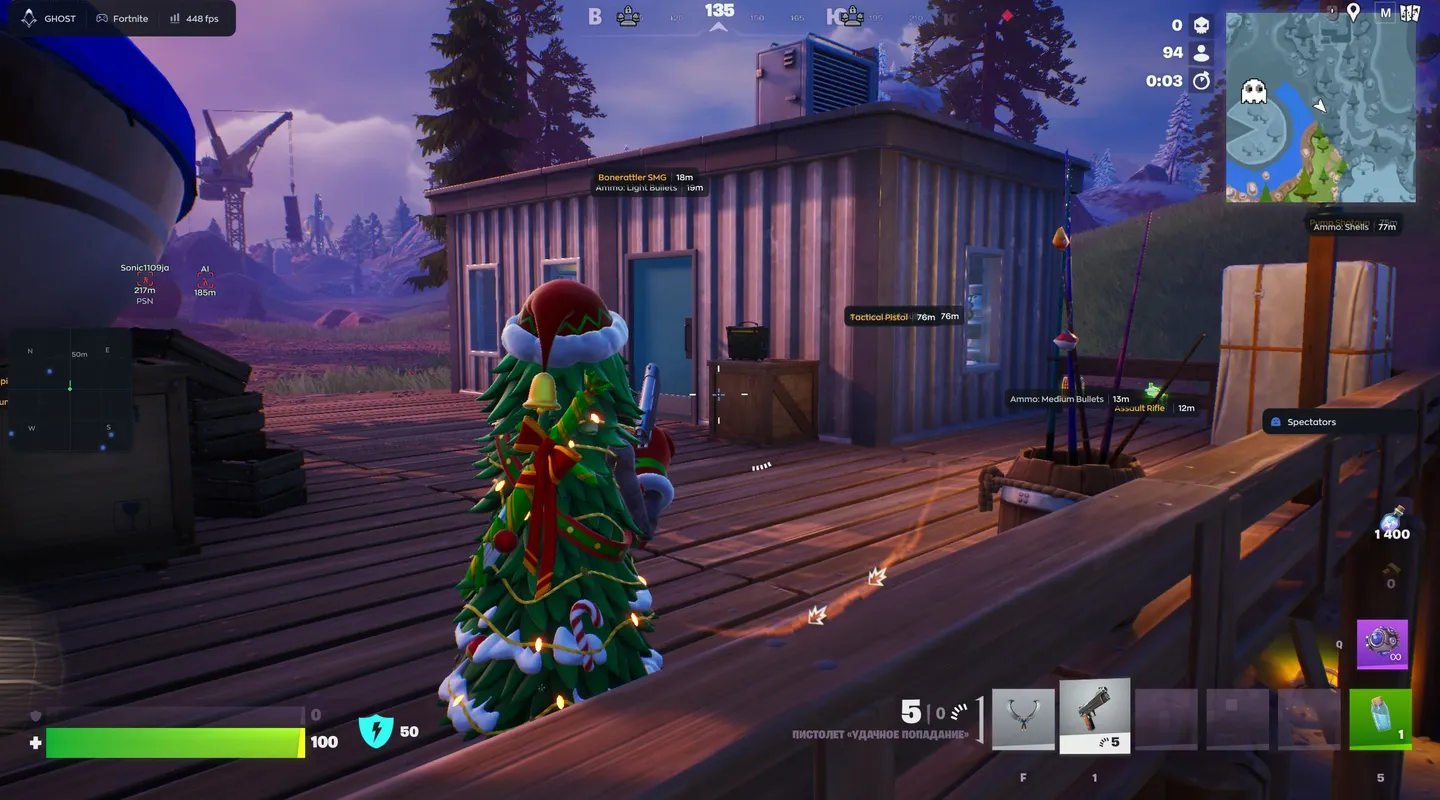
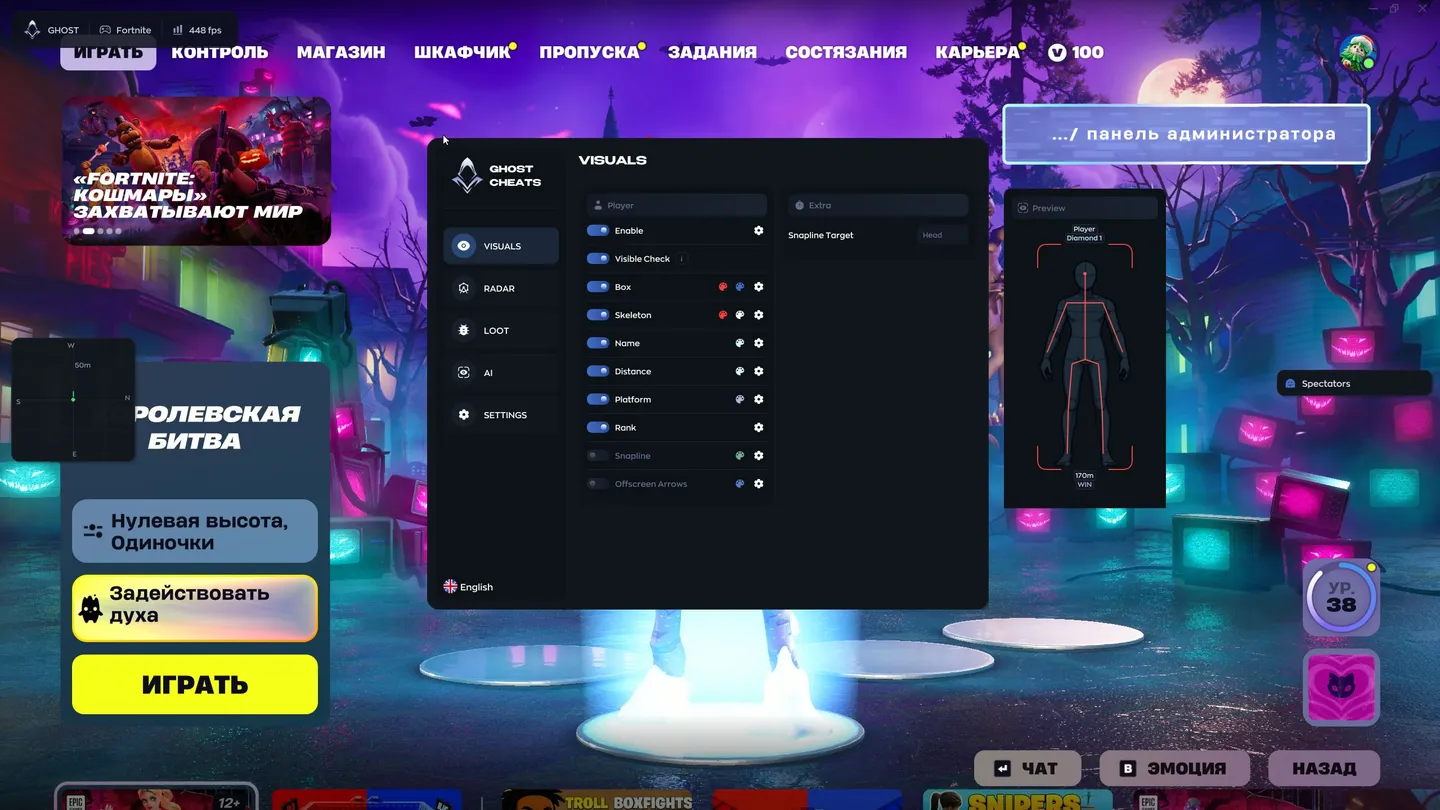
Ghost ESP is a Fortnite wallhack for players who want to see enemies through walls but keep aiming on their own. Each player can carry a nickname, distance, platform and a rank such as Diamond 1. Bots get an AI tag. View Direction draws where every enemy is looking, both on the ESP and in the radar's Extra panel, and you set its color, length, thickness and distance. You tune the whole look in an interactive Preview: hovering an element makes it glow, the mouse wheel changes skeleton thickness, and scrolling over a text label resizes that label alone. Loot gets its own layer with eight categories, from ammo labeled by type to traps, each in its own color and with a separate distance limit. Hide From Capture keeps the menu out of streams, recordings and screenshots. If manual tuning feels like a chore, the AI tab has a chat that answers settings questions and configures the ESP when asked. Aimbot, triggerbot and recoil control are not part of this build at all.
- Windows
- 10(all)/11(all)
- Processor
- All
- Graphics card
- Nvidia/AMD
- Launchers
- Epic Games
- Streamproof
- no
- HWID Spoofer
- No built-in/Choose spoofer
List of Hack Features
49 features in 4 groupsPlayer ESP (wallhack)
- Enable — turns the player ESP on
- Visible Check — shows information only about enemies in sight
- Box — a frame around the enemy
- Skeleton — the bones of the player model, with outlined joint dots on each bone
- Name — the nickname above the player; bots get an AI tag instead
- Distance — how many meters away the enemy is
- Platform — what the enemy plays on, PC or a console
- Rank — the player's rank, Diamond 1 for example
- Snapline — a line from the bottom of the screen to the enemy
- Snapline Target — where the line ends, the head by default
- Offscreen Arrows — point toward enemies outside your view
- View Direction — shows where the player is looking; color, length, thickness and distance are adjustable
- Preview — an interactive window that shows how the ESP will look on a player: hovering highlights an element with a glow, the mouse wheel changes the skeleton thickness
- Font Size — each text element of the ESP has its own size, set by scrolling over it in the preview
Radar and compass
- Enable — turns the radar on
- Draw Outline and Draw Background — the radar border and backdrop
- Point Style — how the dots look, a circle for example
- Size — how big the radar is on screen
- Max Distance — how far the radar reaches, in meters
- Point Size — the size of the dots
- Zoom — the radar scale
- Extra — a radar panel with View Direction, showing where players on the radar are looking
Loot ESP
- Enable — turns the loot ESP on; each item shows its name and distance, and each category has its own color
- Weapons — guns lying on the map
- Ammo — ammo with its type, such as light or medium bullets and shells
- Shields — shield potions
- Healing — medkits and bandages
- Throwables — grenades and other throwables
- Consumables — fish, bananas and the like
- Traps/Utility — traps and utility items
- Other — everything that falls outside the categories above
- Max Distance — how far the loot ESP reaches
- Font Size — the size of the item labels
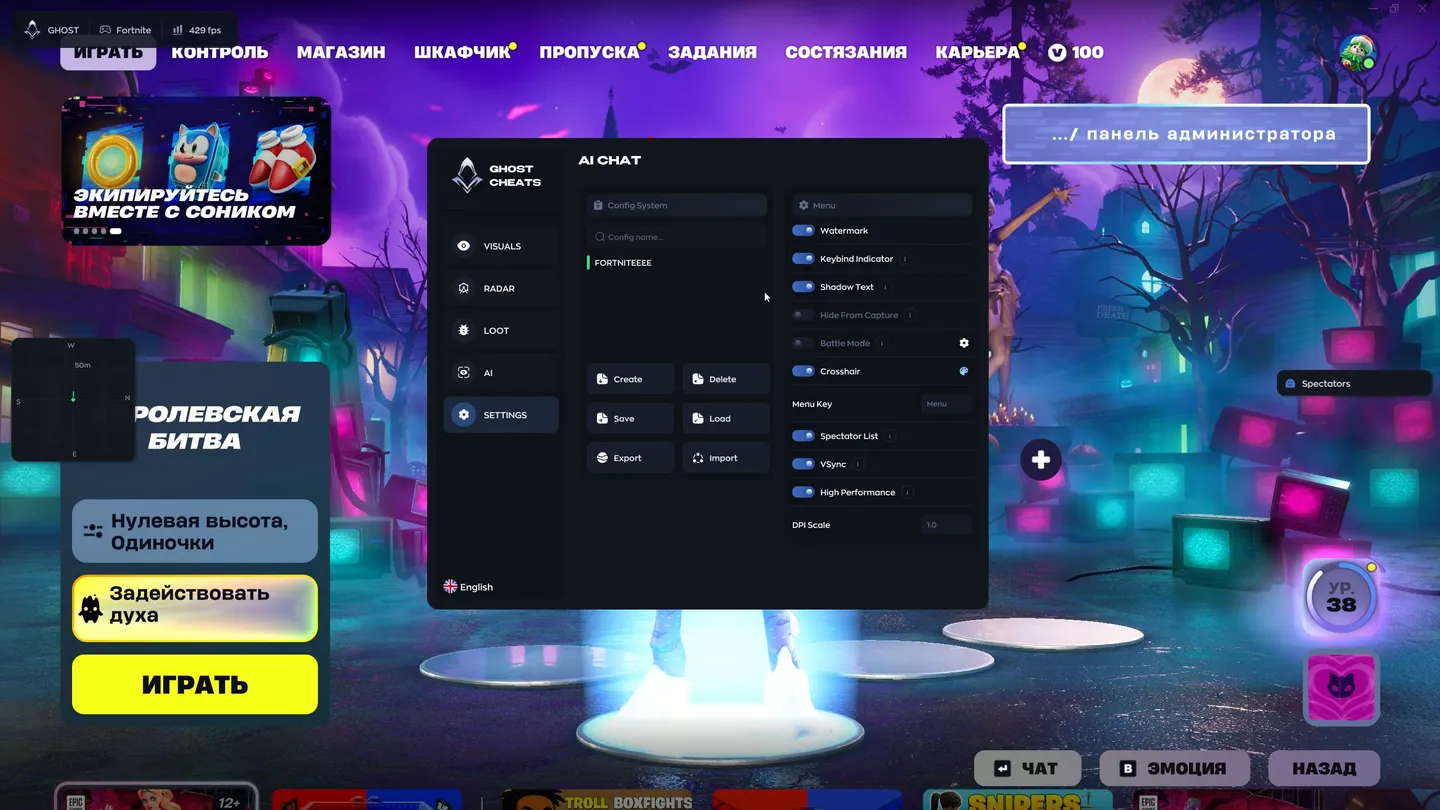
Settings and AI chat
- Config System — the list of saved configs with a search by name
- Create and Delete — make a new config or remove one
- Save and Load — save the current settings or load saved ones
- Export and Import — pass a config to other players or take theirs
- Watermark — the cheat's watermark on screen
- Keybind Indicator — shows which hotkeys are pressed
- Shadow Text — a shadow under the text for readability
- Hide From Capture — hides the cheat menu from screen recording, streams and screenshots
- Battle Mode — turns off extra functions during a fight
- Crosshair — a built-in crosshair
- Menu Key — the key that opens the menu, Menu by default
- Spectator List — shows who is spectating you
- VSync — vertical sync
- High Performance — a high-performance mode
- DPI Scale — scales the interface to your resolution
- AI Assistant — a chat with a built-in AI on the AI tab: it answers questions about the settings and can set up the ESP on request


