


UDP Cheat for ROB RUN
1 / 5
How to install and launch
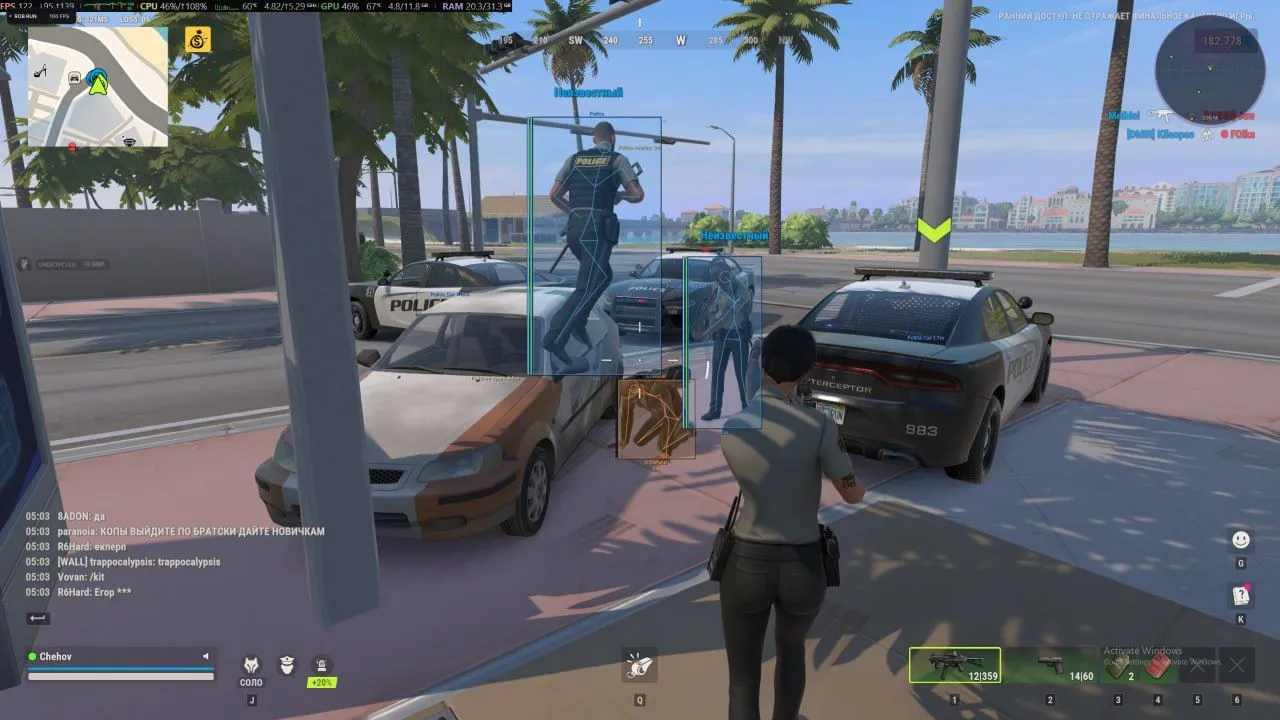
UDP for ROB RUN helps you keep your crosshair on the selected target: the aim tracks the head with prediction, while separate settings control recoil and remove weapon spread. Before firing, the ESP shows the player's faction, distance, health and armor. The radar helps you monitor your surroundings. A nearby-player warning alerts you as players approach, and a separate indicator shows when someone is looking at you. Target factions for aiming and warnings are selected independently.
Status:
undetected
- Windows
- 101909+/1121H2–26H2
- Processor
- All
- Graphics card
- Nvidia/AMD
- Launchers
- All
- HWID Spoofer
- No built-in/Choose spoofer
Note
- Enable SVM on AMD or VT-X on Intel in BIOS.
- Intel CPUs additionally require UEFI boot mode.
- At least 16 GB of RAM is required.
- RAID, Intel RST and custom Windows builds are not officially supported.
List of Hack Features
46 features in 7 groupsAimbot
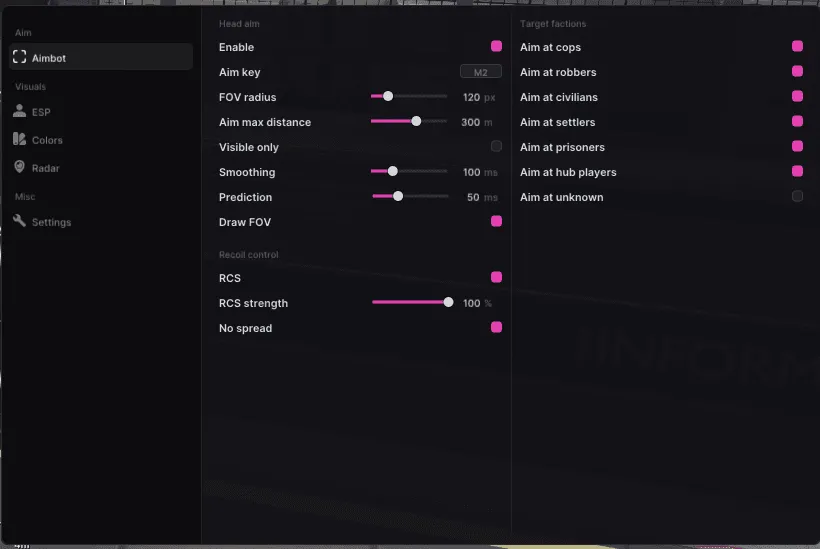
- Aim at the target's head using an assigned Aim Key
- Enable Silent Aim and adjust its Hit Chance
- Set Silent Aim bone priority and enable priority randomization
- Set the aimbot Bone priority
- Set the FOV radius and maximum targeting distance
- Visible Only restricts aiming to visible targets
- Adjust Smoothing and Prediction
- Draw the aiming FOV on screen
- Select target factions separately: cops, robbers, civilians, settlers, prisoners, hub players and unknown faction
- Enable TeamCheck to ignore teammates
- Use Hold Target and set a Target Switch Delay between targets
RCS and No Spread
- Enable recoil control and adjust RCS Strength
- Enable No Spread to remove weapon spread
Player ESP
- Choose full or corner boxes; enable box fill and adjust its opacity
- Draw skeletons and a head marker
- Apply Player Material Chams with 6 material types and model chams; both can run simultaneously
- Display player names, distance and faction
- Show health and armor bars
- Display equipment icons beside player boxes and compact equipment cards for distant players
- Show an enemy hotbar with the active weapon and armor status
- Enable Estimated bars (100 HP)
- Mark downed players
- Check target visibility and use faction colors
- Limit the maximum ESP distance
Radar
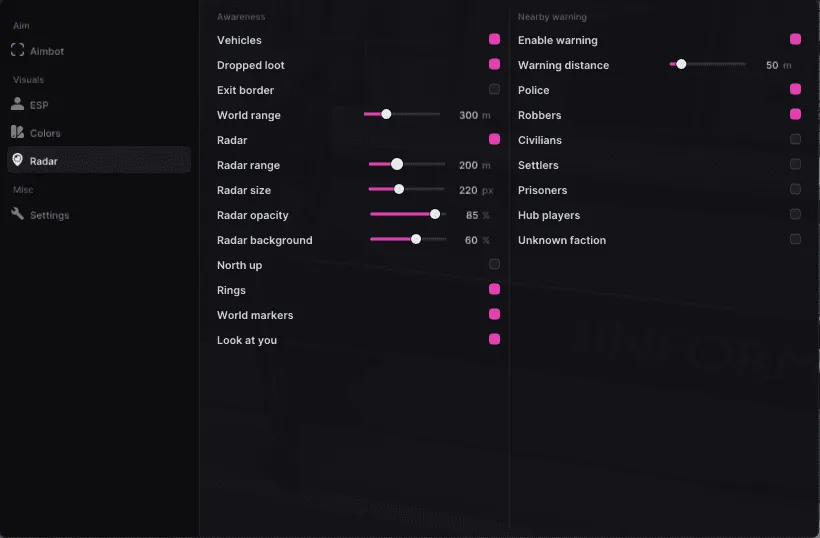
- Show players on a radar with adjustable range and size
- Adjust radar opacity and background
- Keep north at the top with North Up
- Display radar rings and world markers
- Show loot on the radar using the loot filters and colors
Awareness
- Warn about nearby players within a chosen distance
- Get a BASE RAID WARNING when your base is being raided
- Select warning factions separately: police, robbers, civilians, settlers, prisoners, hub players and unknown faction
- Use Look at You to indicate when a player looks at you
- Mark vehicles and distinguish police vehicles
- Highlight dropped loot and exit borders
- Hide collected items and empty containers until they are replenished
- Toggle and color 11 loot categories and 12 container categories individually
- Filter loot by minimum value and show optional price labels
- Loot ESP with item names in the game's language, native item icons and rarity colors
- Set the display distance for world objects
Colors
- Set colors for boxes, skeletons, head markers, labels, roles and distance
- Choose separate colors for downed or hidden players, vehicles, police vehicles, dropped loot and exit borders
- Assign visible and hidden colors independently for each faction, with faction toggles beside their color settings
Settings
- Change the menu language and scale
- Overlay FPS display and watermark
- Change the camera field of view with Fov Changer and use Zoom


