


Stealth Full for Rust
1 / 14
How to install and launch
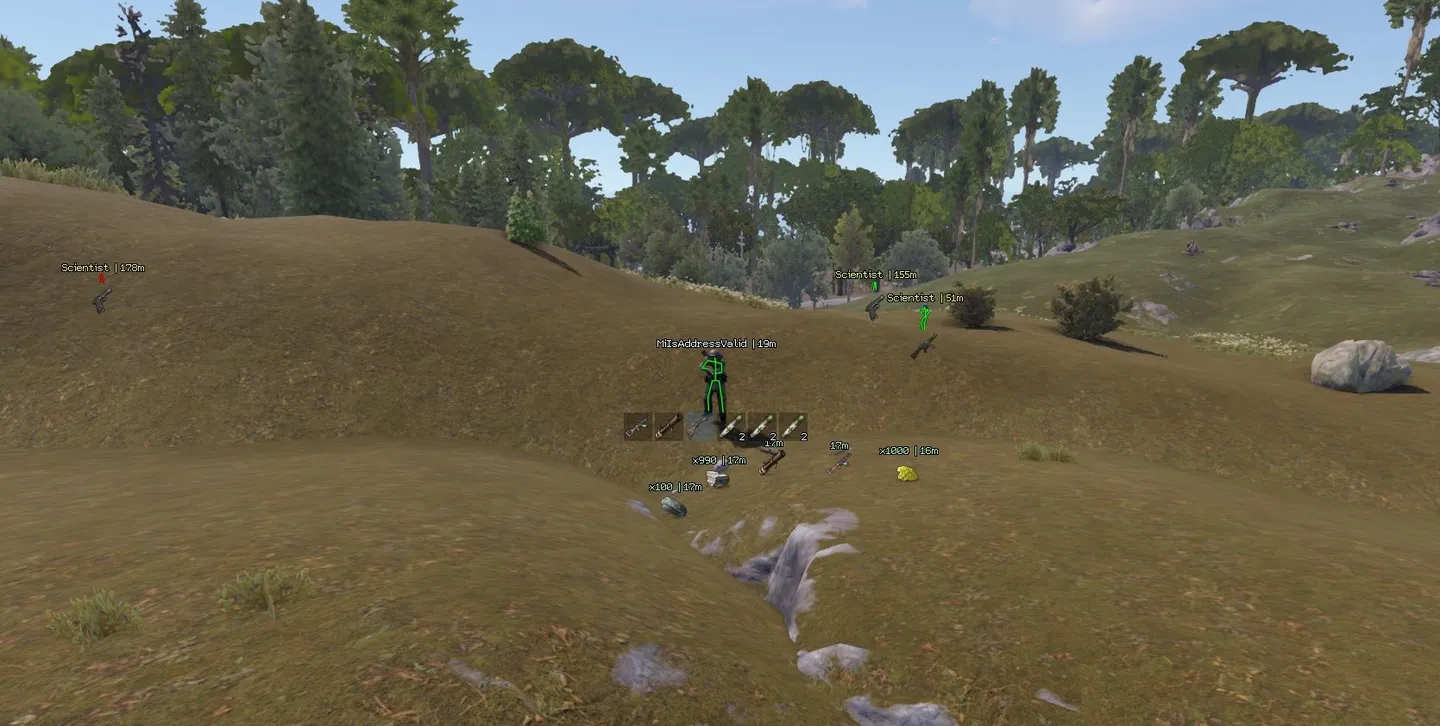
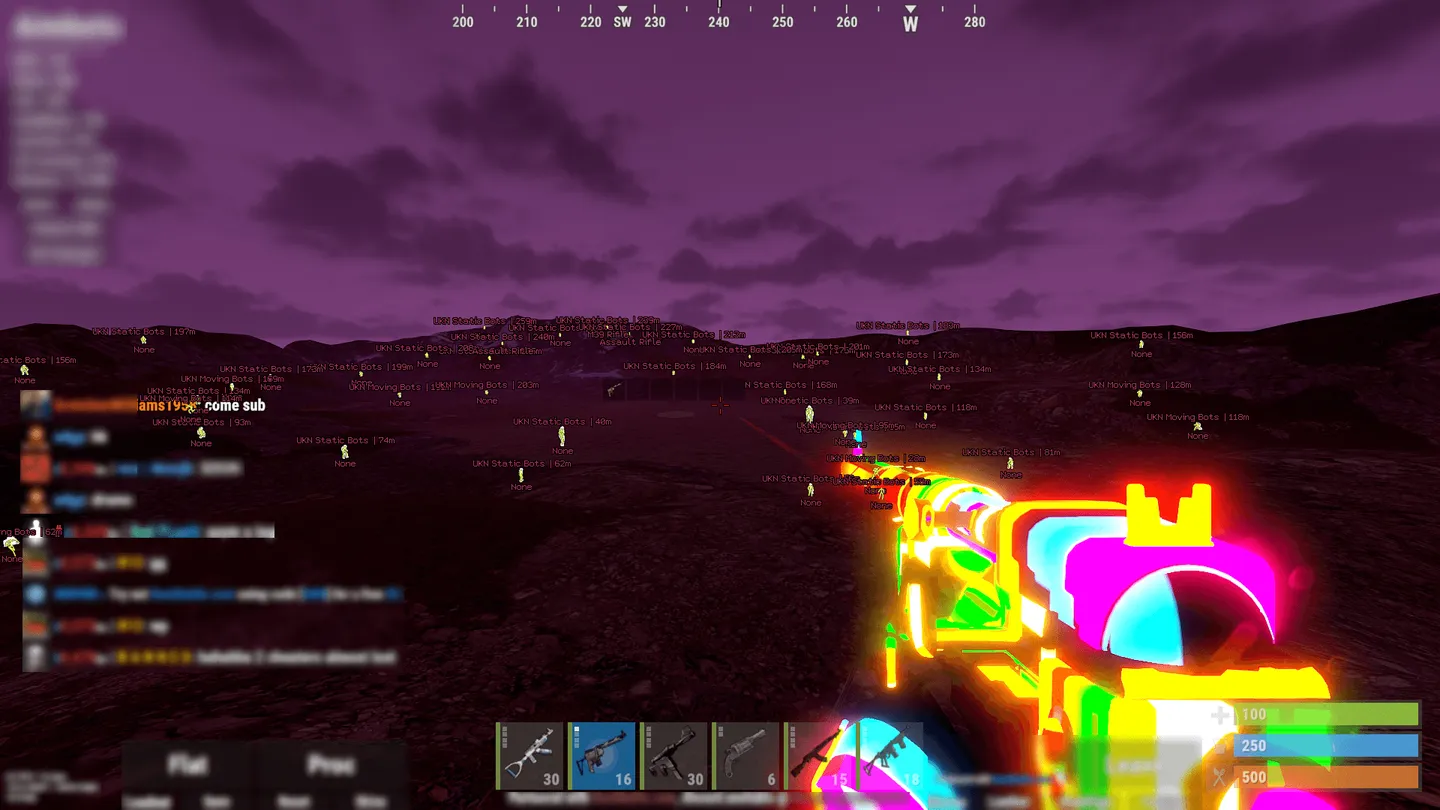
Stealth Full for Rust shows held items and hotbars through player ESP, helping you assess an opponent's weapons before a fight. Player ESP, radar and aiming reach 400 m. Choose Silent or Mouse aim, with visibility checks and filters for teammates and sleepers. Only Mouse has an activation key.
Resource and world ESP mark loot, ore, tool cupboards and traps with separate range settings. Airdrops and Chinook crates can be marked up to 2,000 m away. Weapon tweaks reduce recoil and spread and remove sway. You also get flight and a free camera, which the menu labels as risky.
Customer choice Lowest risk
Status:
undetected
- Windows
- 10(all)/1123H2–26H2
- Processor
- All
- Graphics card
- All
- Launchers
- Steam
- HWID Spoofer
- No built-in/Choose spoofer
List of Hack Features
68 features in 11 groupsPlayer ESP
- Bots – Highlights NPC bots
- Sleepers – Shows sleeping players
- Nickname – Labels players with their names
- Skeleton – Draws bone lines over player models
- Team ID – Shows the player's team identifier
- Active item – Shows the item in a player's hands as an icon or as text. The label can be disabled
- Quick slots – Shows the player's hotbar
- Distance – Adds a distance label to each player
- Visibility Distance – Sets player ESP range from 0 to 400 m
- Chams – Applies a wireframe or flat material to players. The overlay can be disabled
- Out of fov indicator – Points toward players outside the view with arrows
- Indicator Distance – Sets arrow range from 0 to 400 m
Corpses and dropped items
- Player corpse – Marks bodies of dead players
- Animal corpse – Marks animal carcasses
- Distance / Visibility Distance – Shows the distance to bodies and sets their ESP range from 0 to 400 m
- Dropped items – Shows loose items as icons or text. Item labels can be disabled
- Distance / Visibility Distance – Shows the distance to dropped items and sets their ESP range from 0 to 400 m
Aimbot
- Enable – Toggles the aimbot
- Ignore team – Excludes teammates from targeting
- Ignore sleepers – Skips sleeping players
- Visible check – Limits target selection to players in direct view
- Aimbot Type – Silent leaves the crosshair in place. Mouse moves it toward the target
- Bone – Targets the head, chest, pelvis or nearest hit area
- Bind key – Sets the activation key in Mouse mode
- Targeting FOV – Sets the angle for target selection from 10 to 500 degrees
- Mouse aimbot speed – Adjusts crosshair speed in Mouse mode from 1 to 10
- Distance limit – Sets the maximum range for targeting from 10 to 400 m
- Draw FOV – Draws a circle around the aiming area
- Draw target – Highlights the current target
- Draw crosshair – Draws a fixed crosshair at screen center
Radar
- Enable – Turns the on-screen radar on or off
- Show bots / Show sleepers – Adds bots and sleeping players to the radar
- Directions – Shows which way a marked player is facing
- Name – Adds names to radar markers
- Distance – Adds distance labels to radar markers
- Draw distance – Sets the radar radius from 50 to 400 m
- Size – Adjusts radar window size from 50 to 200 px
Resources and loot
- Stone chunk / Metal chunk / Sulfur chunk / Wood chunk – Marks stone, metal and sulfur nodes and large wood piles
- Ores collectable / Wood collectable / Hemp / Diesel / Flowers – Highlights loose ore, loose wood, hemp, diesel and flowers
- Distance / Visibility Distance – Shows the distance to resources and limits their ESP range to 0–400 m
- Food – Marks wild food with its own distance labels and range
- Crates / Boxes / Barrels – Marks monument loot containers with separate distance and range controls
- Airdrop / Chinook crate – Marks supply drops and Chinook crates with distance labels and a range of up to 2,000 m
World ESP
- Debug objects – Toggles the debug object display
- Ground transport / Water transport / Air transport / Trains – Marks vehicles by type with distance labels and an adjustable range
- Cupboard / Storages / Workbench – Marks tool cupboards, storage and workbenches with separate range controls
- Deployable traps / Ground traps – Marks deployable and ground traps such as turrets. Distance labels and range have their own controls
- NPC helicopters / Bradley / Cargo ship – Marks event helicopters, Bradley and the cargo ship with separate range controls
- Animals / Horse / Health bar – Marks animals and horses and can show their health bars. Distance and range can be set separately
Weapon settings
- Minimize recoil – Reduces recoil
- Minimize spread – Reduces shot spread
- No sway – Disables weapon sway
- Automatic – Enables automatic fire
- Easy EOKA – Makes firing the Eoka easier
- Melee improvements – Enables melee adjustments
World lighting
- Bright world – Brightens the scene
- Set world time / Hour – Sets the displayed time of day with an hour slider from 1 to 23
Movement and free camera
- Flyhack / Flyhack key – Switches between Disabled, Acceleration and Fly and sets the activation key
- Remove near walls / Remove walls key – Removes nearby walls from view using a separate hotkey
- Debug camera (RISK) / Debug speed / Debug bind – Enables the free camera and sets its speed and key. The menu marks it as risky
Colors
- Player / NPC / Teammate / Sleeping player – Sets separate marker colors for players, NPCs, teammates and sleepers
- Visible skeleton / Invisible skeleton – Sets different skeleton colors for visible and obscured players
- Corpse / Resources / World / Animals – Sets colors for bodies, resources, world objects and animals
- Aimbot visuals – Sets the color of the aiming overlays
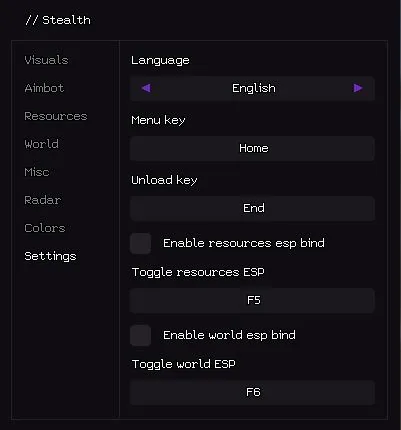
Settings
- Language – Switches the menu between English and Russian
- Menu key / Unload key – Sets the keys for opening the menu and unloading Stealth
- Enable resources esp bind / Toggle resources ESP – Enables and assigns the key for toggling resource ESP
- Enable world esp bind / Toggle world ESP – Enables and assigns the key for toggling world ESP
More Hacks for Rust
Customer choice Lowest risk

Stealth Litefrom 3$
Chams
undetected

UDPfrom 3$
Aimbot, ESP, Radar
undetected
Tons of features

Mason Internalfrom 5.8$
Aimbot, ESP, Radar
undetected

Mason Fullfrom 4.8$
Aimbot, ESP, Radar
undetected

SMG Chams++from 4.8$
Aimbot, ESP
undetected
SMG Chamsfrom 3.6$
ESP
undetected

Arcanefrom 6$
Aimbot, ESP
updating

Ancientfrom 5$
Aimbot, ESP, Radar
updating

Xernelfrom 6$
Aimbot, ESP, Radar
updating