


Mcentral Cheat for PUBG
1 / 11
How to install and launch
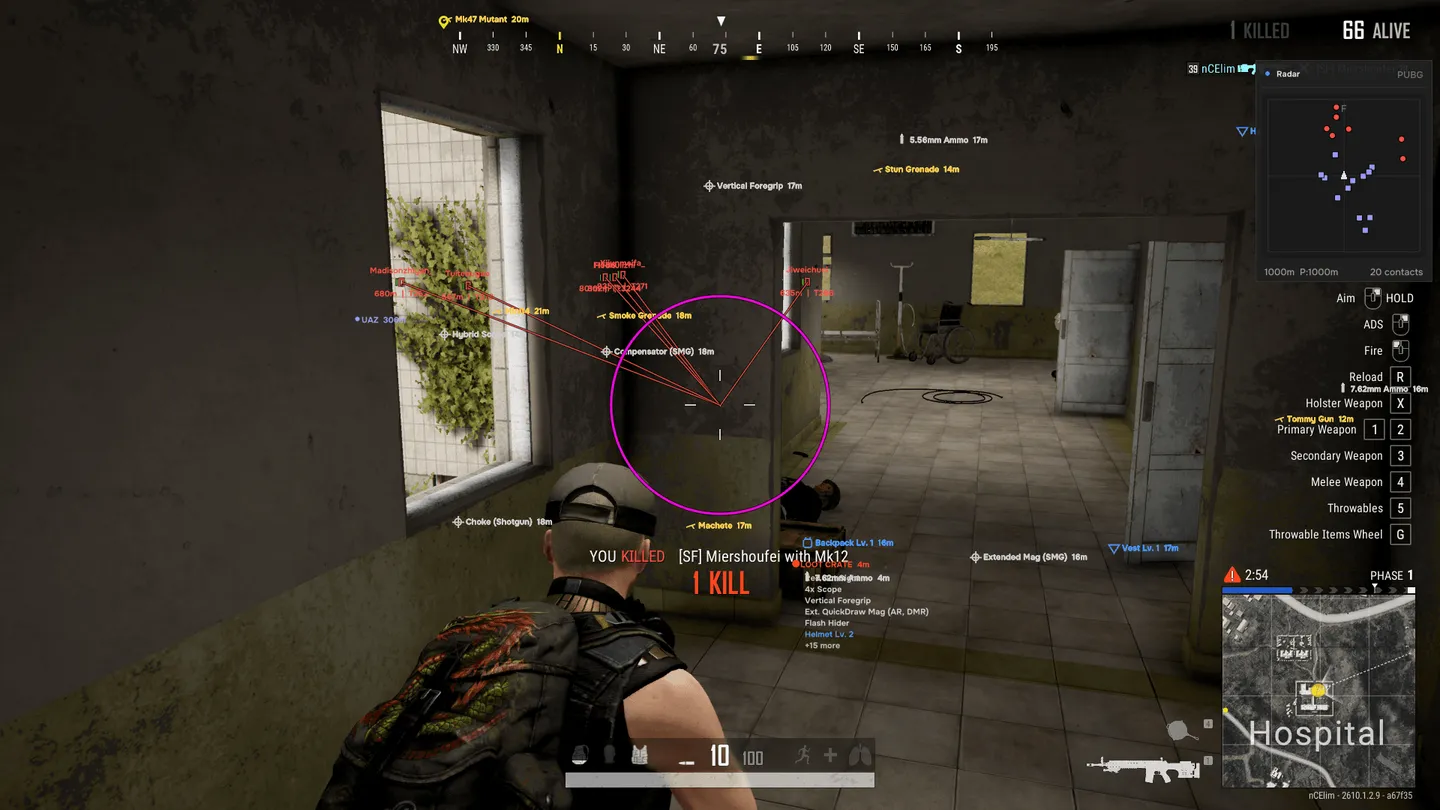
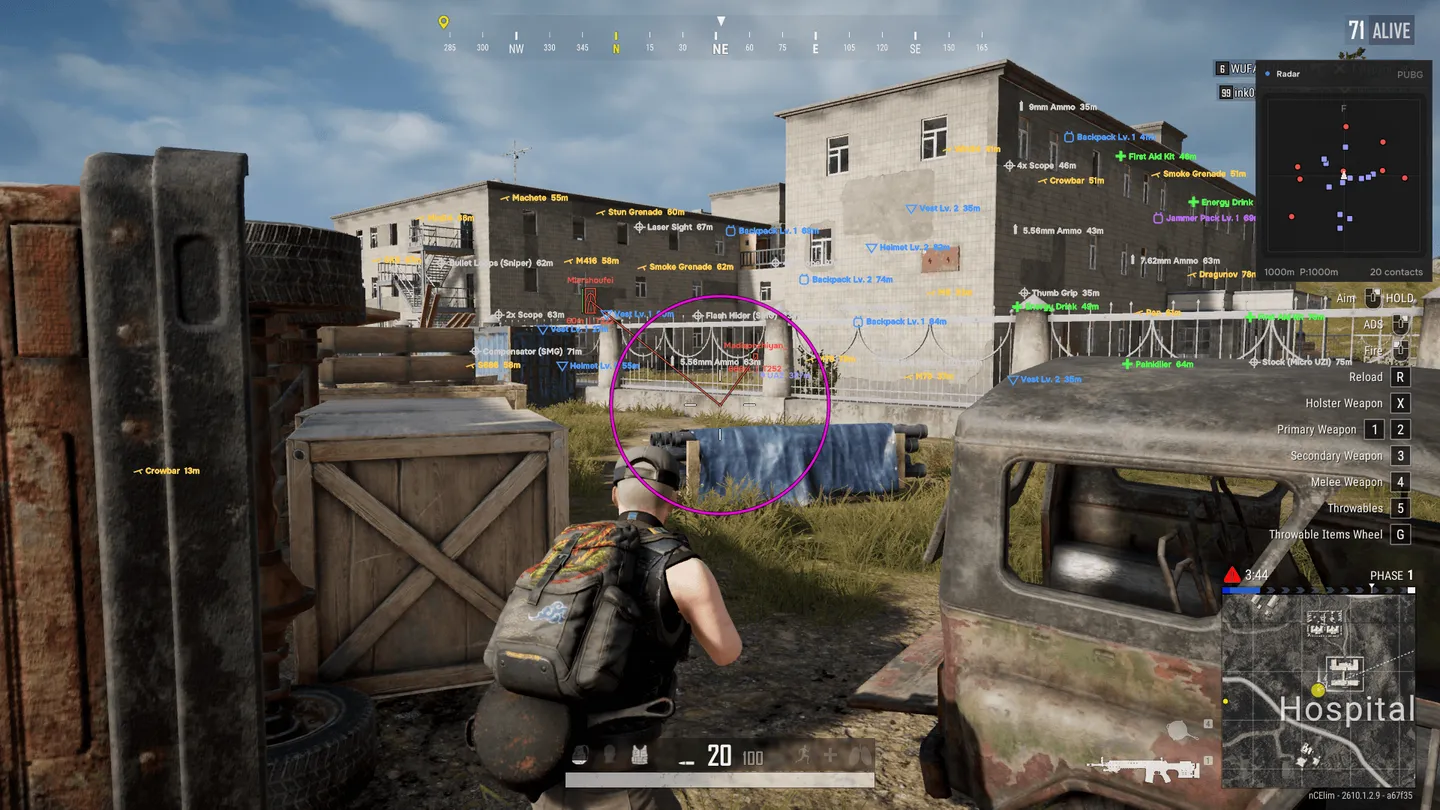
Mcentral for PUBG lets you tune aim assistance for each weapon class instead of using one setup for every fight. Keep a global profile, then override it for rifles, DMRs, sniper rifles, SMGs, LMGs, shotguns or pistols. Prediction and separate recoil and sway compensation sit alongside the aim controls. For looting, filters can keep only compatible ammo and equipment upgrades on screen, while a separate radar tracks players and vehicles. Eight local presets are available. Loading one changes the configuration but leaves your menu and radar positions where you put them.
Status:
updating
- Windows
- 10(all)/11(all)
- Processor
- All
- Graphics card
- Nvidia/AMD
- Launchers
- All
- Streamproof
- yes
- HWID Spoofer
- No built-in/Choose spoofer
Buy access
Instant delivery
List of Hack Features
85 features in 12 groupsAimbot
- Choose the key held to activate aiming
- Use global settings or override them per weapon group: AR, DMR, SR, SMG, LMG, shotgun and pistol
- Prioritize targets by crosshair distance, world distance, lowest health or threat
- Aim at a selected bone or the closest bone: head, neck, body or pelvis
- Adjust the aim field of view and tracking smoothness
- Predict moving targets
- Filter targets by visibility
- Adapt the aim FOV to sight changes in HIP, ADS and scoped modes
- Set recoil and weapon-sway compensation independently
- Customize the FOV circle border, fill, color and thickness
Trigger
- Activate while holding a chosen key
- Set the delay before firing
- Restrict activation to scoped aiming
Stabilization
- Tune horizontal and vertical recoil-response multipliers separately
- Enable vertical stabilization independently
- Adjust stabilization strength
Player ESP
- Display player names, distances and team numbers
- Show equipped weapons, armor levels and scope level
- Display health as a number or bar, with a horizontal-bar option
- Draw player skeletons
- Mark players outside the screen
- Identify knocked players and highlight threats
- Filter squadmates, confirmed dead players, knocked players and verified AI bots
- Show only targets with confirmed visibility
- Check visibility against loaded PhysX collision geometry
- Assign separate visibility colors to enemies and teammates
- Adjust render distance, overlay opacity and text size
- Toggle player ESP with a configurable hotkey
ESP Style
- Choose full 2D rectangles or projected 3D boxes
- Mark heads with a circle or cross and adjust marker scale
- Draw snaplines from the top, center or bottom of the screen
- Use player colors for snaplines
- Set box, skeleton, snapline and head-marker thickness
- Choose colors for players, health, threats and knocked players
- Add soft or filled overlay glow
- Adjust glow thickness, opacity and distance fading
Radar
- View player and vehicle contacts on a square cross-radar
- Drag the header to move the panel, then lock its position
- Save the radar position or reset it
- Adjust panel size, contact range and player render distance
- Set marker size and transparency separately from background transparency
- Display zone rings
- Show direction lines with adjustable length
- Keep north at the top
- Show height and facing indicators
- Display movement trails
- Filter contacts outside the selected range
Loot ESP
- Filter weapons, ammunition and attachments, including optics, magazines, grips and muzzle attachments
- Show medical supplies, boosts, throwables, utility items and deployables
- Track helmets, vests, backpacks and Jammer Packs
- Set minimum armor and backpack levels
- Search item names or use a wishlist
- Keep only ammunition compatible with your equipment
- Keep only equipment upgrades
- Switch between combat and medical search presets or clear the filter
- Show item distances and category icons
- Set loot render distance, reduce distant-item density and prioritize nearby items
Loot Style
- Assign a separate color to each loot category
- Adjust loot-label text size and weight
Vehicles
- Display vehicle names and distances
- Show vehicle health and fuel
- Set vehicle render distance and marker color
- Toggle vehicle ESP independently of the World master switch
Grenades & World
- Warn about grenades and shot projectiles
- Adjust warning distance and color
- Show fuse timers, predicted trajectories and blast-radius markers
- Display distances to the safe zone and blue zone
- Mark care packages and death crates and show their contents
- Set a hotkey for World ESP
HUD & Interface
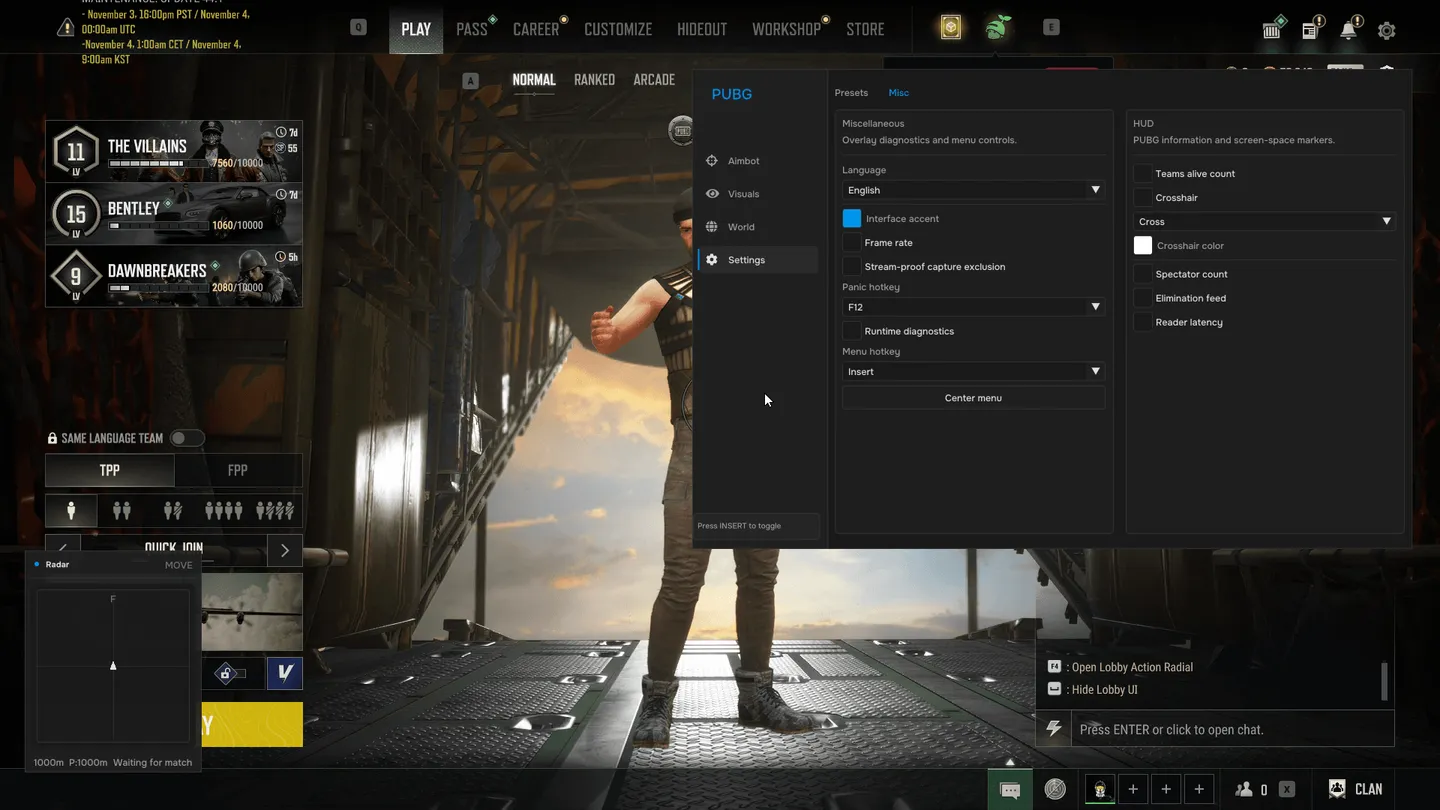
- Move the menu and radar independently
- Choose menu and feature hotkeys, with a panic-hide key
- Choose the interface accent and language
- Use a cross, dot, circle or cross-with-dot crosshair and choose its color
- Display the number of teams alive
- Show spectator count in a movable, lockable panel
- Display the elimination feed
- Monitor FPS, reader latency and runtime diagnostics
- Exclude the overlay from Windows capture
- Confirm actions through the main-menu prompt
- Clean up the overlay when the game exits
Presets
- Store eight local configuration profiles
- Save, load or restore default settings
- Choose a startup preset
- Save menu and radar positions separately from configuration profiles
- Validate files on load and reject invalid or incomplete profiles without changing the current settings
More Hacks for PUBG: Battlegrounds
Customer choice

Arcane Fullfrom 5$
Aimbot, ESP, Radar
undetected
Customer choice
Arcane ESPfrom 5$
ESP, Radar
undetected

Ancient Radarfrom 3$
Radar
undetected
Arcane Radarfrom 3$
Radar
undetected

Vengeancefrom 4.2$
Aimbot, ESP, Radar
undetected
Vengeance Litefrom 2.4$
ESP
undetected
Negative reviews
Ancientfrom 4$
Aimbot, ESP, Radar
undetected

Xernelfrom 6$
Aimbot, ESP
updating