


Ghost ESP for ROB RUN
1 / 12
How to install and launch
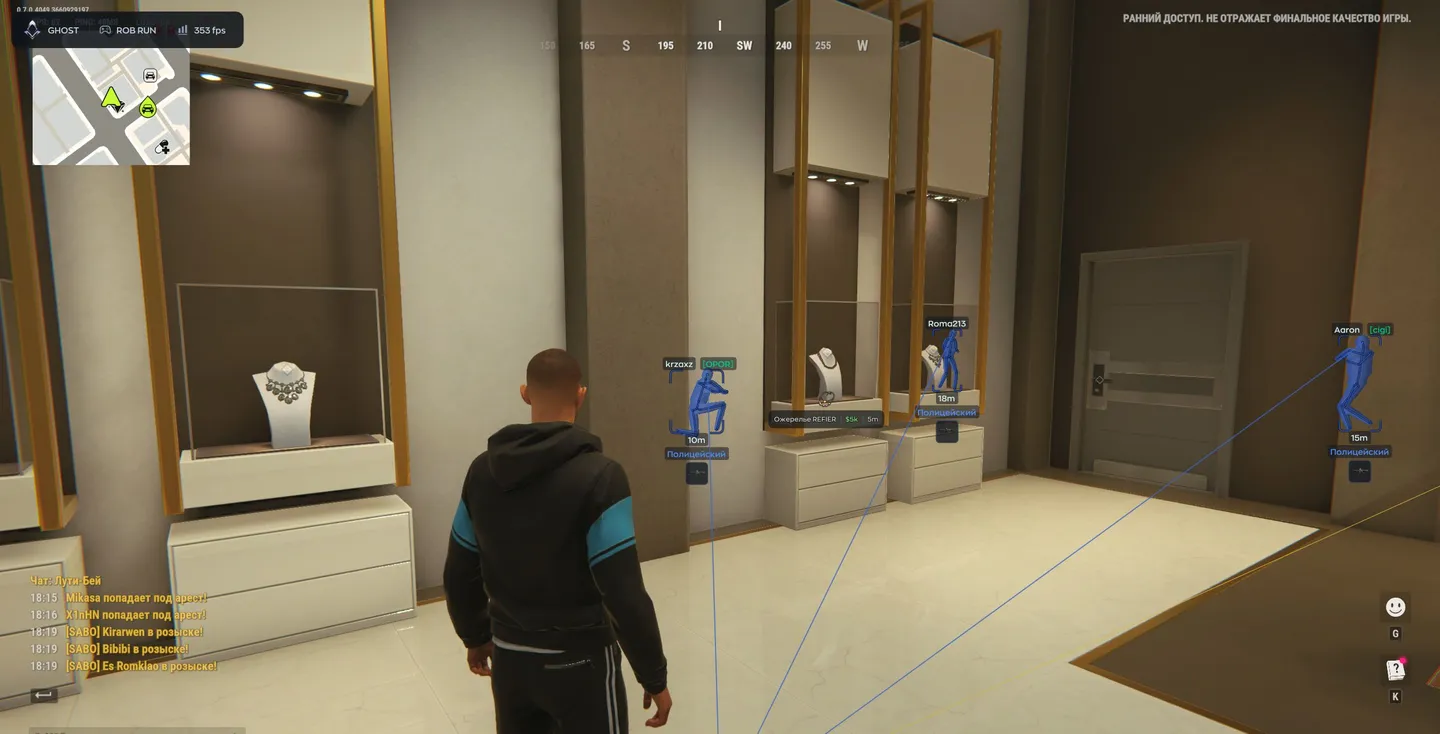
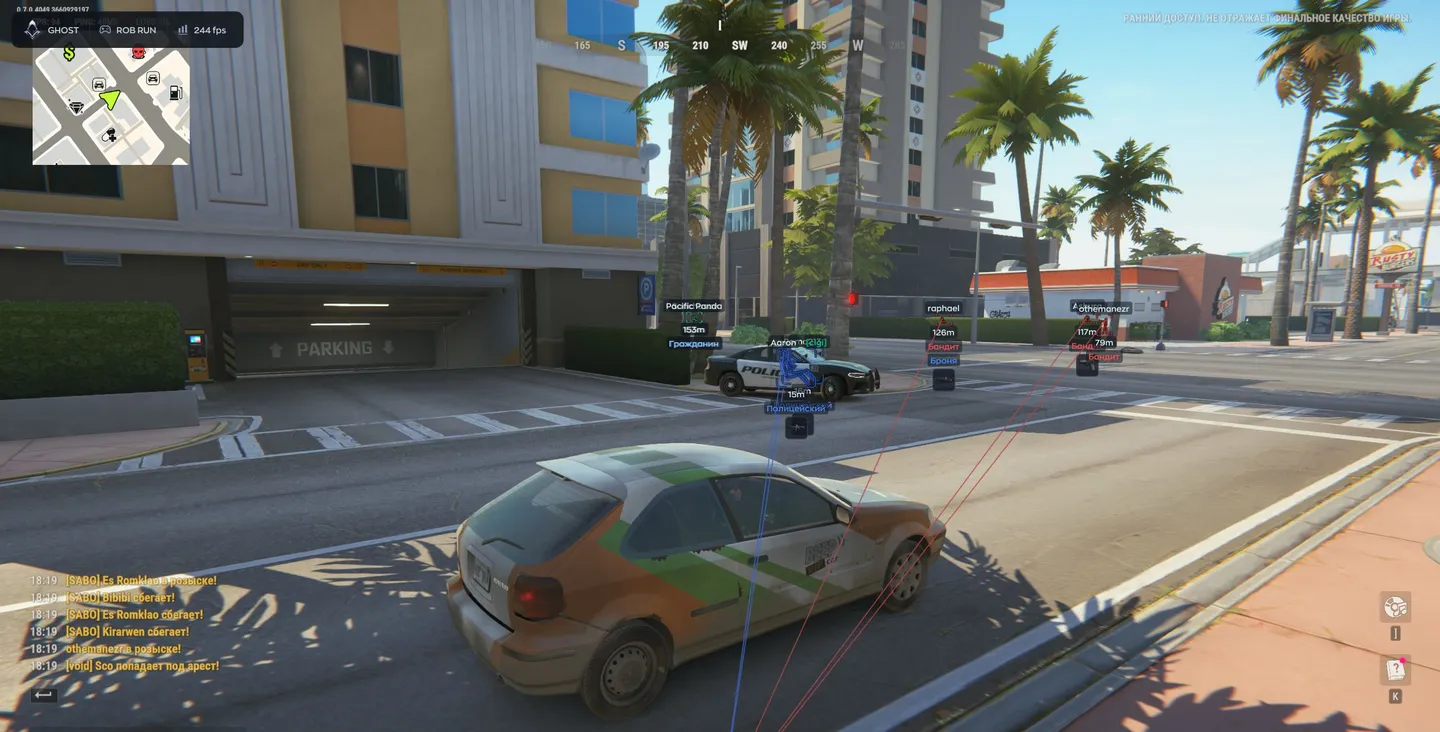
Ghost ESP for ROB RUN puts nearby loot in one list with a total value. Each entry shows the price and distance, so you can decide which items are worth a detour. Search by name. Player markers show roles and equipment, while the radar shows which way those players are facing.
Status:
undetected
- Windows
- 10(all)/11(all)
- Processor
- All
- Graphics card
- Nvidia/AMD
- Launchers
- Steam
- HWID Spoofer
- No built-in/Choose spoofer
List of Hack Features
95 features in 10 groupsPlayer ESP
- Box — frame each player on screen.
- Chams — shade the whole character model in a chosen color, in one of 14 styles.
- Skeleton — trace the pose of a player's body and limbs.
- Visuals Visibility Check — show whether Police, Peaceful and Bandit players are visible on skeletons, boxes and chams.
- Name — label players with their in-game names.
- Distance — add a range readout to each player marker.
- Weapon — show the weapon the player is carrying.
- Role — label each player by their in-game role.
- Armor — show whether a player has armor and its level.
- Clan Tag — show the player's clan or group tag.
- Background — add a backdrop behind ESP visual elements.
- Snapline — trace a line from the screen edge to a marked player.
- Off Screen Arrows — point to players outside the screen.
- View Direction — add a line pointing where the player faces.
- In Vehicle — show players sitting in vehicles.
- Preview — check how your player markers look on a model.
- Silent Aim — hit targets without moving your view toward them.
- Hit Chance — set how often Silent Aim shots land.
- Random Bone — while firing, aim at a randomly picked bone from the ones you selected.
- Aimbot Visibility Check — target only players that are visible.
- Ignore Knocked — skip knocked-out players.
- Ignore Peaceful — exclude peaceful players from aimbot target selection.
- Show Target — mark the player Silent Aim is currently locked on.
- Faction Check — when playing as police, the aim does not target your own faction.
Player Filters and Labels
- Show Roles — choose which player roles get markers.
- Weapon Display — choose an icon or a text label.
- Ignore Clan — exclude players with the specified clan tags.
Radar
- View Direction — show where players are looking on the radar.
- Filters — show Peaceful, Police and Bandit players on the radar separately.
- Draw Outline and Draw Background — toggle the border and background separately.
- Size — change how much screen space the radar takes up.
- Point Style and Point Size — choose the shape and size of radar markers.
- Max Distance and Zoom — set player range and map scale independently.
- Preview — check the layout of player dots and direction markers.
- World Map — view players, vehicles and labels on the full map.
- Minimap Radar — show radar markers directly on the in-game minimap.
Loot ESP
- Categories — weapons, ammo, armor, medical supplies, keys, valuables, grenades, and other items.
- Icons — use item symbols in place of text.
- Filter — search by item name and see its price in the results.
- Hide All / Show All — toggle every item in the loot filter at once.
- Loot labels — see prices and distances beside items in the game view.
- Summary — list detected items separately with their distances, individual prices and total value.
Vehicles
- Box — outline vehicles with a 2D or 3D frame.
- Text — show the vehicle name alongside its distance.
- Vehicle Info — show the owner's name, cargo, speed and whether the vehicle is moving.
- Text Style — set the color, font size and background for each vehicle text element.
- Vehicle Profiles — separate display settings for Bandits, Police, Peaceful and Empty vehicles.
- Vehicle Summary — list vehicles separately with type, distance, owner, number of people and cargo.
Friends
- Friend List — in the Misc tab, search by nickname and check each friend's distance.
World Objects
- Containers — mark containers in the game view.
- Instant Search — see container contents immediately without waiting.
- Take All by Filter — automatically pick up revealed container loot by category and minimum value, accounting for free inventory space.
- Death Bags — mark the bags dropped when players die.
- Cargo — label cargo in the surrounding area.
- Cargo Groups — choose which cargo groups are shown from a dropdown list.
- Loot Nodes — point out locations where loot spawns.
- Loot Filters — choose which container types and loot node categories are shown, with separate multi-select lists.
- Cash — mark money dropped on the ground.
- Cameras — see the locations of surveillance cameras.
- Camera Status — show each camera's state: Active, Alarm, Hacked or Broken.
- No Fog — turn off all fog layers.
- Custom Sky Color — replace the sky with a color of your choice.
- Base ESP — mark defense blocks, storages, racks, workbenches, money laundering, crypto farms, collection tables and cables.
- Base Object Details — show available object states, cargo slots, upgrades and timers.
- Base Object Style — set the color, distance and font size for each base object category.
- House Summary — list the nearest house's objects with distances, cargo slots and detailed states, independently of ESP labels.
- House Containers and Money — count empty and non-empty containers and show available clean and dirty money in the house summary.
- Bush ESP — mark bushes with their status, rarity, count and distance.
- Bush Style — set the name color, distance and font size.
- Status and Rarity Colors — highlight plant status and rarity in distinct colors.
AI Chat
- AI Assistant — ask questions about Ghost's features and menu in the built-in chat.
Configs
- Create / Delete — manage profiles in the config list.
- Save / Load — store your current settings in a profile or recall a saved profile.
- Export / Import — move profiles using config files.
- Profiles — Peaceful, Police and Bandit, each with its own settings.
Menu Settings
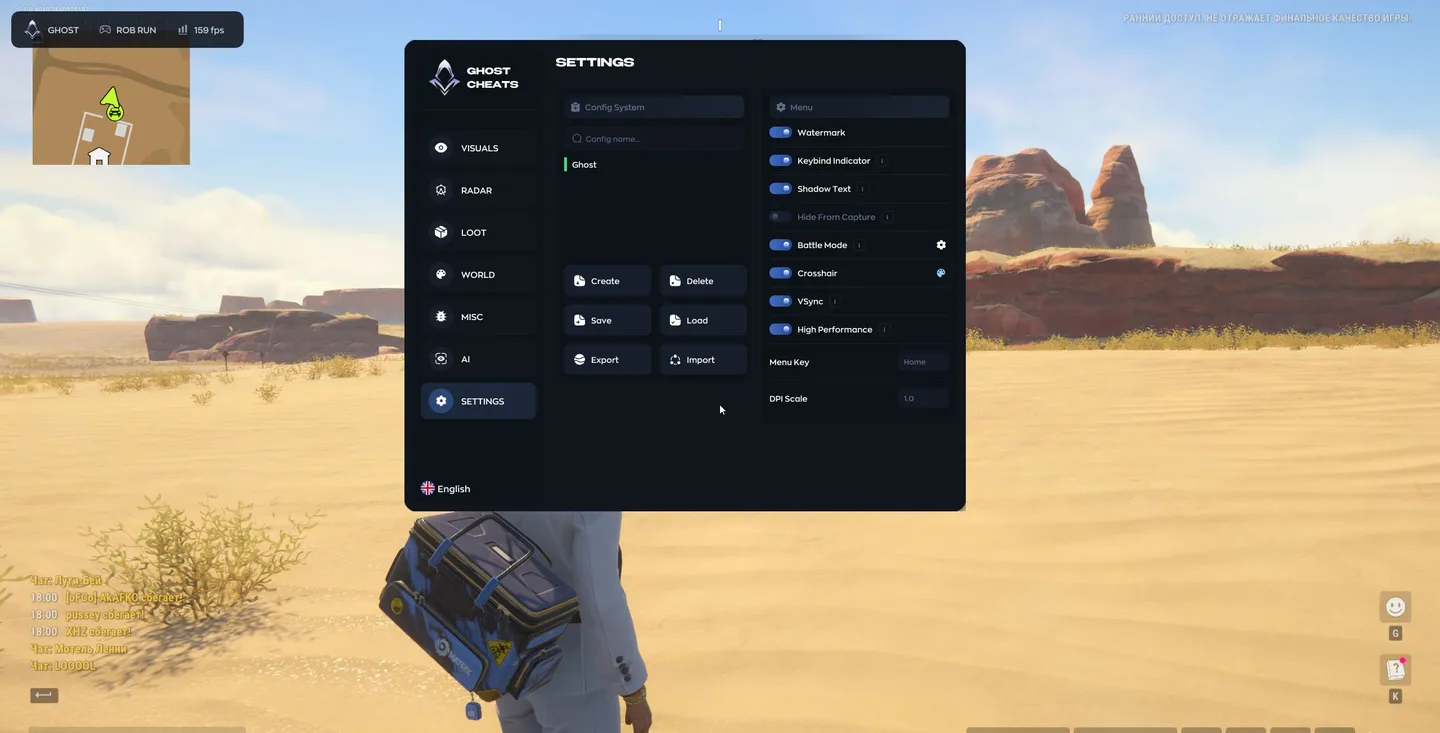
- Watermark — show the Ghost logo in the game view.
- Keybind Indicator — show when an assigned key is pressed.
- Shadow Text — add a shadow to interface labels.
- Hide from Capture — exclude the menu from screenshots and streams.
- Battle Mode — hide the menu with a hotkey.
- Crosshair — enable a custom reticle.
- No Visual Spread — keep the crosshair from widening while firing.
- VSync — toggle vertical sync.
- No Visual Recoil — remove the visual weapon recoil.
- High Performance — reduce the menu's rendering load.
- No Camera Kick — stop the camera from shaking on shots.
- Anti-Flash — protect your view from flashbang grenades.
- Menu Key — set which key opens and closes the menu.
- Tracers — draw visible trails for your shots.
- DPI Scale — resize menu elements.
- Trace Cleaner — at launch, offer a full PC cleanup so a new account is not linked to a previously banned one.
- SkinChanger — change skins of weapons, characters, masks, bags and charms.
- Appearance Menu — pick skins from image cards with animations and a mark on the selected one.
- Weapon Gallery — each weapon card shows the installed skin and opens its variants on click.
- Debug Camera — fly the camera freely to look around the map.
More Hacks for ROB RUN

Ancientfrom 3$
Aimbot, ESP, Radar
undetected

Stealthfrom 3.65$
Aimbot, ESP, Radar
undetected

Arcanefrom 4$
Aimbot, ESP, Radar
undetected

Ghost Fullfrom 3.65$
Aimbot, ESP, Radar
undetected

Vengeancefrom 4.05$
Aimbot, ESP, Radar
undetected

Mason Internalfrom 3.64$
Aimbot, ESP, Radar
undetected

UDPfrom 3$
Aimbot, ESP, Radar
undetected